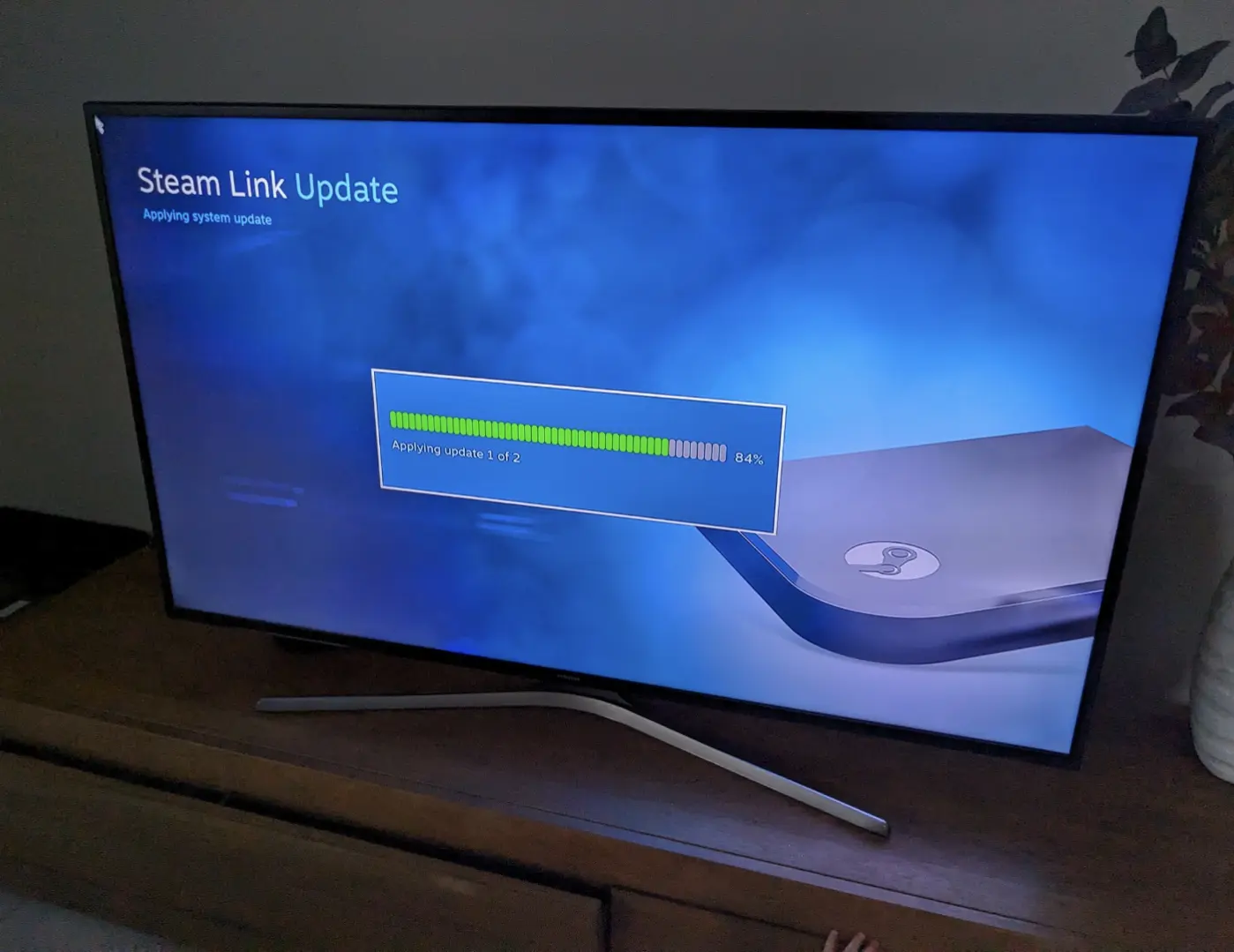
▲ 1321 ▼ 8 Years later my Steam Link is still getting regular updates (slrpnk.net) submitted 2 years ago by CurlyWurlies4All@slrpnk.net to c/games@lemmy.world 218 comments fedilink hide all child comments
[–] tyrant@lemmy.world 9 points 2 years ago (3 children) I've got one I never hooked up. Can you just control the computer in general or do you only get access to steam? I wanted to jellyfin with it maybe permalink fedilink source parent hideshow 6 child comments replies: [–] pearsaltchocolatebar@discuss.online 17 points 2 years ago You can do both. The default is Big Picture mode, but you can back out if it and get a desktop. But, you'll basically have to be a foot or two from the PC to read anything unless you have a desktop environment set up for a large screen (KDE plasma has a TV version) permalink fedilink source parent [–] dom@lemmy.ca 7 points 2 years ago (1 child) You can control the computer but it boots in big picture so you need to escape it to get to the desktop permalink fedilink source parent hideshow 2 child comments replies: [–] DaniloT@lemmy.world 6 points 2 years ago (2 children) Isn't that a setting, and you can make it connect without launching big picture, so it's basically just pc streaming? permalink fedilink source parent hideshow 4 child comments replies: [–] natebluehooves@pawb.social 5 points 2 years ago Yes, I have one and remember doing just that. permalink fedilink source parent [–] dom@lemmy.ca 3 points 2 years ago Oh cool I didnt know that. That's handy permalink fedilink source parent [–] ricecake@sh.itjust.works 3 points 2 years ago (1 child) Can control it in general, but the first few times you'll have to run over and look at the monitor to do stuff. It generally assumes it's being used "close" to the computer, so instead of complex pairing, it just shows a code on one you type into the other. Sometimes windows will get antsy and pop up a dialogue that can only be interacted with locally, but it's only one or twice ever. permalink fedilink source parent hideshow 2 child comments replies: [–] ademir@lemmy.eco.br 2 points 2 years ago So, would you say, shit just works? permalink fedilink source parent
[–] pearsaltchocolatebar@discuss.online 17 points 2 years ago You can do both. The default is Big Picture mode, but you can back out if it and get a desktop. But, you'll basically have to be a foot or two from the PC to read anything unless you have a desktop environment set up for a large screen (KDE plasma has a TV version) permalink fedilink source parent
[–] dom@lemmy.ca 7 points 2 years ago (1 child) You can control the computer but it boots in big picture so you need to escape it to get to the desktop permalink fedilink source parent hideshow 2 child comments replies: [–] DaniloT@lemmy.world 6 points 2 years ago (2 children) Isn't that a setting, and you can make it connect without launching big picture, so it's basically just pc streaming? permalink fedilink source parent hideshow 4 child comments replies: [–] natebluehooves@pawb.social 5 points 2 years ago Yes, I have one and remember doing just that. permalink fedilink source parent [–] dom@lemmy.ca 3 points 2 years ago Oh cool I didnt know that. That's handy permalink fedilink source parent
[–] DaniloT@lemmy.world 6 points 2 years ago (2 children) Isn't that a setting, and you can make it connect without launching big picture, so it's basically just pc streaming? permalink fedilink source parent hideshow 4 child comments replies: [–] natebluehooves@pawb.social 5 points 2 years ago Yes, I have one and remember doing just that. permalink fedilink source parent [–] dom@lemmy.ca 3 points 2 years ago Oh cool I didnt know that. That's handy permalink fedilink source parent
[–] natebluehooves@pawb.social 5 points 2 years ago Yes, I have one and remember doing just that. permalink fedilink source parent
[–] dom@lemmy.ca 3 points 2 years ago Oh cool I didnt know that. That's handy permalink fedilink source parent
[–] ricecake@sh.itjust.works 3 points 2 years ago (1 child) Can control it in general, but the first few times you'll have to run over and look at the monitor to do stuff. It generally assumes it's being used "close" to the computer, so instead of complex pairing, it just shows a code on one you type into the other. Sometimes windows will get antsy and pop up a dialogue that can only be interacted with locally, but it's only one or twice ever. permalink fedilink source parent hideshow 2 child comments replies: [–] ademir@lemmy.eco.br 2 points 2 years ago So, would you say, shit just works? permalink fedilink source parent
[–] ademir@lemmy.eco.br 2 points 2 years ago So, would you say, shit just works? permalink fedilink source parent