[–] 4 points 3 days ago

"Why don't you decry the other atrocities that your government isn't directly supporting with the same energy as the ones they are, huh??" It's got some real "all lives matter" energy to it.

  • source
  • [–] 9 points 3 days ago* (last edited 3 days ago) (2 children)

    They're in luck! You don't need divorce for the children to go into foster care, just severely neglect them. Marriage saved, everyone is happy.

  • source
  •  

    I have an old Sony Vaio laptop that I'm trying to get Mint Xfce to work on. I needed to use compatibility mode when originally booting from the USB in case that's relevant.

    The issue I have is that after the mint logo, it's just a black screen. A hard reset and starting in recovery mode will work, but I'd like to not have to go through recovery mode every time.

    I'm assuming it's a driver issue with the Nvidia card (GeForce 310M), but the Driver Manager just shows a checkmark saying no drivers needed and nothing else (I'm guessing I should be able to see current drivers or something, anything?).

    I've spent the last couple of hours searching in forums and have yet to figure out how to fix it.


    We all know the modern complaint: movie sound sucks now unless you have a high-end sound system. Frantically turning down the volume after turning it up to hear the dialogue only to need to turn it up again can be frustrating. Now, this doesn't solve the underlying problem, but why not have a "Volume A" and "Volume B" you can easily set and toggle between with the simple press of a button?

    submitted 1 year ago* (last edited 1 year ago) by to c/steamdeck@sopuli.xyz
     

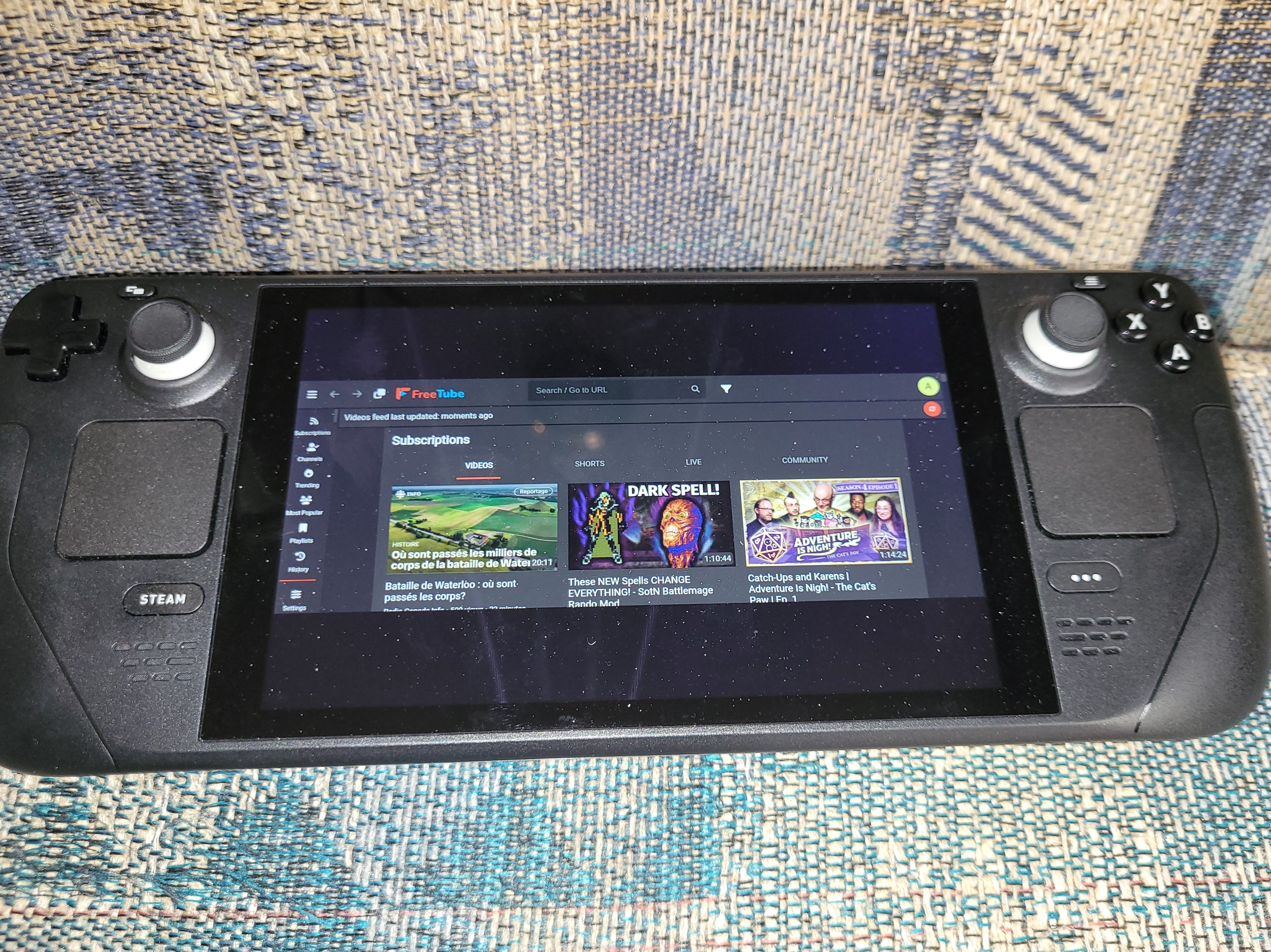
    Has anyone had success getting FreeTube to run full screen when in game mode? I've messed with settings to no success, and can't find anything online about it either. It always has black bars top and bottom that take up a good portion of the screen.

    Edit: I've added a picture to show what I mean
    submitted 2 years ago* (last edited 2 years ago) by to c/thelyricsgame@lemmy.ca
     

    TestWorks in the body though! Maybe that's a solution?

    Edit: I tried and couldn't get it to work in the title. But as shown above it works in the post body.

    Original body text: I don't know if it's a limitation or not, but adding the song title behind a spoiler tag would allow people late to the game to still try and guess before seeing the answer.

    view more: next ›