I just checked, and it is apparently called "Default".
post
replies:
Catppuccin cursors https://github.com/catppuccin/cursors
replies:
https://michieldb.nl/other/cursors/
These are also available on KDE when you click the get more button or whatever it's called (I'm not at home) in System Settings.
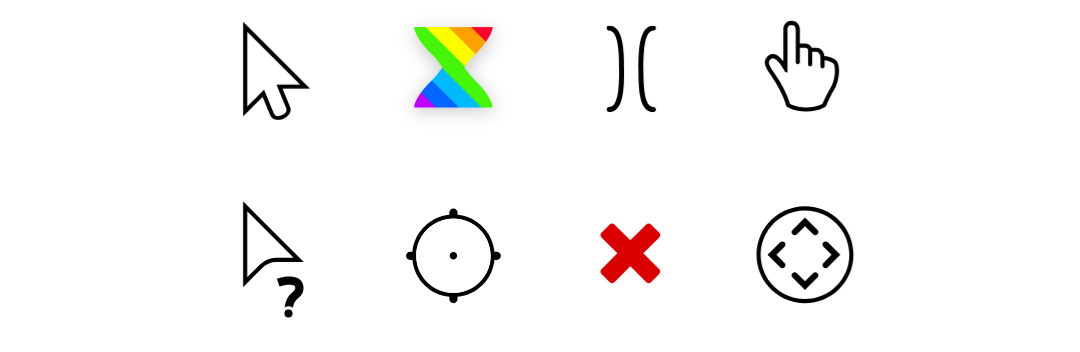
A preview of a few but open the website, they're animated. Plus there's multiple styles and dark modes.
replies:
The only one I change is the finger pointer to be the middle finger instead of the index finger.
I always use Breeze Dark (even tho I don't use Plasma)
[deleted]
Breeze but the white one
the default x11 one (tiny black cursor)
Banana cursor
Breeze white, left on laptops. I use the track pad left-handed. Always freaks people out when the cursor is reversed and I'm used to it now.
Also, if you're trying to click on the first half of a letter to highlight (and the cursor doesn't switch to the beam), I find it easier when you can see more of the letter.
I'm using one of the Catppuccin ones right now. It comes in a lot of colors, so there's always one that looks good with the theme I'm using.
Adwaita
Can anybody recommend a reticle-style cursor? Like the ones from the old digitizer pucks.
I want a circle where clicks go into the center instead of the top corner.
replies:
The default pop!_os one :3
OpenZone_Ice https://www.opendesktop.org/p/999999/
Vimix!
AmigaOS Retro-Modern => https://www.opendesktop.org/p/999414/
MacOS cursor with the Mickey hand. Especially now those monsters at Apple took it out from actual MacOS 😭

Currently I use the "Bibata Modern Ice" cursor. It looks very nice in my opinion!
all 27 comments