That would be great! Can I dm you?
rtings.com has put partial of their review content behind paywall, including the ICC profiles.
You're right, but I don't really know what to do in this specific moment and I was hoping that a doctor could give me some advice. Anyway I will try to ask for other opinions.
Thank you for your response. I'll look into my Vitamin D brand.
You can try this: https://private.mt/
I can confirm that Mullvad VPN client works quite well on Linux.
+1 for HereWeGo. It's really good for navigation (for my personal experience it's better than MagicEarth) and it does collect minimum data. Didn't know about Mapy, why do you choose it?
Thanks, but I already tried them.
I've tried to install the following games:
- The Last of us Part I
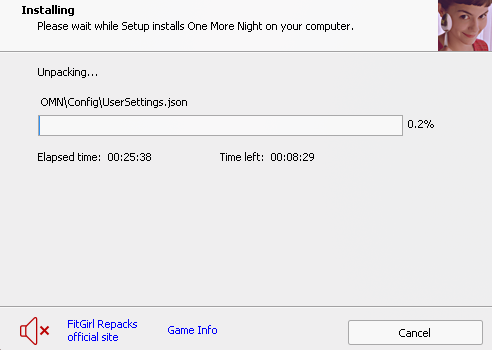
- One More Night
but for both, the game installation stuck at around 0.0%, so I think this is not a problem with games per se but maybe with my pc/wine configuration. The fun fact is that, a week ago, I was able to install Clair Obscure Expedition 33 without issue. Can anyone help me?
This is my pc configuration:
- ChachyOS with zen-kernel
- CPU: Ryzen 5 2600X
- GPU: RX 7800 XT
- 16 GB of RAM at 2133 MHz
- 1 TB nvme SSD
I tried the following fixes:
- verify BIN files before installation
- use the Russian language for the installer
- deleted any special character in the folder name of the executable and put such folder in a subfolder of the C drive
- install the game in a subfolder of the C drive
- limit installer to 2 GB of RAM usage
- every wine tricks in the FitGirl troubleshooting page
- use brand-new wine prefix
UPDATE: I resolved this issue launching the setup through Lutris (here's a tutorial)
Wow, that's awesome
It's weird that mechanical keyboard isn't on the list
Thanks for the reply, I'll try it.

So, basically, I often find torrent movies which contains this type of dir/file hierarchie; how can I watch them?
Thanks, I was able to do exactly what I wanted.
view more:
next ›