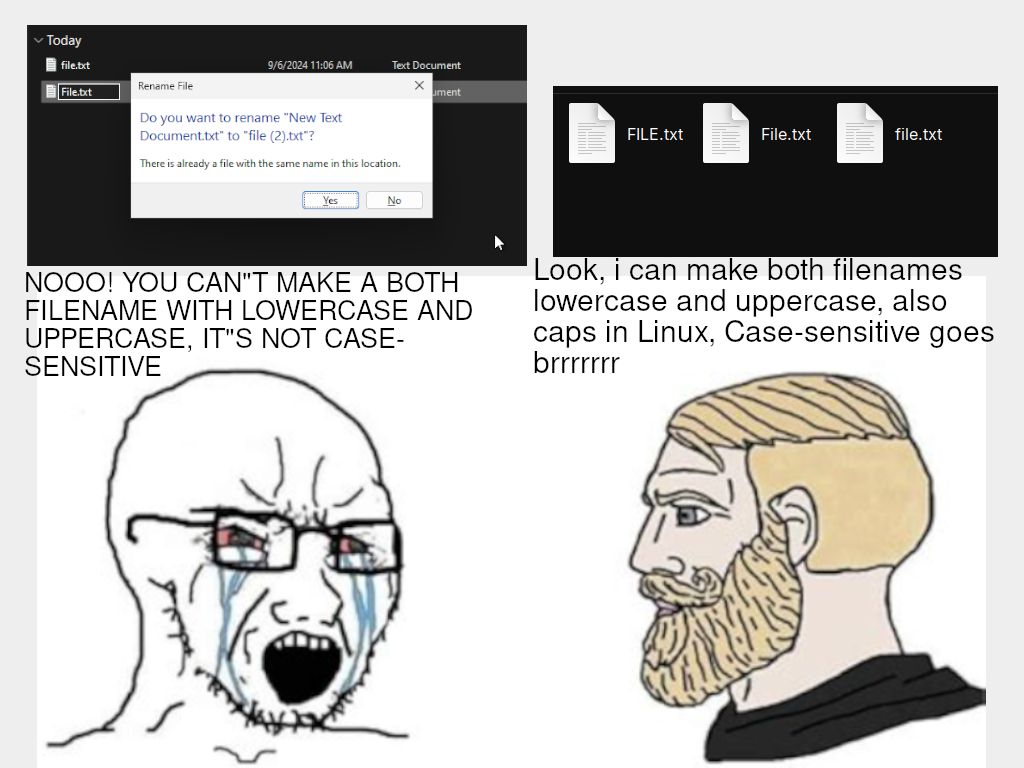
▲ 614 ▼ Remember: GNU/Linux and other UNIX systems can make files that are case-sensitive, Windows can't make files that are case-sensitive (lemmy.world) submitted 2 years ago by LuuTuyen@lemmy.world to c/linuxmemes@lemmy.world 239 comments fedilink hide all child comments
[–] fuckwit_mcbumcrumble@lemmy.dbzer0.com 7 points 2 years ago (1 child) You can, but assholes out there won’t. permalink fedilink source parent hideshow 2 child comments replies: [–] KillingTimeItself@lemmy.dbzer0.com 5 points 2 years ago (1 child) hence the inclusion of the case insensitive auto completion, it's not 1982, you can use that now. permalink fedilink source parent hideshow 2 child comments replies: [–] exu@feditown.com 2 points 2 years ago (5 children) If I have two folders in my directory, Dir1 and dir2, what does d <TAB> autocomplete to and what should it do? permalink fedilink source parent hideshow 10 child comments replies: [–] Illecors@lemmy.cafe 3 points 2 years ago (1 child) At least on zsh it would pop both of those as suggestions you can cycle through. permalink fedilink source parent hideshow 2 child comments replies: [+] boomzilla@programming.dev 0 points 2 years ago* [deleted] permalink fedilink source parent [–] ReCursing@lemmings.world 2 points 2 years ago In the case of zsh it will quite happily do either and ask you which you meant just like if they were called Dir1 and Dir2. Also works if you have a dir1 and Dir2 in the same directory as well permalink fedilink source parent [–] KillingTimeItself@lemmy.dbzer0.com 1 point 2 years ago it depends on your shell configs. In my case it sits at dir/Dir (case insensitive) waiting for me to specify 1 or 2, where as if you disable it, it's dependent on whether or not you type d or D. permalink fedilink source parent [+] boomzilla@programming.dev 1 point 2 years ago [deleted] permalink fedilink source parent [–] boomzilla@programming.dev 0 points 2 years ago In fish it would immediately expand to dir2. If you have "Dir1" and "DIR2" and you type "cd d", your prompt will look like in the next picture. Fish automatically transforms "d" into "D", because there is no dir starting with the lowercase "d". On a subsequent you'll get a list of dirs matching your prompt so far in which you choose an entry with the cursor key and enter it with the enter key. permalink fedilink source parent
[–] KillingTimeItself@lemmy.dbzer0.com 5 points 2 years ago (1 child) hence the inclusion of the case insensitive auto completion, it's not 1982, you can use that now. permalink fedilink source parent hideshow 2 child comments replies: [–] exu@feditown.com 2 points 2 years ago (5 children) If I have two folders in my directory, Dir1 and dir2, what does d <TAB> autocomplete to and what should it do? permalink fedilink source parent hideshow 10 child comments replies: [–] Illecors@lemmy.cafe 3 points 2 years ago (1 child) At least on zsh it would pop both of those as suggestions you can cycle through. permalink fedilink source parent hideshow 2 child comments replies: [+] boomzilla@programming.dev 0 points 2 years ago* [deleted] permalink fedilink source parent [–] ReCursing@lemmings.world 2 points 2 years ago In the case of zsh it will quite happily do either and ask you which you meant just like if they were called Dir1 and Dir2. Also works if you have a dir1 and Dir2 in the same directory as well permalink fedilink source parent [–] KillingTimeItself@lemmy.dbzer0.com 1 point 2 years ago it depends on your shell configs. In my case it sits at dir/Dir (case insensitive) waiting for me to specify 1 or 2, where as if you disable it, it's dependent on whether or not you type d or D. permalink fedilink source parent [+] boomzilla@programming.dev 1 point 2 years ago [deleted] permalink fedilink source parent [–] boomzilla@programming.dev 0 points 2 years ago In fish it would immediately expand to dir2. If you have "Dir1" and "DIR2" and you type "cd d", your prompt will look like in the next picture. Fish automatically transforms "d" into "D", because there is no dir starting with the lowercase "d". On a subsequent you'll get a list of dirs matching your prompt so far in which you choose an entry with the cursor key and enter it with the enter key. permalink fedilink source parent
[–] exu@feditown.com 2 points 2 years ago (5 children) If I have two folders in my directory, Dir1 and dir2, what does d <TAB> autocomplete to and what should it do? permalink fedilink source parent hideshow 10 child comments replies: [–] Illecors@lemmy.cafe 3 points 2 years ago (1 child) At least on zsh it would pop both of those as suggestions you can cycle through. permalink fedilink source parent hideshow 2 child comments replies: [+] boomzilla@programming.dev 0 points 2 years ago* [deleted] permalink fedilink source parent [–] ReCursing@lemmings.world 2 points 2 years ago In the case of zsh it will quite happily do either and ask you which you meant just like if they were called Dir1 and Dir2. Also works if you have a dir1 and Dir2 in the same directory as well permalink fedilink source parent [–] KillingTimeItself@lemmy.dbzer0.com 1 point 2 years ago it depends on your shell configs. In my case it sits at dir/Dir (case insensitive) waiting for me to specify 1 or 2, where as if you disable it, it's dependent on whether or not you type d or D. permalink fedilink source parent [+] boomzilla@programming.dev 1 point 2 years ago [deleted] permalink fedilink source parent [–] boomzilla@programming.dev 0 points 2 years ago In fish it would immediately expand to dir2. If you have "Dir1" and "DIR2" and you type "cd d", your prompt will look like in the next picture. Fish automatically transforms "d" into "D", because there is no dir starting with the lowercase "d". On a subsequent you'll get a list of dirs matching your prompt so far in which you choose an entry with the cursor key and enter it with the enter key. permalink fedilink source parent
[–] Illecors@lemmy.cafe 3 points 2 years ago (1 child) At least on zsh it would pop both of those as suggestions you can cycle through. permalink fedilink source parent hideshow 2 child comments replies: [+] boomzilla@programming.dev 0 points 2 years ago* [deleted] permalink fedilink source parent
[–] ReCursing@lemmings.world 2 points 2 years ago In the case of zsh it will quite happily do either and ask you which you meant just like if they were called Dir1 and Dir2. Also works if you have a dir1 and Dir2 in the same directory as well permalink fedilink source parent
[–] KillingTimeItself@lemmy.dbzer0.com 1 point 2 years ago it depends on your shell configs. In my case it sits at dir/Dir (case insensitive) waiting for me to specify 1 or 2, where as if you disable it, it's dependent on whether or not you type d or D. permalink fedilink source parent
[–] boomzilla@programming.dev 0 points 2 years ago In fish it would immediately expand to dir2. If you have "Dir1" and "DIR2" and you type "cd d", your prompt will look like in the next picture. Fish automatically transforms "d" into "D", because there is no dir starting with the lowercase "d". On a subsequent you'll get a list of dirs matching your prompt so far in which you choose an entry with the cursor key and enter it with the enter key. permalink fedilink source parent