I'm trying to run VirtualBox in Linux Mint but I keep getting an error message about Kernel drivers.
(lemmy.ml)
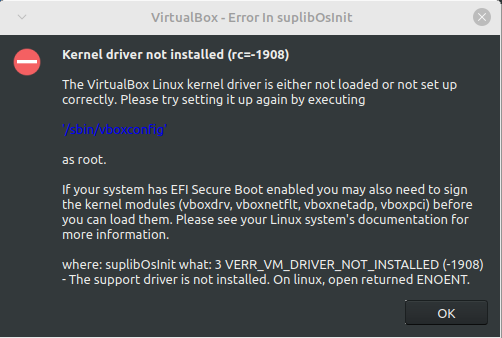
I tried looking into this myself but I couldn't really find much about this error. The only solutions I could find didn't work for me. The first one was to use mokutil but at the point where I was supposed to run sudo mokutil --import MOK.der it gives me the error message "Failed to get file status, MOK.der" even though I did everything it told me to do. The other one was to disable secure boot and then run sudo '/sbin/vboxconfig' but even though it looked like it worked, I'm still getting the error message. I have re-enabled secure boot, so you don't have to worry about that.
Is there something else I can try or does VirtualBox not work in Linux Mint for some reason?