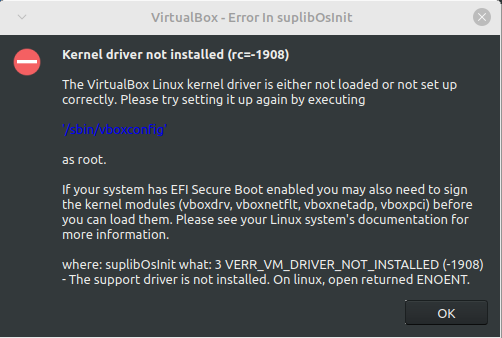
Is there something specific from that link that I'm supposed to use because I tired the top solution and it just gave me a bunch of error messages:
j@j-HP-Notebook:~$ sudo apt-get install build-essential linux-headers-`uname -r` dkms virtualbox-dkms
[sudo] password for j:
Reading package lists... Done
Building dependency tree... Done
Reading state information... Done
dkms is already the newest version (2.8.7-2ubuntu2.1mint1).
build-essential is already the newest version (12.9ubuntu3).
linux-headers-5.15.0-88-generic is already the newest version (5.15.0-88.98).
The following packages were automatically installed and are no longer required:
libqt5help5 libqt5sql5 libqt5sql5-sqlite libqt5xml5 libsdl-ttf2.0-0
Use 'sudo apt autoremove' to remove them.
The following additional packages will be installed:
libgsoap-2.8.117 liblzf1 libvncserver1 virtualbox virtualbox-qt
Suggested packages:
vde2 virtualbox-guest-additions-iso
The following packages will be REMOVED:
virtualbox-7.0
The following NEW packages will be installed:
libgsoap-2.8.117 liblzf1 libvncserver1 virtualbox virtualbox-dkms virtualbox-qt
0 upgraded, 6 newly installed, 1 to remove and 0 not upgraded.
Need to get 0 B/46.5 MB of archives.
After this operation, 43.0 MB disk space will be freed.
Do you want to continue? [Y/n] y
debconf: DbDriver "config": /var/cache/debconf/config.dat is locked by another process: Resource temporarily unavailable
(Reading database ... 642834 files and directories currently installed.)
Removing virtualbox-7.0 (7.0.12-159484~Ubuntu~jammy) ...
debconf: DbDriver "config": /var/cache/debconf/config.dat is locked by another process: Resource temporarily unavailable
dpkg: error processing package virtualbox-7.0 (--remove):
installed virtualbox-7.0 package pre-removal script subprocess returned error exit status 1
dpkg: too many errors, stopping
vboxdrv.sh: failed: modprobe vboxdrv failed. Please use 'dmesg' to find out why.
There were problems setting up VirtualBox. To re-start the set-up process, run
/sbin/vboxconfig
as root. If your system is using EFI Secure Boot you may need to sign the
kernel modules (vboxdrv, vboxnetflt, vboxnetadp, vboxpci) before you can load
them. Please see your Linux system's documentation for more information.
Errors were encountered while processing:
virtualbox-7.0
Processing was halted because there were too many errors.
E: Sub-process /usr/bin/dpkg returned an error code (1)
j@j-HP-Notebook:~$ sudo modprobe vboxdrv
modprobe: ERROR: could not insert 'vboxdrv': Operation not permitted