[–] [S] 1 point 1 month ago

Hi @julian @baris We're on NodeBB v3.10.3 atm and upgrading to NodeBB v4.11.2 and I have performed the upgrade around 25-30 times now (For testing + actual upgrade attempts) and except for a handful of times, the total upgrade time was close to 3 hours. Best case was around 45 mins.

"[2025/1/27] Changing integer search indices to string" step is the one that takes the longest during the upgrade

b0e6aed7-c42f-4286-a441-e2a122af2461-image.jpeg

b0e6aed7-c42f-4286-a441-e2a122af2461-image.jpeg

  • source
  •  

    Apologies if this is the wrong category but wanted to get an idea about the kind of the VM resources others are using when running NodeBB.

    Our current forum is v3 and we're using MongoDB (DB size is around 2.5). We have around all time 12K users (average active guest+users # at a given time is around 50-100). There's around all time 30K topics, and about 100K daily page visits.

    We've been running MongoDB as a 3-replica-instance setup and has worked very well so far. (Dedicated VM for Nodebb, dedicated VM for 1x MongoDB PRIMARY instance, and one more VM for 2x MongoDB SECONDARY instances)

    We have been trying to upgrade the forum to v4 a few times now (DB size increases to around 5.5GB from 2.5GB).

    However, due to Mongo issues (Data syncing across replica sets, allocated resources not being enough etc sometimes), once upgraded, the DB setup has failed and we have had to keep our current v3 setup so far.

    We are now exploring the option of getting rid of our current 3-replica-instance setup and use only one Mongo instance.

    However, before we proceeded/tested, I would like to get an idea if anyone has similar experience running a forum of around the same/larger specs and which kind of resources have been allocated(CPU/RAM/SWAP etc) for running a dedicated MongoDB instance.

    Thank you!

    [–] [S] 4 points 6 months ago

    An update on this in case it helps anyone else: So there were some custom plugins that were installed via a local directory. The upgrade goes through without issues by performing the following before the upgrade:

    1. custom plugins are omitted from package.json
    2. node_modules and package-lock.json are removed

    Once upgraded,

    1. the custom plugin dependencies are to be added to package.json
    2. Run npm install followed by ./nodebb build

    This should fix the dependency issue if you have any custom plugins

  • source
  •  

    Greetings!

    We're currently running NodeBB v3.10.3 and I have been trying to upgrade to latest (v4.6.1 at the time of writing). I have not tried upgrading directly on the instance yet since I wanted to try locally first with the same or close-to-same conditions (node versions npm versions Ubuntu versions, latest DB backup, public files etc).

    However, the upgrade script has been failing again and again and I even upgraded node to v22.21.0 and npm to v10.9.4.

    The error always seem to be something along the lines of "Dependencies outdated or not yet installed. Error Code: DEP_WRONG_VERSION".

    Then I followed the following instructions and have been able to "seemingly" upgrade NodeBB. However, I am not entirely sure if the process I followed is correct or if I have missed any steps that would run all the upgrade scripts like db migration/plugin upgrades etc.

    Steps I followed are a follows:

    Any feedback would be appreciated. Thank you!

    465ef2a7-0985-480d-9c22-db2bbe23d60b-image.png

    [–] [S] 1 point 10 months ago (1 child)

    D1re_W0lf Thanks for the response. Seem they do not work as Julian has confirmed.

    Hi julian Thanks a lot. Our current version is still NodeBB v3 so guess we may have to either make some tweaks or schedule a v4 upgrade soon. Thanks anyway Julian. Hope crawlers from search engines are still able to get through with the above setup yeah?

  • source
  •  

    Hi all,

    We've been using Cloudflare for a while now and atm we are in the free tier if that helps(and have turned off acceleration).

    Since like last week we've seen a sudden hike in requests to the point where the server cannot handle it anymore.

    c565cb7d-b40f-4e4c-8c34-1ef344883e6c-image.png

    These should be AI crawlers and we're trying to limit access to them but they seem to crawl into the forum somehow.

    While we would want non-logged-in users/visitors to see the content, since no one can use the site anymore we have decided to only let in logged-in users without checks and for others, for a human check to go through.

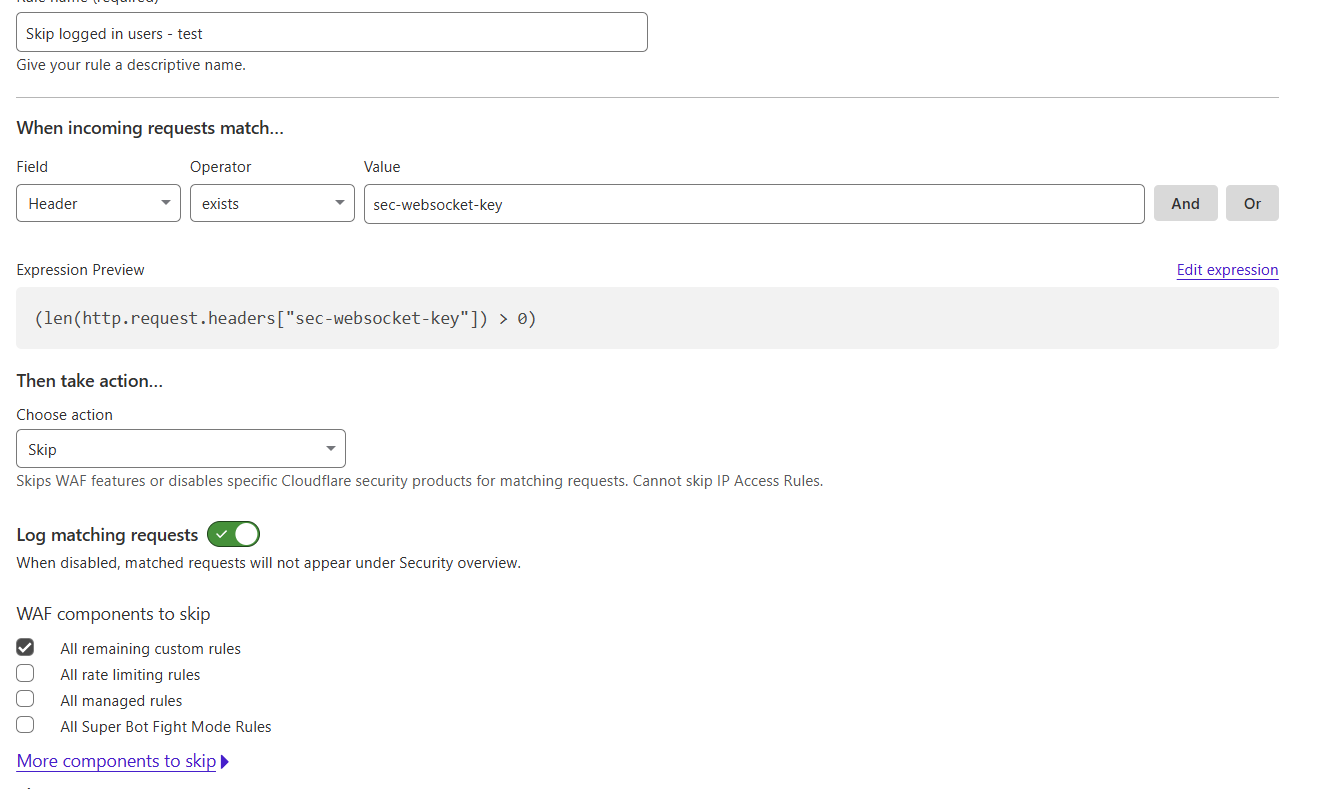
    The following is the rule we're using to identify logged in/actual users:

    19bebf17-9484-4b47-93cf-cb9eec823add-image.png

    I was wondering if there is a better/more standardised/more accurate way to identify logged in users.

    Thanks very much!