Neo-brutalism
Hello, les 4 premières minutes de ta vidéo sont très bien pour comprendre de quoi il retourne, même s’il s’embrouille dans les concepts de fédération et d’interopérabilité, ça n’a que peu d’importance.
Synapse (ou Conduit) sont des serveurs, ça s’installe seulement si on veut gérer soi-même son propre serveur, mais ça veut dire qu’il faut partir se configurer un peu tout, et ça peut vite être rébarbatif. Si tu veux démarrer simplement, le mieux est de se reposer sur des serveurs déjà en place.
Point par point :
-
Pas spécialement, juste vérifier qu’on est ok avec les valeurs du serveur sur lequel on s’inscrit, et qu’il n’est pas défédéré avec les autres, mais les gros trucs fonctionnent généralement bien. Et rien ne t’empêche de créer un compte pour tester, puis d’arrêter/le fermer.
-
J’utilise Element, mais ça va dépendre de la plateforme (Element Classic ou Element X sur smartphone, Element Chat dans le navigateur), et des fonctionnalités qui nous intéressent. Pareil, rien n’empêche d’installer, tester et virer ce qui ne fonctionne pas. Matrix est un peu chatouilleux sur le chiffrement, et certains clients peuvent avoir du mal à déchiffrer tous les messages.
-
Le nom d’utilisateur est décorrélé du client utilisé, et il ne me semble pas qu’on puisse le modifier, sauf peut-être avec des accès administrateurs au niveau serveur, mais ça doit poser tout un tas de problèmes au niveau fédération. Après, le choix du nom, c’est comme sur n’importe quelle plateforme en ligne, ça dépend de toi et de ce que tu veux montrer aux autres.
-
Matrix.org fonctionne bien, et suit le standard, donc peu de chances d’y avoir des problèmes, et ils acceptent les inscriptions, c’est d’ailleurs un soucis pour ceux qui ont leurs propres serveurs, les liens d’invitations redirigent toujours vers matrix.org, et généralement les invités vont créer leurs nouveaux comptes sur cette plateforme plutôt que le serveur qui a lancé l’invitation. Si on a plus d’affinités avec un CHATONS, autant partir dessus, le support et le contact seront sûrement plus humains.
The link seems incorrect.
This is a self-hosting community, not a porn one.
They had to stay still for 10 years for the photo to be taken! That’s quite a feat!
l read once that it was written as roman numerals because it was harder to understand.
That allowed movie companies to release films at the time they wanted, while the shooting was done 2 to 3 years prior, and keeping the audience in the dark.
I went exactly there 10 years ago!

They rather look like aliens than look old. That’s a sign of mental illness.
Hi Daniel,
I saw that you released the 2.5.0 version and I installed it right away!
Now that the french translation is complete (though I think it still needs a bit of polish, to be more concise, especially when the context is clear), I saw some places that still show untranslated strings.
Here they are (I listed them by access point):
/:- Tooltip on the "Today" button is "Go to Today"
- Tooltip on the "Play icon" is "Auto Update"
- Tooltip on the fullscreen icon is "Toggle Fullscreen"
- Tooltip on the show/close panels
/memories- Create Memory
- View Memory
/memories/<x>- Share
- Delete
- All the text on the Edit page
/statistics- Global
- Overall Statistics
- Transport modes
- Graphs
- Month names when you select a specific year
/settings/export-data- On the raw data table, it shows "Found location points"
/settings/user-management- Alert box shows "Are you sure you want to remove the current custom CSS file?"
/settings/places- In the search box, it’s "Search places…"
/settings/visit-sensitivity- Sensitivity scale goes from "Very Low" to "Very High"
- On the preview, the date selection is still written as "Preview Date", when the button on the right is clicked, it shows "Loading preview…"
/settings/geocode-services- Placeholder for geocoding service has "e.g., My Custom Geocoder"
- The warning before the geocoding.clear.warning message is written as "Warning"
/settings/integrations- Instructions for each application are still in english
I also started to use the sharing options with other members of my family, and, I think I saw someone already proposing this, I really like the idea of setting our own path color.
Moreover, the colors that can be selected are all solid, and for some trips, it can be a bit overwhelming, I think it could be nice to be able to select a level of transparency for each one. In the meantime, I used the custom CSS feature to do that on a broad level, and I also added a more lighter theme, because I was feeling a bit too oppressed by the darker feel of the left of Reitti’s screen.
Here is my full CSS file, with the light theme and the path opacity, for anyone that may be interested:
/* Light theme */
div.timeline {
  background: linear-gradient(90deg, rgba(17, 17, 17, 0.19) 0%, rgba(59, 59, 59, 0.09) 76%, rgba(255, 255, 255, 0) 100%);
}
.timeline-entry {
  color: #fff;
  text-shadow: #000 1px 0 10px;
}

/* Path opacity */
.leaflet-interactive {
  opacity: 0.6;
}
Another one: on the Edit page of a Memory, changing the header type to Image doesn’t show the URL field right away, you have to save and edit again for it to be available. And the same when the value returns to Map, it needs to be saved for the URL field to disappear.
I’ve found another little bug: in the "Visit Sensitivity" panel, clicking on "Edit", "Simple", then "Edit" again adds a layer around the "Edit Configuration" panel.
For the QR Code, I am not decided right now since you still would have to need to login before getting the the data from the backend. So it would only cut out the open the url and navigate to settings right now.
Ok, yes, I see, but that’s true only for the GPSLogger setup. Both OwnTracks and Overland will extract all the information they need from the link, without another access to the server. That’s why I see it as a simpler process: setting everything up on a computer, then once you need to configure your phone, provided you have OwnTracks or Overland already installed, just open the camera app, point, shoot and follow the QR code and you’re all set.
cross-posted from: https://lemmy.today/post/12700714
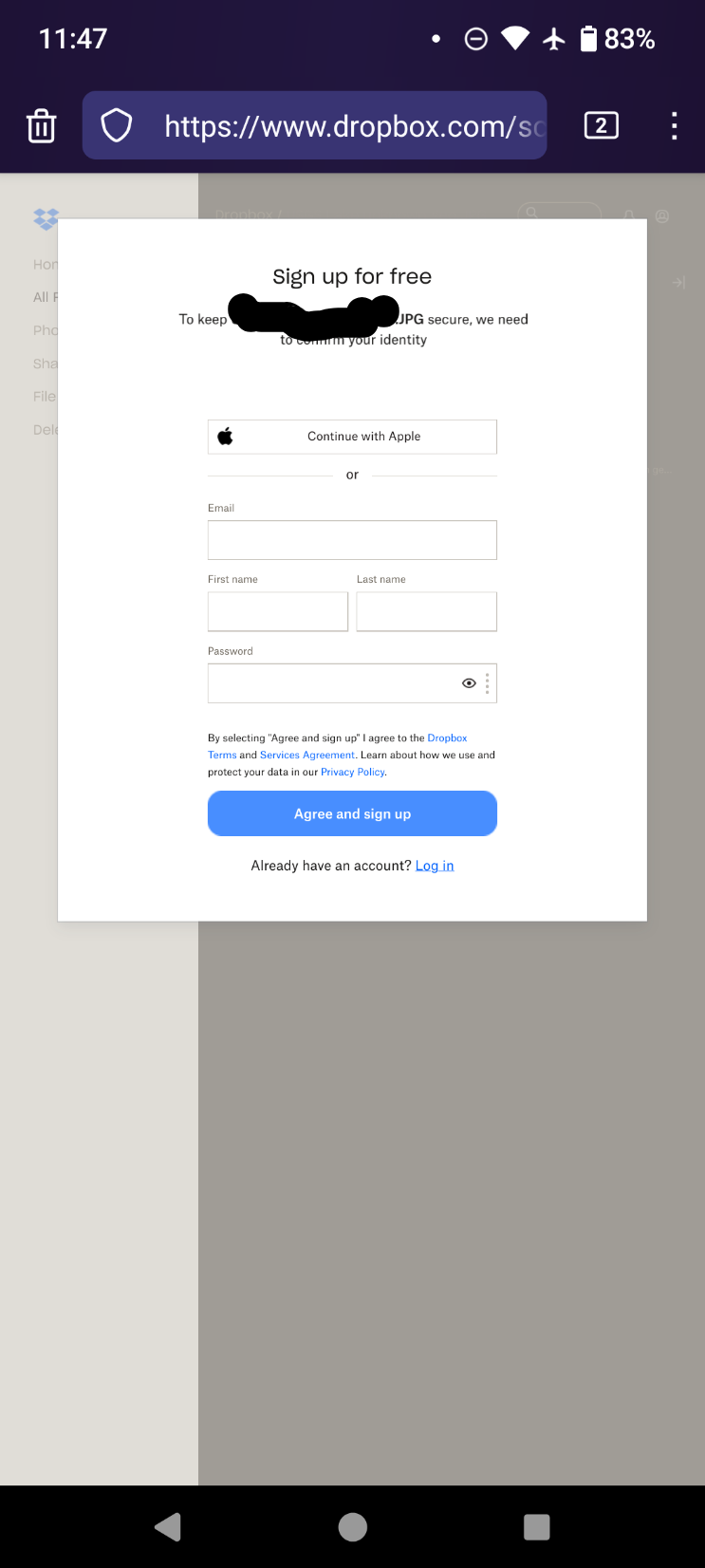
On mobile, it prompts you to either "get the app" or "open app" with no way to click past. Screenshot won't upload.
This is worse from several months ago https://lemmy.today/post/8935690
cross-posted from: https://sh.itjust.works/post/15675287
cross-posted from: https://midwest.social/post/8743376

crosspost from: https://lemmy.world/post/10321573
i've never been on this site before -- that is to say, you don't even get like a couple free words
what a joke

cross-posted from: https://feddit.it/post/3381833
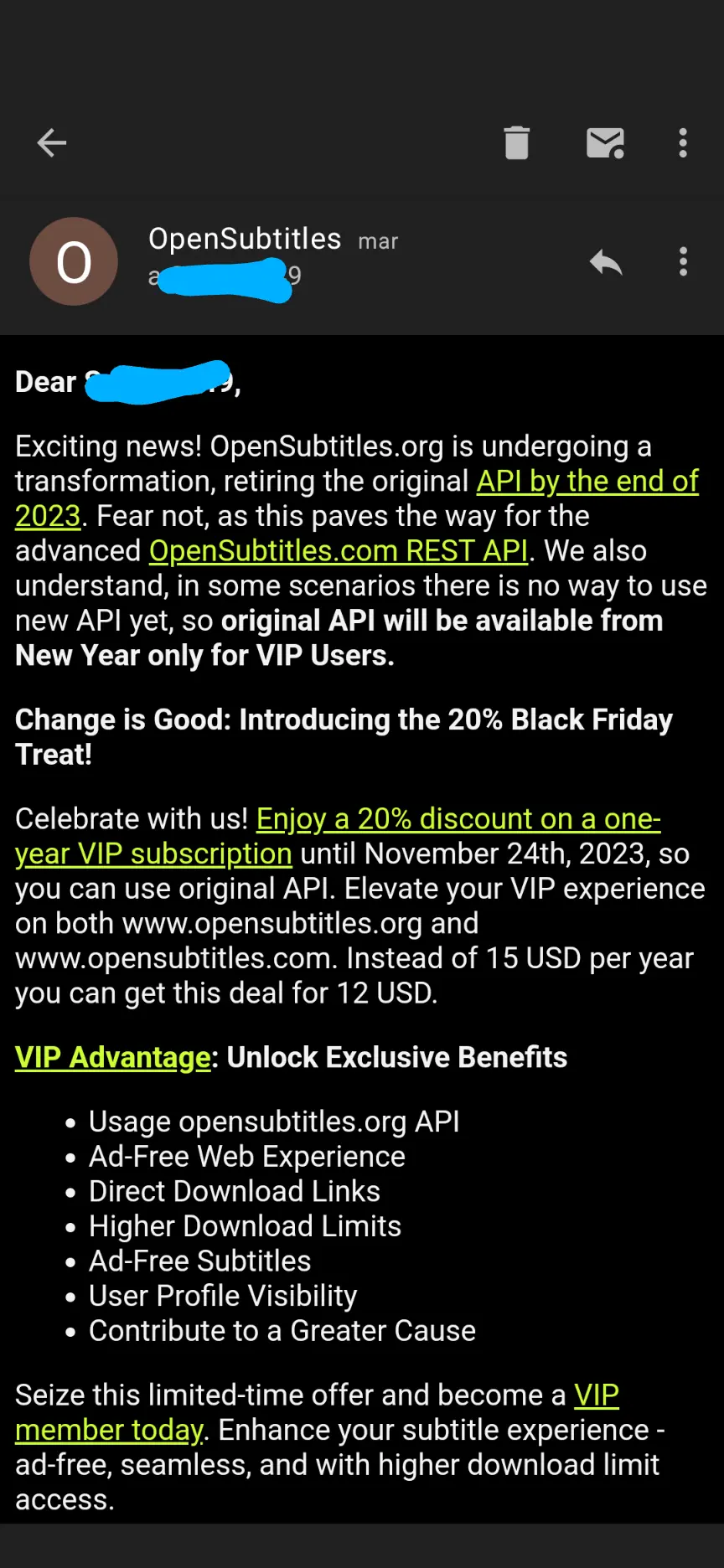
Exciting news for who? Only the site owner is excited that a free resource now requires a subscription
"Yay! Now I have to pay another subscription! I'm so excited! Let's celebrate with them!" - nobody
view more:
next ›