That will be interesting to see but I think the
Book Spoiler
stone burner
is like 60% of the way through the book. Which would make it even more interesting to see how they handle it for the rest of the movie.
That will be interesting to see but I think the
Book Spoiler
stone burner
is like 60% of the way through the book. Which would make it even more interesting to see how they handle it for the rest of the movie.
While I could go through doing that, I personally do not want to have it be my public IP address and that port. I would want to set up a reverse proxy with HTTPS and a domain or something if that sort.
Sure but that's not the scenario I was describing. Internally on my LAN is fine but I share Plex with friends and family throughout the world. Plex setup just works whereas Jellyfin requires more.
no VPN or IP whitelisting or any other workaround required
But what about this? I can spin up a Docker image of Plex, log in, and it just works. My tech illiterate family members and friends can access it and I don't have to deal with setting all of these other items up. Plex will just use UPnP out of the box whereas I'd need to set up DLNA or some other means to get remote Jellyfin access working.
Maybe I am wrong but this is why myself and others opt to just use Plex for family and friends and Jellyfin locally. 🙂
Without needing allow all their ads to even view the site: https://archive.ph/6EmbC
If it won't load because you try to block all their crap: https://archive.is/okwqR
I think DRM on Kobo books is dependent on what the publisher requests or something like that. The few I have bought don't have DRM from what I can tell.
I would love to set up mine again but I need to replace the battery and I'm not sure where to buy a new one. Any suggestions?
Link without the trackers attached to it: https://techcrunch.com/2025/02/01/x-expands-lawsuit-over-advertiser-boycott-to-include-lego-nestle-pinterest-and-others/
Link to the direct comic in case you want to share with easier credit: https://pbfcomics.com/comics/hard-read/
I've been using GrapheneOS on my phones since the Pixel 3 and I have not had this issue when using Verizon. For the other person maybe it was a different carrier? Or some issue a while ago with that carrier and GrapheneOS.
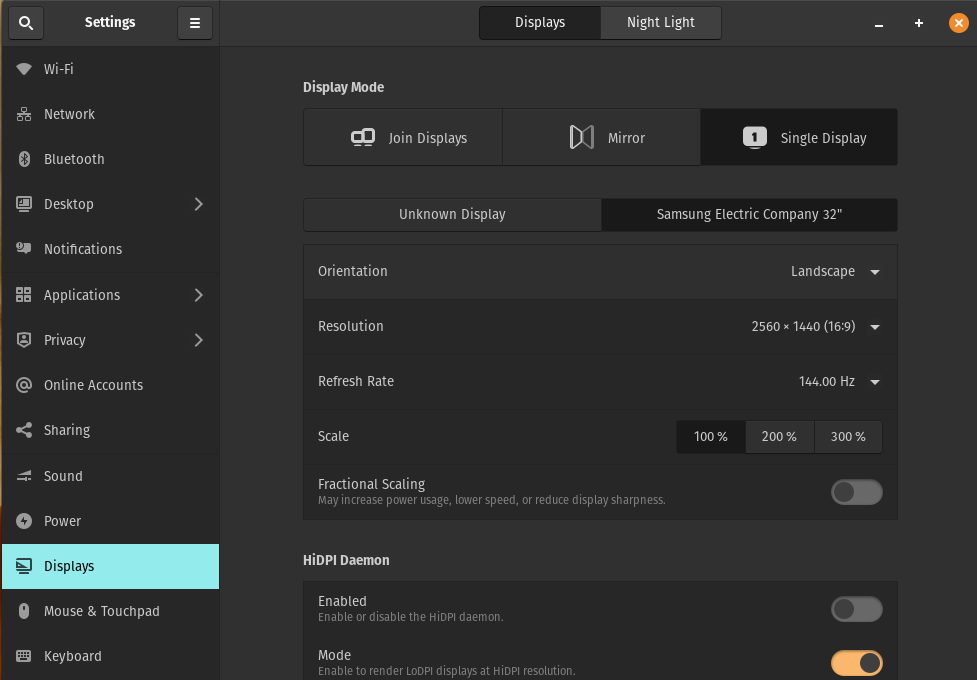
I only have one monitor plugged into my desktop PopOS 22.04 LTS install. Recently my display settings shows two displays with one being the correct Samsung one and another just as "Unknown Display".
I am running NVIDIA Graphics and the About reads: NVIDIA Corporation TU106 [GeForce RTX 2060 Rev. A]
With nvidia-driver-550 installed. Any help would be appreciated!
Has anyone else had this issue before when updating the BIOS on PopOS or any Linux flavor?
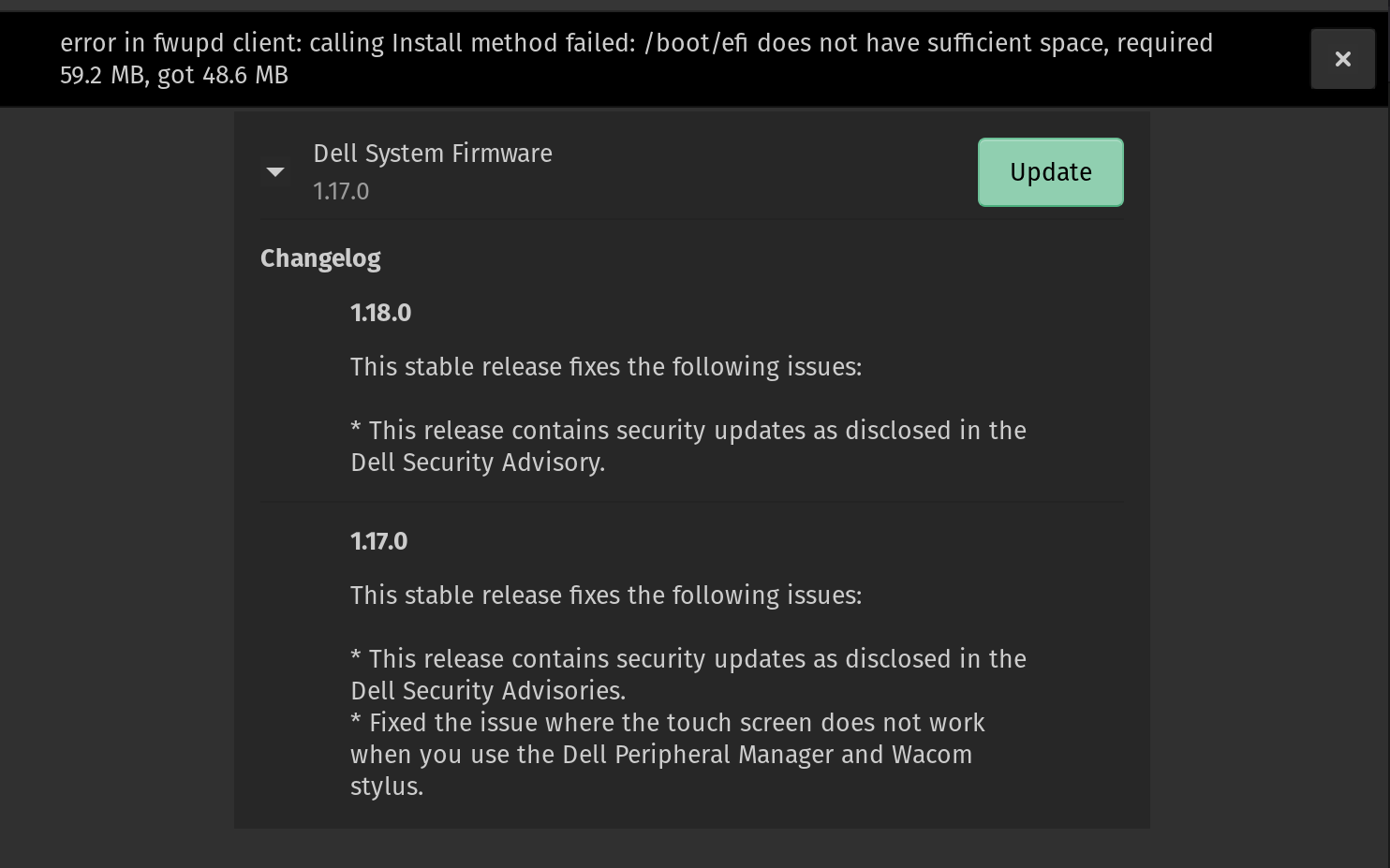
I'm running PopOS 22.04 on a Dell XPS 13 9300 and when I try to update the Dell firmware from 1.17.0 to 1.18.0 I get the following error:
error in fwupd client: calling Install method failed: /boot/efi does not have sufficient space, required 59.2 MB, got 48.6 MB
Running sudo apt autoremove does not fix this. Running sudo fwupdmgr refresh --force and then sudo fwupdmgr update still has the error.
I would really like to not have to backup and resize and pray that nothing breaks when resizing the main partition for more space. Plus there's no good guide on exactly what steps to take for that.
Any help would be appreciated.
More info:
sudo ls /boot/efi
EFI  f52dfaf1ebdd214ad023db586322b2ef  loader