top 50 comments

sorted by: hot top controversial new old
[–] 100 points 2 years ago (11 children)

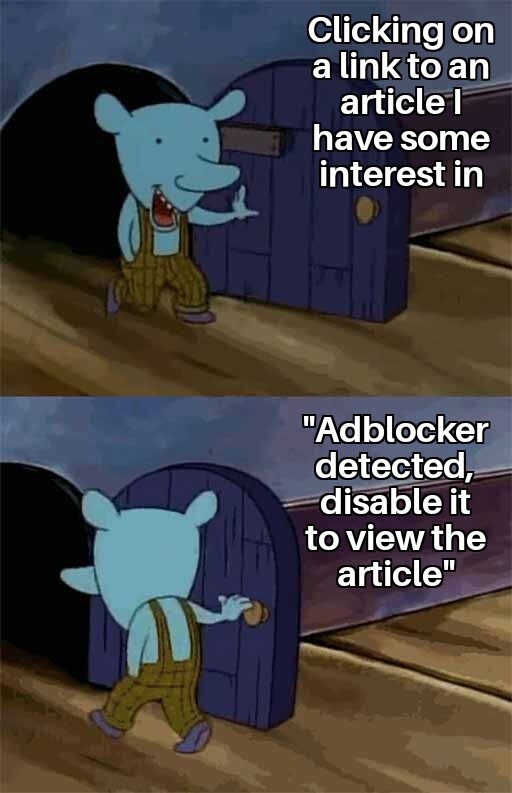
Why do I feel like I'm the only person who uses the Element Zapper tool in uBlock Origin. Just choose the tool and one-click delete any elements you want.

Most of the time the "Adblocker Detected" prompt is an overlay on top of the website, so just zap that out of existence.

  • source
  • hideshow 17 child comments
  • In my experience this doesn't work most of the time. It will remove the pop-up but the page won't function. I realise it sometimes has an overlay under the pop-up but upon removing that it removes the content I'm trying to view. Not saying it doesn't work sometimes but it rarely does for me.

  • source
  • parent
  • [–] 9 points 2 years ago (1 child)

    Also if you use tampermonkey or greasemonkey use Anti-AdBlock Killer by Reek

    https://reek.github.io/anti-adblock-killer/

  • source
  • parent
  • hideshow 2 child comments
  • [–] 3 points 2 years ago (4 children)
  • [–] 5 points 2 years ago

    Firefox with uBlock - "daily driver" Firefox Focus - just to quick open a link and forget about it not having to close the tab KiwiBrowser - kind of power user browser with all Chrome add-ons available to install, so uBlock and ViolentMonkey work fine.

  • source
  • parent
  • load more comments (1 reply)
  • load more comments (5 replies)
    [–] 54 points 2 years ago (2 children)

    You know what the last straw for me was? A few years ago, when people got infected with malware from ads including ads that ran on a Forbes article about malware in ads that you had to disable your adblocker to read.

  • source
  • hideshow 4 child comments
  • [–] 4 points 2 years ago (1 child)

    How does an ad give you malware?

  • source
  • parent
  • hideshow 2 child comments
  • [–] 10 points 2 years ago (1 child)

    Either by linking to malware so you get infected if you click the ad, or by containing malware directly. Ads can contain code, making them almost like small applications that run when loaded.

  • source
  • parent
  • hideshow 2 child comments
  • [–] 4 points 2 years ago (1 child)

    Ads can contain code, making them almost like small applications that run when loaded.

    Which browser in 2023 would dare allow that to run?

  • source
  • parent
  • hideshow 2 child comments
  • [–] 6 points 2 years ago* (last edited 2 years ago)

    The code is JavaScript--an integral part of displaying modern websites. Not since the days before 2001 and very simple browsers like Netscape Navigator 3 and Internet Explorer 3 that didn't yet have javascript. Today that is what adblock is doing - it stops loading untrustworthy or unwanted bits and pieces of code while still giving the end-user (most of) the javascripts they need. Instead of the default action, "ok, gimme the whole webpage code, as-is". That last sentence, that's Chrome. I can explain it some more further. But that's the jist of it.

  • source
  • parent
  • [–] 39 points 2 years ago (1 child)

    About a year or two ago I'd open up an article blocked by ad blocker and I'd try tweaking my settings a little, thinking if it were easy, I'd use a bit of effort to get to the writing I wanted to read.

    I did that for a while with about a 50/50 chance that one setting or just clicking a few things and I could get to the copy.

    Now I don't really care ..... there's a million things to read on the internet ... if I see a site and it even throws up a challenge, an extra click or ad blocker has affected it ... I don't even bother, just close it, forget it and move on.

  • source
  • hideshow 2 child comments
  • [–] [S] 36 points 2 years ago (2 children)

    Or if you don't have an ad blocker running and the site expects you to try to read through a little 1 inch peephole in between the ads. I just write the site off entirely.

  • source
  • parent
  • hideshow 4 child comments
  • [–] 9 points 2 years ago (1 child)

    It also makes you wonder .... what monster thought that was a good design.

    Also equally disturbing is ... that there are actual people out there who put up with all this and read the content through that little peep hole. I know several of my older less tech savvy friends who put up with all that. I also know a few younger tech ignorant friends who just don't care.

  • source
  • parent
  • hideshow 2 child comments
  • [–] 32 points 2 years ago (1 child)

    What's annoying is when I don't even have an ad blocker. I use ublock origin which blocks privacy invading scripts. Its not my problem that your ads a spyware and sometimes even malware

  • source
  • hideshow 2 child comments
  • [–] 27 points 2 years ago

    Most of the time those articles are bullshit click bait anyway.

  • source
  • [–] 21 points 2 years ago

    "I'm not that interested"

  • source
  • [–] 20 points 2 years ago (1 child)

    "This game you like got a good update" okay cool click
    "Disable adblocker" okay thanks for the news; I'll just search for the official post on the game company's website.

  • source
  • hideshow 2 child comments
  • [–] 20 points 2 years ago* (2 children)

    There is the legend of the adblock-block-blocker

  • source
  • hideshow 2 child comments
  • load more comments (2 replies)
    [–] 19 points 2 years ago (1 child)

    Happened to me about 4mins ago

  • source
  • hideshow 2 child comments
  • [–] 12 points 2 years ago (2 children)

    If you're using uBlock Origin, bring up the control panel and disable JavaScript for that webpage. Then reload the page. Works on most of these pages for me.

  • source
  • hideshow 2 child comments
  • load more comments (2 replies)
    [–] 10 points 2 years ago (1 child)

    Same with articles asking for sub fees. Nah.

  • source
  • hideshow 2 child comments
  • [+] 8 points 2 years ago* (last edited 1 year ago)
    [–] 8 points 2 years ago

    search and find a different source. there's usually multiple, especially for news (and "news") items.

    click and drag over the headline, then do one of these:

    • copy/paste to the browser search box or address bar

    • click and drag the now-selected text to the search box or address bar

    • right click on the text and 'search for.....' from context menu

  • source
  • [–] 7 points 2 years ago (3 children)

    Serious question... What's the answer to paying for services like this? If everyone adblocks, how can they be sustainable? Will journalism just die because no one wants to pay or see ads?

  • source
  • hideshow 4 child comments
  • [–] 4 points 2 years ago*

    They could try not putting so many ads you can't fucking read and making sure they don't contain malware. That'd be a start.

    A lot of these things are due to the greed of the website owners stuffing as many ads as they possibly can into their sites.

  • source
  • parent
  • load more comments (2 replies)
    [–] 7 points 2 years ago* (1 child)

    There's a few trucks you can use to view the article.
    You can view the cached version of the site.

    You can get there by doing a search under Google and clicking on the ellipses to get to the cached version. Generally this version includes no ads or pop ups.

    Alternatively you can inspect the element and delete the offending div/script. But this is more advanced and the results for cached are better in terms of readability.

    But generally speaking it's usually best to avoid those dumpster fire websites.

  • source
  • hideshow 2 child comments
  • [–] 6 points 2 years ago

    Google "fuck fuck Adblock" (yes, fuck twice)

  • source
  • [+] 5 points 2 years ago* (last edited 3 weeks ago) (1 child)
  • [–] 4 points 2 years ago (1 child)

    In the 90s, I started closing any page that had an ad because I had principles. I still close pages that won't let me read with an ad-blocker, but holy shit.

  • source
  • hideshow 2 child comments
  • load more comments
    view more: next ›