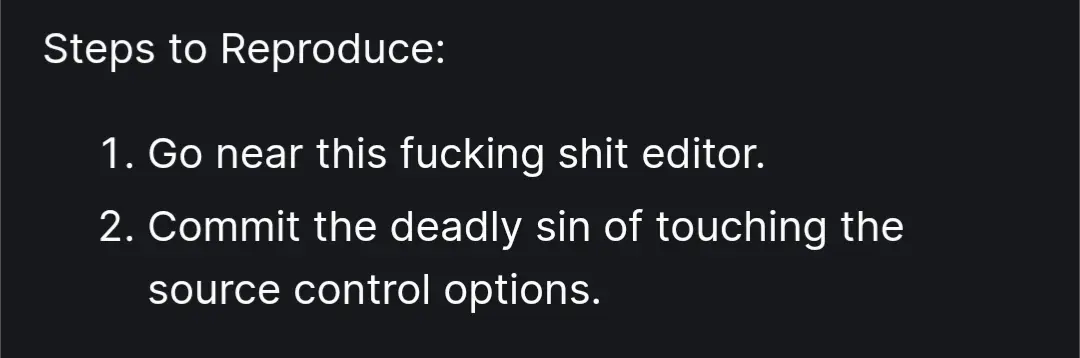
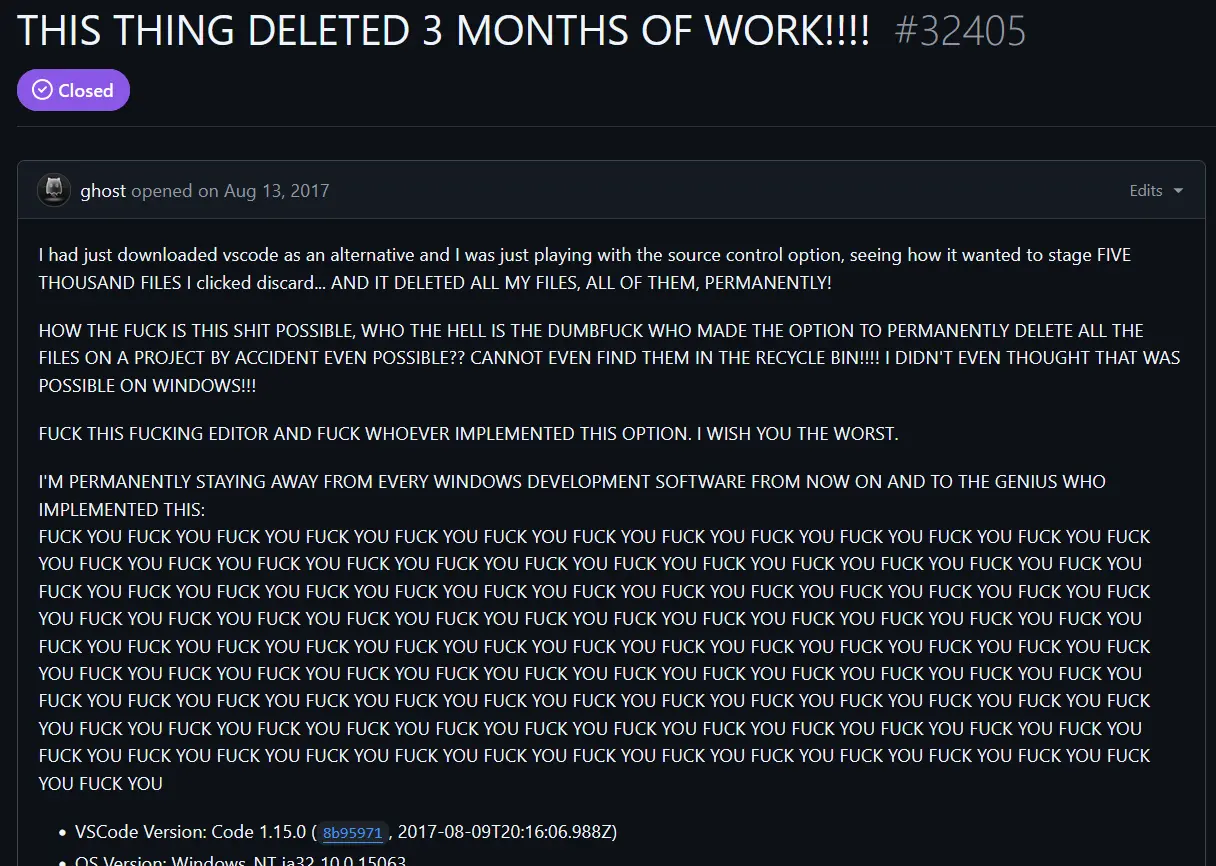
▲ 865 ▼ Microsoft Please Fix (lemmy.zip) submitted 2 years ago* (last edited 2 years ago) by Maven@lemmy.zip to c/programmer_humor@programming.dev 331 comments fedilink hide all child comments The real report
[–] Hawke@lemmy.world 68 points 2 years ago (3 children) “Changes” are not the same thing as “files”. I’d expect that files that are not in version control would not be touched. permalink fedilink source parent hideshow 6 child comments replies: [–] MajorHavoc@programming.dev 12 points 2 years ago* (last edited 2 years ago) Yeah. That's discussed in more detail in the code change that resulted from the issue report. It's a ballsy move by the VSCode team to not only include git clean but to keep it after numerous issue reports. As others discussed in that thread, git clean has no business being offered in a graphical menu where a git novice may find it. That said, I do think the expanded warning mesage they added addresses the issue by calling out that whatever git may think, the user is about to lose some files. permalink fedilink source parent [–] EleventhHour@lemmy.world 11 points 2 years ago* (2 children) Apparently, it means changes to the directory structure and what files are in them, not changes within the files themselves. It really ought to be more clear about this. permalink fedilink source parent hideshow 4 child comments replies: [–] MajorHavoc@programming.dev 5 points 2 years ago* Yeah. They did substantially modify the message to make it much clearer, thankfully. permalink fedilink source parent [–] BatmanAoD@programming.dev 3 points 2 years ago It means both. permalink fedilink source parent [–] Pyro@programming.dev 4 points 2 years ago* (last edited 2 years ago) (2 children) "Changes" encompass more than you think. Creating / Deleting files are also changes, not just edits to a file. If the change is an edit to a tracked file, "Discard Changes" will reverse the edit. If the change is deleting a tracked file, "Discard Changes" will restore it back. If the change is a new untracked file, "Discard Changes" will remove it as intended. It can also be all of them at the same time, which is why VSCode uses "Changes" instead of "Files". permalink fedilink source parent hideshow 4 child comments replies: [–] Hawke@lemmy.world 24 points 2 years ago (1 child) And the terminology is misleading, resulting in problems. shrug. permalink fedilink source parent hideshow 2 child comments replies: [–] Eranziel@lemmy.world 0 points 2 years ago I find it difficult to lay the blame with VSCode when the terminology belongs to git, which (even 7 years ago) was an industry standard technology. People using tools they don't understand and plowing ahead through scary warnings will always encounter problems. permalink fedilink source parent [–] candybrie@lemmy.world 7 points 2 years ago If the change is a new untracked file Wasn't the issue that it deleted a bunch of preexisting untracked files? So old untracked files. permalink fedilink source parent
[–] MajorHavoc@programming.dev 12 points 2 years ago* (last edited 2 years ago) Yeah. That's discussed in more detail in the code change that resulted from the issue report. It's a ballsy move by the VSCode team to not only include git clean but to keep it after numerous issue reports. As others discussed in that thread, git clean has no business being offered in a graphical menu where a git novice may find it. That said, I do think the expanded warning mesage they added addresses the issue by calling out that whatever git may think, the user is about to lose some files. permalink fedilink source parent
[–] EleventhHour@lemmy.world 11 points 2 years ago* (2 children) Apparently, it means changes to the directory structure and what files are in them, not changes within the files themselves. It really ought to be more clear about this. permalink fedilink source parent hideshow 4 child comments replies: [–] MajorHavoc@programming.dev 5 points 2 years ago* Yeah. They did substantially modify the message to make it much clearer, thankfully. permalink fedilink source parent [–] BatmanAoD@programming.dev 3 points 2 years ago It means both. permalink fedilink source parent
[–] MajorHavoc@programming.dev 5 points 2 years ago* Yeah. They did substantially modify the message to make it much clearer, thankfully. permalink fedilink source parent
[–] Pyro@programming.dev 4 points 2 years ago* (last edited 2 years ago) (2 children) "Changes" encompass more than you think. Creating / Deleting files are also changes, not just edits to a file. If the change is an edit to a tracked file, "Discard Changes" will reverse the edit. If the change is deleting a tracked file, "Discard Changes" will restore it back. If the change is a new untracked file, "Discard Changes" will remove it as intended. It can also be all of them at the same time, which is why VSCode uses "Changes" instead of "Files". permalink fedilink source parent hideshow 4 child comments replies: [–] Hawke@lemmy.world 24 points 2 years ago (1 child) And the terminology is misleading, resulting in problems. shrug. permalink fedilink source parent hideshow 2 child comments replies: [–] Eranziel@lemmy.world 0 points 2 years ago I find it difficult to lay the blame with VSCode when the terminology belongs to git, which (even 7 years ago) was an industry standard technology. People using tools they don't understand and plowing ahead through scary warnings will always encounter problems. permalink fedilink source parent [–] candybrie@lemmy.world 7 points 2 years ago If the change is a new untracked file Wasn't the issue that it deleted a bunch of preexisting untracked files? So old untracked files. permalink fedilink source parent
[–] Hawke@lemmy.world 24 points 2 years ago (1 child) And the terminology is misleading, resulting in problems. shrug. permalink fedilink source parent hideshow 2 child comments replies: [–] Eranziel@lemmy.world 0 points 2 years ago I find it difficult to lay the blame with VSCode when the terminology belongs to git, which (even 7 years ago) was an industry standard technology. People using tools they don't understand and plowing ahead through scary warnings will always encounter problems. permalink fedilink source parent
[–] Eranziel@lemmy.world 0 points 2 years ago I find it difficult to lay the blame with VSCode when the terminology belongs to git, which (even 7 years ago) was an industry standard technology. People using tools they don't understand and plowing ahead through scary warnings will always encounter problems. permalink fedilink source parent
[–] candybrie@lemmy.world 7 points 2 years ago If the change is a new untracked file Wasn't the issue that it deleted a bunch of preexisting untracked files? So old untracked files. permalink fedilink source parent