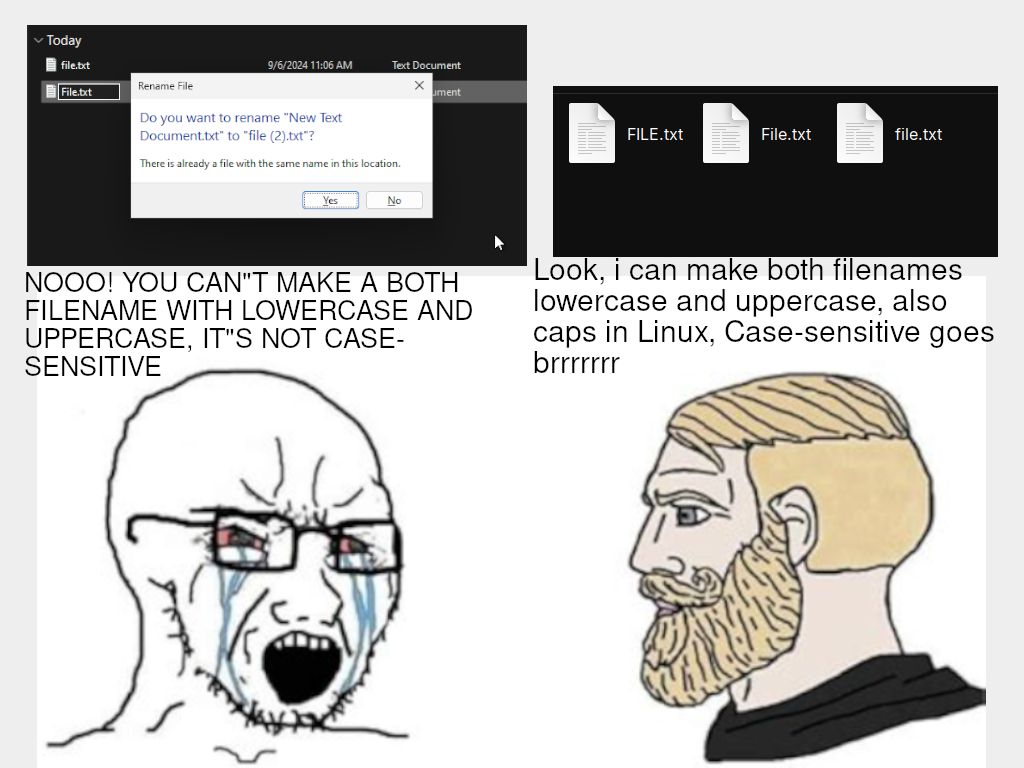
▲ 614 ▼ Remember: GNU/Linux and other UNIX systems can make files that are case-sensitive, Windows can't make files that are case-sensitive (lemmy.world) submitted 2 years ago by LuuTuyen@lemmy.world to c/linuxmemes@lemmy.world 239 comments fedilink hide all child comments
[–] 9point6@lemmy.world 43 points 2 years ago (6 children) Oh it's even better, windows explorer can't really do case sensitive But NTFS is a case sensitive file system This occasionally manifests in mind boggling problems permalink fedilink source hideshow 12 child comments replies: [–] Wolf314159@startrek.website 15 points 2 years ago (1 child) Yeah, it's super weird. I once named a file with mixed case, but one of the letters was the wrong case. Renaming the file didn't work at first. Renaming a file named PAscalCase.txt to PascalCase.txt resulted in no change to the filename. Windows continued to show it as PAscalCase.txt. I had to rename it to something totally different with different characters entirely, then rename it again to get it right. permalink fedilink source parent hideshow 2 child comments replies: [–] dual_sport_dork@lemmy.world 11 points 2 years ago* (last edited 2 years ago) (1 child) Renaming it in Explorer does actually rename the file if all you change is the case (in current Windows, at least, see the pedantry below), but whatever mechanism Explorer uses to determine "has this file's name changed" is apparently case insensitive. So it won't refresh the file list. I imagine this is yet another one of those damn fool Windows 95 holdovers, or something. You don't have to do any multiple-renaming jiggery pokery. Just press F5 to refresh that Explorer window and magically then it'll show you that the file's name was indeed changed all along. permalink fedilink source parent hideshow 2 child comments replies: [+] Wolf314159@startrek.website -6 points 2 years ago Nope. Tried that. Tried DIR in a command window too. But I never specified even what version of Windows I was running, so I'm a little unclear why you're trying to troubleshoot a problem I was experiencing on windows nearly a decade ago. I guess this is what be mansplained too feels like. permalink fedilink source parent [–] Kushan@lemmy.world 6 points 2 years ago (2 children) You can enable case sensitivity in windows. It's only disabled by default. permalink fedilink source parent hideshow 4 child comments replies: [–] Scrollone@feddit.it 9 points 2 years ago (1 child) I wouldn't do it though. It can only lead to problems, especially with poorly coded programs. permalink fedilink source parent hideshow 2 child comments replies: [–] Kushan@lemmy.world 1 point 2 years ago It's generally fine, the vast majority of applications are fine with it, it's mainly the legacy shit that falls over. You can also enable it on a per directory basis, and I've yet to encounter a Dev tool that has issues with it. Same for the path limit, you can have long paths enabled too. permalink fedilink source parent [–] dan@upvote.au 1 point 2 years ago* Same on MacOS - when you format a drive, you can pick whether it's case sensitive or not. permalink fedilink source parent [+] lud@lemm.ee 4 points 2 years ago* (last edited 1 year ago) [deleted] permalink fedilink source parent [+] MonkderVierte@lemmy.ml 1 point 2 years ago [deleted] permalink fedilink source parent [–] stupidcasey@lemmy.world 1 point 2 years ago Lol, I have a NTFS drive in a Linux container so I didn’t have to re download everything I had on windows works perfectly fine, now I’m assuming if I ever try to move it back to windows something horrible will break. permalink fedilink source parent [–] FiskFisk33@startrek.website 1 point 2 years ago WHAT permalink fedilink source parent
[–] Wolf314159@startrek.website 15 points 2 years ago (1 child) Yeah, it's super weird. I once named a file with mixed case, but one of the letters was the wrong case. Renaming the file didn't work at first. Renaming a file named PAscalCase.txt to PascalCase.txt resulted in no change to the filename. Windows continued to show it as PAscalCase.txt. I had to rename it to something totally different with different characters entirely, then rename it again to get it right. permalink fedilink source parent hideshow 2 child comments replies: [–] dual_sport_dork@lemmy.world 11 points 2 years ago* (last edited 2 years ago) (1 child) Renaming it in Explorer does actually rename the file if all you change is the case (in current Windows, at least, see the pedantry below), but whatever mechanism Explorer uses to determine "has this file's name changed" is apparently case insensitive. So it won't refresh the file list. I imagine this is yet another one of those damn fool Windows 95 holdovers, or something. You don't have to do any multiple-renaming jiggery pokery. Just press F5 to refresh that Explorer window and magically then it'll show you that the file's name was indeed changed all along. permalink fedilink source parent hideshow 2 child comments replies: [+] Wolf314159@startrek.website -6 points 2 years ago Nope. Tried that. Tried DIR in a command window too. But I never specified even what version of Windows I was running, so I'm a little unclear why you're trying to troubleshoot a problem I was experiencing on windows nearly a decade ago. I guess this is what be mansplained too feels like. permalink fedilink source parent
[–] dual_sport_dork@lemmy.world 11 points 2 years ago* (last edited 2 years ago) (1 child) Renaming it in Explorer does actually rename the file if all you change is the case (in current Windows, at least, see the pedantry below), but whatever mechanism Explorer uses to determine "has this file's name changed" is apparently case insensitive. So it won't refresh the file list. I imagine this is yet another one of those damn fool Windows 95 holdovers, or something. You don't have to do any multiple-renaming jiggery pokery. Just press F5 to refresh that Explorer window and magically then it'll show you that the file's name was indeed changed all along. permalink fedilink source parent hideshow 2 child comments replies: [+] Wolf314159@startrek.website -6 points 2 years ago Nope. Tried that. Tried DIR in a command window too. But I never specified even what version of Windows I was running, so I'm a little unclear why you're trying to troubleshoot a problem I was experiencing on windows nearly a decade ago. I guess this is what be mansplained too feels like. permalink fedilink source parent
[+] Wolf314159@startrek.website -6 points 2 years ago Nope. Tried that. Tried DIR in a command window too. But I never specified even what version of Windows I was running, so I'm a little unclear why you're trying to troubleshoot a problem I was experiencing on windows nearly a decade ago. I guess this is what be mansplained too feels like. permalink fedilink source parent
[–] Kushan@lemmy.world 6 points 2 years ago (2 children) You can enable case sensitivity in windows. It's only disabled by default. permalink fedilink source parent hideshow 4 child comments replies: [–] Scrollone@feddit.it 9 points 2 years ago (1 child) I wouldn't do it though. It can only lead to problems, especially with poorly coded programs. permalink fedilink source parent hideshow 2 child comments replies: [–] Kushan@lemmy.world 1 point 2 years ago It's generally fine, the vast majority of applications are fine with it, it's mainly the legacy shit that falls over. You can also enable it on a per directory basis, and I've yet to encounter a Dev tool that has issues with it. Same for the path limit, you can have long paths enabled too. permalink fedilink source parent [–] dan@upvote.au 1 point 2 years ago* Same on MacOS - when you format a drive, you can pick whether it's case sensitive or not. permalink fedilink source parent
[–] Scrollone@feddit.it 9 points 2 years ago (1 child) I wouldn't do it though. It can only lead to problems, especially with poorly coded programs. permalink fedilink source parent hideshow 2 child comments replies: [–] Kushan@lemmy.world 1 point 2 years ago It's generally fine, the vast majority of applications are fine with it, it's mainly the legacy shit that falls over. You can also enable it on a per directory basis, and I've yet to encounter a Dev tool that has issues with it. Same for the path limit, you can have long paths enabled too. permalink fedilink source parent
[–] Kushan@lemmy.world 1 point 2 years ago It's generally fine, the vast majority of applications are fine with it, it's mainly the legacy shit that falls over. You can also enable it on a per directory basis, and I've yet to encounter a Dev tool that has issues with it. Same for the path limit, you can have long paths enabled too. permalink fedilink source parent
[–] dan@upvote.au 1 point 2 years ago* Same on MacOS - when you format a drive, you can pick whether it's case sensitive or not. permalink fedilink source parent
[+] lud@lemm.ee 4 points 2 years ago* (last edited 1 year ago) [deleted] permalink fedilink source parent
[–] stupidcasey@lemmy.world 1 point 2 years ago Lol, I have a NTFS drive in a Linux container so I didn’t have to re download everything I had on windows works perfectly fine, now I’m assuming if I ever try to move it back to windows something horrible will break. permalink fedilink source parent