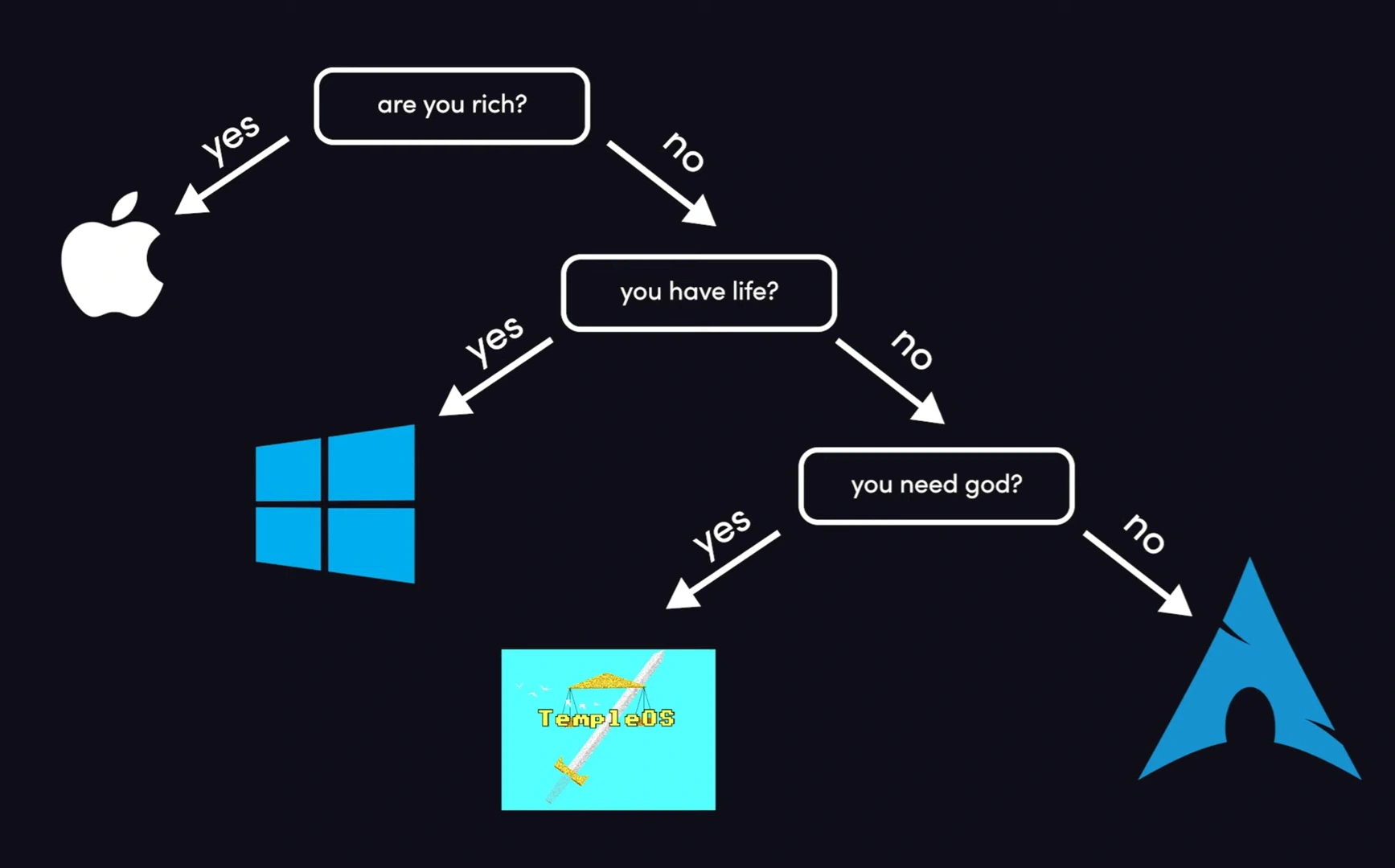
▲ 472 ▼ Operating Systems for Different Life Stages (lemmy.zip) submitted 2 years ago by catculation@lemmy.zip to c/linuxmemes@lemmy.world 116 comments fedilink hide all child comments Source
[–] woelkchen@lemmy.world 32 points 2 years ago (2 children) Hyprland session Wayland compositor RTX 4070 Nvidia GPU. permalink fedilink source parent hideshow 4 child comments replies: [–] RadicalEagle@lemmy.world 10 points 2 years ago (1 child) Haha, I was hoping that because all my monitors are plugged into my AMD card that it wouldn't cause as many issues, but I was mistaken. I'm looking at it as an opportunity to learn more about the Linux kernel, the order that certain modules are being loaded in, and environment variables. permalink fedilink source parent hideshow 2 child comments replies: [–] refurbishedrefurbisher@lemmy.sdf.org 8 points 2 years ago* (2 children) You should consider passing through your Nvidia GPU to a virtual machine in order to do compute tasks on; that way, your host machine won't be infected with proprietary Nvidia drivers (I'm assuming you need CUDA for your compute tasks). The only performance differences you'll notice is less available system RAM (you will have access to all of your VRAM), and very slightly less CPU performance, due to running two operating systems at the same time (barely even noticable, TBH). This is the option that I would personally recommend. If you want to try a super hacky solution which might not work for everything you need, you can try using the open source, recently released ZLUDA translation layer to perform CUDA tasks on your AMD GPU. https://github.com/vosen/ZLUDA The reason Hyprland doesn't work with proprietary Nvidia drivers is due to Nvidia refusing to implement the accepted Wayland standard in favor of their own, home-rolled solution which is incompatible. AFAIK, only GNOME and KDE implement that standard. permalink fedilink source parent hideshow 4 child comments replies: [–] nexussapphire@lemm.ee 6 points 2 years ago Hyprland works fine on Nvidia, I've been using it for about a year now. It's only going to improve now that Nvidia hired people from the Nouveau team to work on Nouveau and Nvidia is making the open drivers the default in version 560. Can't wait for the 555 drivers they've been working on with the Wayland team and most of the major desktops to implement explicit sync etc. An option would be to only install the CUDA toolkit without the drivers but distros like Ubuntu just don't support it. You could also switch display managers to sddm because Hyperland recommends it, might work better. Hyprland prints information in the tty if you launch it with Hyprland. I'm just thinking it's gdm being weird tbh. permalink fedilink source parent [–] RadicalEagle@lemmy.world 3 points 2 years ago Ah, I like this solution. Thanks for the suggestion! I set up GPU passthrough for a VM on a build years ago with QEMU. I'm sure I'll be able to figure that out again. permalink fedilink source parent [–] Vilian@lemmy.ca 1 point 2 years ago* true in these case only waiting for driver update permalink fedilink source parent
[–] RadicalEagle@lemmy.world 10 points 2 years ago (1 child) Haha, I was hoping that because all my monitors are plugged into my AMD card that it wouldn't cause as many issues, but I was mistaken. I'm looking at it as an opportunity to learn more about the Linux kernel, the order that certain modules are being loaded in, and environment variables. permalink fedilink source parent hideshow 2 child comments replies: [–] refurbishedrefurbisher@lemmy.sdf.org 8 points 2 years ago* (2 children) You should consider passing through your Nvidia GPU to a virtual machine in order to do compute tasks on; that way, your host machine won't be infected with proprietary Nvidia drivers (I'm assuming you need CUDA for your compute tasks). The only performance differences you'll notice is less available system RAM (you will have access to all of your VRAM), and very slightly less CPU performance, due to running two operating systems at the same time (barely even noticable, TBH). This is the option that I would personally recommend. If you want to try a super hacky solution which might not work for everything you need, you can try using the open source, recently released ZLUDA translation layer to perform CUDA tasks on your AMD GPU. https://github.com/vosen/ZLUDA The reason Hyprland doesn't work with proprietary Nvidia drivers is due to Nvidia refusing to implement the accepted Wayland standard in favor of their own, home-rolled solution which is incompatible. AFAIK, only GNOME and KDE implement that standard. permalink fedilink source parent hideshow 4 child comments replies: [–] nexussapphire@lemm.ee 6 points 2 years ago Hyprland works fine on Nvidia, I've been using it for about a year now. It's only going to improve now that Nvidia hired people from the Nouveau team to work on Nouveau and Nvidia is making the open drivers the default in version 560. Can't wait for the 555 drivers they've been working on with the Wayland team and most of the major desktops to implement explicit sync etc. An option would be to only install the CUDA toolkit without the drivers but distros like Ubuntu just don't support it. You could also switch display managers to sddm because Hyperland recommends it, might work better. Hyprland prints information in the tty if you launch it with Hyprland. I'm just thinking it's gdm being weird tbh. permalink fedilink source parent [–] RadicalEagle@lemmy.world 3 points 2 years ago Ah, I like this solution. Thanks for the suggestion! I set up GPU passthrough for a VM on a build years ago with QEMU. I'm sure I'll be able to figure that out again. permalink fedilink source parent
[–] refurbishedrefurbisher@lemmy.sdf.org 8 points 2 years ago* (2 children) You should consider passing through your Nvidia GPU to a virtual machine in order to do compute tasks on; that way, your host machine won't be infected with proprietary Nvidia drivers (I'm assuming you need CUDA for your compute tasks). The only performance differences you'll notice is less available system RAM (you will have access to all of your VRAM), and very slightly less CPU performance, due to running two operating systems at the same time (barely even noticable, TBH). This is the option that I would personally recommend. If you want to try a super hacky solution which might not work for everything you need, you can try using the open source, recently released ZLUDA translation layer to perform CUDA tasks on your AMD GPU. https://github.com/vosen/ZLUDA The reason Hyprland doesn't work with proprietary Nvidia drivers is due to Nvidia refusing to implement the accepted Wayland standard in favor of their own, home-rolled solution which is incompatible. AFAIK, only GNOME and KDE implement that standard. permalink fedilink source parent hideshow 4 child comments replies: [–] nexussapphire@lemm.ee 6 points 2 years ago Hyprland works fine on Nvidia, I've been using it for about a year now. It's only going to improve now that Nvidia hired people from the Nouveau team to work on Nouveau and Nvidia is making the open drivers the default in version 560. Can't wait for the 555 drivers they've been working on with the Wayland team and most of the major desktops to implement explicit sync etc. An option would be to only install the CUDA toolkit without the drivers but distros like Ubuntu just don't support it. You could also switch display managers to sddm because Hyperland recommends it, might work better. Hyprland prints information in the tty if you launch it with Hyprland. I'm just thinking it's gdm being weird tbh. permalink fedilink source parent [–] RadicalEagle@lemmy.world 3 points 2 years ago Ah, I like this solution. Thanks for the suggestion! I set up GPU passthrough for a VM on a build years ago with QEMU. I'm sure I'll be able to figure that out again. permalink fedilink source parent
[–] nexussapphire@lemm.ee 6 points 2 years ago Hyprland works fine on Nvidia, I've been using it for about a year now. It's only going to improve now that Nvidia hired people from the Nouveau team to work on Nouveau and Nvidia is making the open drivers the default in version 560. Can't wait for the 555 drivers they've been working on with the Wayland team and most of the major desktops to implement explicit sync etc. An option would be to only install the CUDA toolkit without the drivers but distros like Ubuntu just don't support it. You could also switch display managers to sddm because Hyperland recommends it, might work better. Hyprland prints information in the tty if you launch it with Hyprland. I'm just thinking it's gdm being weird tbh. permalink fedilink source parent
[–] RadicalEagle@lemmy.world 3 points 2 years ago Ah, I like this solution. Thanks for the suggestion! I set up GPU passthrough for a VM on a build years ago with QEMU. I'm sure I'll be able to figure that out again. permalink fedilink source parent
[–] Vilian@lemmy.ca 1 point 2 years ago* true in these case only waiting for driver update permalink fedilink source parent