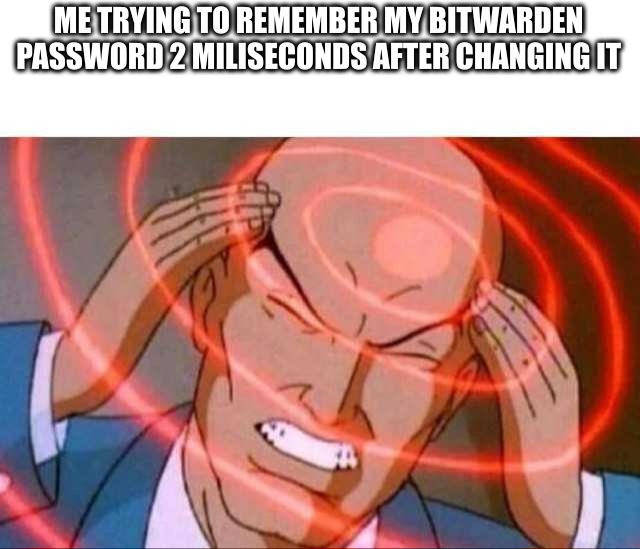
▲ 572 ▼ Wait what was it again? hmm 🤔 (reddthat.com) submitted 3 years ago by WtfEvenIsExistence@reddthat.com to c/memes@lemmy.ml 45 comments fedilink hide all child comments not literally 2 miliseconds, but you get the point
[–] KIM_JONG_JUICEBOX@lemmy.ml 8 points 3 years ago (2 children) Or they didn’t only use it for bitwarden… permalink fedilink source parent hideshow 4 child comments replies: [–] Holzkohlen@feddit.de 3 points 3 years ago Get bitwarden, use same password for everything even bitwarden itself. Now that is giga brained. permalink fedilink source parent [–] Gormadt@lemmy.blahaj.zone 3 points 3 years ago (1 child) If the password is used in more than 1 place, it's not a secure password. permalink fedilink source parent hideshow 2 child comments replies: [+] stebo02@lemmy.dbzer0.com 1 point 3 years ago* (last edited 1 year ago) (2 children) [deleted] permalink fedilink source parent hideshow 4 child comments replies: [–] bdonvr@thelemmy.club 9 points 3 years ago (1 child) Yes. But Bitwarden generates them for me. So I remember my Bitwarden password and that's about it permalink fedilink source parent hideshow 2 child comments replies: [+] stebo02@lemmy.dbzer0.com 1 point 3 years ago* (last edited 1 year ago) (3 children) [deleted] permalink fedilink source parent hideshow 6 child comments replies: [–] Holzkohlen@feddit.de 5 points 3 years ago (2 children) Just use the browser extension to auto fill those passwords. I really don't understand how it's in any way inconvenient. permalink fedilink source parent hideshow 4 child comments replies: [+] stebo02@lemmy.dbzer0.com 4 points 3 years ago* (last edited 1 year ago) (1 child) [deleted] permalink fedilink source parent hideshow 2 child comments replies: [–] subtext@lemmy.world 1 point 3 years ago (1 child) App for that Web vault on incognito browser Web vault on incognito browser There is absolutely a workaround to use Bitwarden nearly everywhere (except for your computer login or your phone PIN, but you probably have biometrics for that anyways). permalink fedilink source parent hideshow 2 child comments replies: [+] stebo02@lemmy.dbzer0.com 1 point 3 years ago* (last edited 1 year ago) (1 child) [deleted] permalink fedilink source parent hideshow 2 child comments replies: [–] subtext@lemmy.world 3 points 3 years ago I mean you do you, but it is a poor security practice to reuse passwords. If you’re fine with the risk no one is going to stop you. permalink fedilink source parent [–] wheeldawg@sh.itjust.works 1 point 3 years ago That doesn't work more often than it does work, at least for me. And then there are sites that for some reason have a page where you just put in the email or username, then a separate page for the password BW gets hella confused by that shit. permalink fedilink source parent [–] bdonvr@thelemmy.club 1 point 3 years ago Bitwarden fills them in for me, so no problem at all. Or I can copy/paste it Except like when I get a new phone, but that's only like once every 2 years permalink fedilink source parent [–] Revan343@lemmy.ca 1 point 3 years ago Bitwarden supports generating xkcd style passphrases permalink fedilink source parent [–] Gormadt@lemmy.blahaj.zone 1 point 3 years ago (1 child) Yes, I use Firefox to do so By default it has a means of generating unique passwords for every account I make. Not only that but in your saved passwords it will highlight the ones that share a password so you can go there and change the passwords. You have to make a Firefox account so that you can sync it across all of your devices but it works great for me on multiple PCs and my phone. One of the many perks of Firefox honestly permalink fedilink source parent hideshow 2 child comments replies: [+] stebo02@lemmy.dbzer0.com 1 point 3 years ago* (last edited 1 year ago) (1 child) [deleted] permalink fedilink source parent hideshow 2 child comments replies: [–] Gormadt@lemmy.blahaj.zone 0 points 3 years ago (1 child) I don't login to my accounts on other people's device's That's a security concern and I take my privacy seriously permalink fedilink source parent hideshow 2 child comments replies: [+] stebo02@lemmy.dbzer0.com 1 point 3 years ago* (last edited 1 year ago) [deleted] permalink fedilink source parent
[–] Holzkohlen@feddit.de 3 points 3 years ago Get bitwarden, use same password for everything even bitwarden itself. Now that is giga brained. permalink fedilink source parent
[–] Gormadt@lemmy.blahaj.zone 3 points 3 years ago (1 child) If the password is used in more than 1 place, it's not a secure password. permalink fedilink source parent hideshow 2 child comments replies: [+] stebo02@lemmy.dbzer0.com 1 point 3 years ago* (last edited 1 year ago) (2 children) [deleted] permalink fedilink source parent hideshow 4 child comments replies: [–] bdonvr@thelemmy.club 9 points 3 years ago (1 child) Yes. But Bitwarden generates them for me. So I remember my Bitwarden password and that's about it permalink fedilink source parent hideshow 2 child comments replies: [+] stebo02@lemmy.dbzer0.com 1 point 3 years ago* (last edited 1 year ago) (3 children) [deleted] permalink fedilink source parent hideshow 6 child comments replies: [–] Holzkohlen@feddit.de 5 points 3 years ago (2 children) Just use the browser extension to auto fill those passwords. I really don't understand how it's in any way inconvenient. permalink fedilink source parent hideshow 4 child comments replies: [+] stebo02@lemmy.dbzer0.com 4 points 3 years ago* (last edited 1 year ago) (1 child) [deleted] permalink fedilink source parent hideshow 2 child comments replies: [–] subtext@lemmy.world 1 point 3 years ago (1 child) App for that Web vault on incognito browser Web vault on incognito browser There is absolutely a workaround to use Bitwarden nearly everywhere (except for your computer login or your phone PIN, but you probably have biometrics for that anyways). permalink fedilink source parent hideshow 2 child comments replies: [+] stebo02@lemmy.dbzer0.com 1 point 3 years ago* (last edited 1 year ago) (1 child) [deleted] permalink fedilink source parent hideshow 2 child comments replies: [–] subtext@lemmy.world 3 points 3 years ago I mean you do you, but it is a poor security practice to reuse passwords. If you’re fine with the risk no one is going to stop you. permalink fedilink source parent [–] wheeldawg@sh.itjust.works 1 point 3 years ago That doesn't work more often than it does work, at least for me. And then there are sites that for some reason have a page where you just put in the email or username, then a separate page for the password BW gets hella confused by that shit. permalink fedilink source parent [–] bdonvr@thelemmy.club 1 point 3 years ago Bitwarden fills them in for me, so no problem at all. Or I can copy/paste it Except like when I get a new phone, but that's only like once every 2 years permalink fedilink source parent [–] Revan343@lemmy.ca 1 point 3 years ago Bitwarden supports generating xkcd style passphrases permalink fedilink source parent [–] Gormadt@lemmy.blahaj.zone 1 point 3 years ago (1 child) Yes, I use Firefox to do so By default it has a means of generating unique passwords for every account I make. Not only that but in your saved passwords it will highlight the ones that share a password so you can go there and change the passwords. You have to make a Firefox account so that you can sync it across all of your devices but it works great for me on multiple PCs and my phone. One of the many perks of Firefox honestly permalink fedilink source parent hideshow 2 child comments replies: [+] stebo02@lemmy.dbzer0.com 1 point 3 years ago* (last edited 1 year ago) (1 child) [deleted] permalink fedilink source parent hideshow 2 child comments replies: [–] Gormadt@lemmy.blahaj.zone 0 points 3 years ago (1 child) I don't login to my accounts on other people's device's That's a security concern and I take my privacy seriously permalink fedilink source parent hideshow 2 child comments replies: [+] stebo02@lemmy.dbzer0.com 1 point 3 years ago* (last edited 1 year ago) [deleted] permalink fedilink source parent
[+] stebo02@lemmy.dbzer0.com 1 point 3 years ago* (last edited 1 year ago) (2 children) [deleted] permalink fedilink source parent hideshow 4 child comments replies: [–] bdonvr@thelemmy.club 9 points 3 years ago (1 child) Yes. But Bitwarden generates them for me. So I remember my Bitwarden password and that's about it permalink fedilink source parent hideshow 2 child comments replies: [+] stebo02@lemmy.dbzer0.com 1 point 3 years ago* (last edited 1 year ago) (3 children) [deleted] permalink fedilink source parent hideshow 6 child comments replies: [–] Holzkohlen@feddit.de 5 points 3 years ago (2 children) Just use the browser extension to auto fill those passwords. I really don't understand how it's in any way inconvenient. permalink fedilink source parent hideshow 4 child comments replies: [+] stebo02@lemmy.dbzer0.com 4 points 3 years ago* (last edited 1 year ago) (1 child) [deleted] permalink fedilink source parent hideshow 2 child comments replies: [–] subtext@lemmy.world 1 point 3 years ago (1 child) App for that Web vault on incognito browser Web vault on incognito browser There is absolutely a workaround to use Bitwarden nearly everywhere (except for your computer login or your phone PIN, but you probably have biometrics for that anyways). permalink fedilink source parent hideshow 2 child comments replies: [+] stebo02@lemmy.dbzer0.com 1 point 3 years ago* (last edited 1 year ago) (1 child) [deleted] permalink fedilink source parent hideshow 2 child comments replies: [–] subtext@lemmy.world 3 points 3 years ago I mean you do you, but it is a poor security practice to reuse passwords. If you’re fine with the risk no one is going to stop you. permalink fedilink source parent [–] wheeldawg@sh.itjust.works 1 point 3 years ago That doesn't work more often than it does work, at least for me. And then there are sites that for some reason have a page where you just put in the email or username, then a separate page for the password BW gets hella confused by that shit. permalink fedilink source parent [–] bdonvr@thelemmy.club 1 point 3 years ago Bitwarden fills them in for me, so no problem at all. Or I can copy/paste it Except like when I get a new phone, but that's only like once every 2 years permalink fedilink source parent [–] Revan343@lemmy.ca 1 point 3 years ago Bitwarden supports generating xkcd style passphrases permalink fedilink source parent [–] Gormadt@lemmy.blahaj.zone 1 point 3 years ago (1 child) Yes, I use Firefox to do so By default it has a means of generating unique passwords for every account I make. Not only that but in your saved passwords it will highlight the ones that share a password so you can go there and change the passwords. You have to make a Firefox account so that you can sync it across all of your devices but it works great for me on multiple PCs and my phone. One of the many perks of Firefox honestly permalink fedilink source parent hideshow 2 child comments replies: [+] stebo02@lemmy.dbzer0.com 1 point 3 years ago* (last edited 1 year ago) (1 child) [deleted] permalink fedilink source parent hideshow 2 child comments replies: [–] Gormadt@lemmy.blahaj.zone 0 points 3 years ago (1 child) I don't login to my accounts on other people's device's That's a security concern and I take my privacy seriously permalink fedilink source parent hideshow 2 child comments replies: [+] stebo02@lemmy.dbzer0.com 1 point 3 years ago* (last edited 1 year ago) [deleted] permalink fedilink source parent
[–] bdonvr@thelemmy.club 9 points 3 years ago (1 child) Yes. But Bitwarden generates them for me. So I remember my Bitwarden password and that's about it permalink fedilink source parent hideshow 2 child comments replies: [+] stebo02@lemmy.dbzer0.com 1 point 3 years ago* (last edited 1 year ago) (3 children) [deleted] permalink fedilink source parent hideshow 6 child comments replies: [–] Holzkohlen@feddit.de 5 points 3 years ago (2 children) Just use the browser extension to auto fill those passwords. I really don't understand how it's in any way inconvenient. permalink fedilink source parent hideshow 4 child comments replies: [+] stebo02@lemmy.dbzer0.com 4 points 3 years ago* (last edited 1 year ago) (1 child) [deleted] permalink fedilink source parent hideshow 2 child comments replies: [–] subtext@lemmy.world 1 point 3 years ago (1 child) App for that Web vault on incognito browser Web vault on incognito browser There is absolutely a workaround to use Bitwarden nearly everywhere (except for your computer login or your phone PIN, but you probably have biometrics for that anyways). permalink fedilink source parent hideshow 2 child comments replies: [+] stebo02@lemmy.dbzer0.com 1 point 3 years ago* (last edited 1 year ago) (1 child) [deleted] permalink fedilink source parent hideshow 2 child comments replies: [–] subtext@lemmy.world 3 points 3 years ago I mean you do you, but it is a poor security practice to reuse passwords. If you’re fine with the risk no one is going to stop you. permalink fedilink source parent [–] wheeldawg@sh.itjust.works 1 point 3 years ago That doesn't work more often than it does work, at least for me. And then there are sites that for some reason have a page where you just put in the email or username, then a separate page for the password BW gets hella confused by that shit. permalink fedilink source parent [–] bdonvr@thelemmy.club 1 point 3 years ago Bitwarden fills them in for me, so no problem at all. Or I can copy/paste it Except like when I get a new phone, but that's only like once every 2 years permalink fedilink source parent [–] Revan343@lemmy.ca 1 point 3 years ago Bitwarden supports generating xkcd style passphrases permalink fedilink source parent
[+] stebo02@lemmy.dbzer0.com 1 point 3 years ago* (last edited 1 year ago) (3 children) [deleted] permalink fedilink source parent hideshow 6 child comments replies: [–] Holzkohlen@feddit.de 5 points 3 years ago (2 children) Just use the browser extension to auto fill those passwords. I really don't understand how it's in any way inconvenient. permalink fedilink source parent hideshow 4 child comments replies: [+] stebo02@lemmy.dbzer0.com 4 points 3 years ago* (last edited 1 year ago) (1 child) [deleted] permalink fedilink source parent hideshow 2 child comments replies: [–] subtext@lemmy.world 1 point 3 years ago (1 child) App for that Web vault on incognito browser Web vault on incognito browser There is absolutely a workaround to use Bitwarden nearly everywhere (except for your computer login or your phone PIN, but you probably have biometrics for that anyways). permalink fedilink source parent hideshow 2 child comments replies: [+] stebo02@lemmy.dbzer0.com 1 point 3 years ago* (last edited 1 year ago) (1 child) [deleted] permalink fedilink source parent hideshow 2 child comments replies: [–] subtext@lemmy.world 3 points 3 years ago I mean you do you, but it is a poor security practice to reuse passwords. If you’re fine with the risk no one is going to stop you. permalink fedilink source parent [–] wheeldawg@sh.itjust.works 1 point 3 years ago That doesn't work more often than it does work, at least for me. And then there are sites that for some reason have a page where you just put in the email or username, then a separate page for the password BW gets hella confused by that shit. permalink fedilink source parent [–] bdonvr@thelemmy.club 1 point 3 years ago Bitwarden fills them in for me, so no problem at all. Or I can copy/paste it Except like when I get a new phone, but that's only like once every 2 years permalink fedilink source parent [–] Revan343@lemmy.ca 1 point 3 years ago Bitwarden supports generating xkcd style passphrases permalink fedilink source parent
[–] Holzkohlen@feddit.de 5 points 3 years ago (2 children) Just use the browser extension to auto fill those passwords. I really don't understand how it's in any way inconvenient. permalink fedilink source parent hideshow 4 child comments replies: [+] stebo02@lemmy.dbzer0.com 4 points 3 years ago* (last edited 1 year ago) (1 child) [deleted] permalink fedilink source parent hideshow 2 child comments replies: [–] subtext@lemmy.world 1 point 3 years ago (1 child) App for that Web vault on incognito browser Web vault on incognito browser There is absolutely a workaround to use Bitwarden nearly everywhere (except for your computer login or your phone PIN, but you probably have biometrics for that anyways). permalink fedilink source parent hideshow 2 child comments replies: [+] stebo02@lemmy.dbzer0.com 1 point 3 years ago* (last edited 1 year ago) (1 child) [deleted] permalink fedilink source parent hideshow 2 child comments replies: [–] subtext@lemmy.world 3 points 3 years ago I mean you do you, but it is a poor security practice to reuse passwords. If you’re fine with the risk no one is going to stop you. permalink fedilink source parent [–] wheeldawg@sh.itjust.works 1 point 3 years ago That doesn't work more often than it does work, at least for me. And then there are sites that for some reason have a page where you just put in the email or username, then a separate page for the password BW gets hella confused by that shit. permalink fedilink source parent
[+] stebo02@lemmy.dbzer0.com 4 points 3 years ago* (last edited 1 year ago) (1 child) [deleted] permalink fedilink source parent hideshow 2 child comments replies: [–] subtext@lemmy.world 1 point 3 years ago (1 child) App for that Web vault on incognito browser Web vault on incognito browser There is absolutely a workaround to use Bitwarden nearly everywhere (except for your computer login or your phone PIN, but you probably have biometrics for that anyways). permalink fedilink source parent hideshow 2 child comments replies: [+] stebo02@lemmy.dbzer0.com 1 point 3 years ago* (last edited 1 year ago) (1 child) [deleted] permalink fedilink source parent hideshow 2 child comments replies: [–] subtext@lemmy.world 3 points 3 years ago I mean you do you, but it is a poor security practice to reuse passwords. If you’re fine with the risk no one is going to stop you. permalink fedilink source parent
[–] subtext@lemmy.world 1 point 3 years ago (1 child) App for that Web vault on incognito browser Web vault on incognito browser There is absolutely a workaround to use Bitwarden nearly everywhere (except for your computer login or your phone PIN, but you probably have biometrics for that anyways). permalink fedilink source parent hideshow 2 child comments replies: [+] stebo02@lemmy.dbzer0.com 1 point 3 years ago* (last edited 1 year ago) (1 child) [deleted] permalink fedilink source parent hideshow 2 child comments replies: [–] subtext@lemmy.world 3 points 3 years ago I mean you do you, but it is a poor security practice to reuse passwords. If you’re fine with the risk no one is going to stop you. permalink fedilink source parent
[+] stebo02@lemmy.dbzer0.com 1 point 3 years ago* (last edited 1 year ago) (1 child) [deleted] permalink fedilink source parent hideshow 2 child comments replies: [–] subtext@lemmy.world 3 points 3 years ago I mean you do you, but it is a poor security practice to reuse passwords. If you’re fine with the risk no one is going to stop you. permalink fedilink source parent
[–] subtext@lemmy.world 3 points 3 years ago I mean you do you, but it is a poor security practice to reuse passwords. If you’re fine with the risk no one is going to stop you. permalink fedilink source parent
[–] wheeldawg@sh.itjust.works 1 point 3 years ago That doesn't work more often than it does work, at least for me. And then there are sites that for some reason have a page where you just put in the email or username, then a separate page for the password BW gets hella confused by that shit. permalink fedilink source parent
[–] bdonvr@thelemmy.club 1 point 3 years ago Bitwarden fills them in for me, so no problem at all. Or I can copy/paste it Except like when I get a new phone, but that's only like once every 2 years permalink fedilink source parent
[–] Revan343@lemmy.ca 1 point 3 years ago Bitwarden supports generating xkcd style passphrases permalink fedilink source parent
[–] Gormadt@lemmy.blahaj.zone 1 point 3 years ago (1 child) Yes, I use Firefox to do so By default it has a means of generating unique passwords for every account I make. Not only that but in your saved passwords it will highlight the ones that share a password so you can go there and change the passwords. You have to make a Firefox account so that you can sync it across all of your devices but it works great for me on multiple PCs and my phone. One of the many perks of Firefox honestly permalink fedilink source parent hideshow 2 child comments replies: [+] stebo02@lemmy.dbzer0.com 1 point 3 years ago* (last edited 1 year ago) (1 child) [deleted] permalink fedilink source parent hideshow 2 child comments replies: [–] Gormadt@lemmy.blahaj.zone 0 points 3 years ago (1 child) I don't login to my accounts on other people's device's That's a security concern and I take my privacy seriously permalink fedilink source parent hideshow 2 child comments replies: [+] stebo02@lemmy.dbzer0.com 1 point 3 years ago* (last edited 1 year ago) [deleted] permalink fedilink source parent
[+] stebo02@lemmy.dbzer0.com 1 point 3 years ago* (last edited 1 year ago) (1 child) [deleted] permalink fedilink source parent hideshow 2 child comments replies: [–] Gormadt@lemmy.blahaj.zone 0 points 3 years ago (1 child) I don't login to my accounts on other people's device's That's a security concern and I take my privacy seriously permalink fedilink source parent hideshow 2 child comments replies: [+] stebo02@lemmy.dbzer0.com 1 point 3 years ago* (last edited 1 year ago) [deleted] permalink fedilink source parent
[–] Gormadt@lemmy.blahaj.zone 0 points 3 years ago (1 child) I don't login to my accounts on other people's device's That's a security concern and I take my privacy seriously permalink fedilink source parent hideshow 2 child comments replies: [+] stebo02@lemmy.dbzer0.com 1 point 3 years ago* (last edited 1 year ago) [deleted] permalink fedilink source parent
[+] stebo02@lemmy.dbzer0.com 1 point 3 years ago* (last edited 1 year ago) [deleted] permalink fedilink source parent