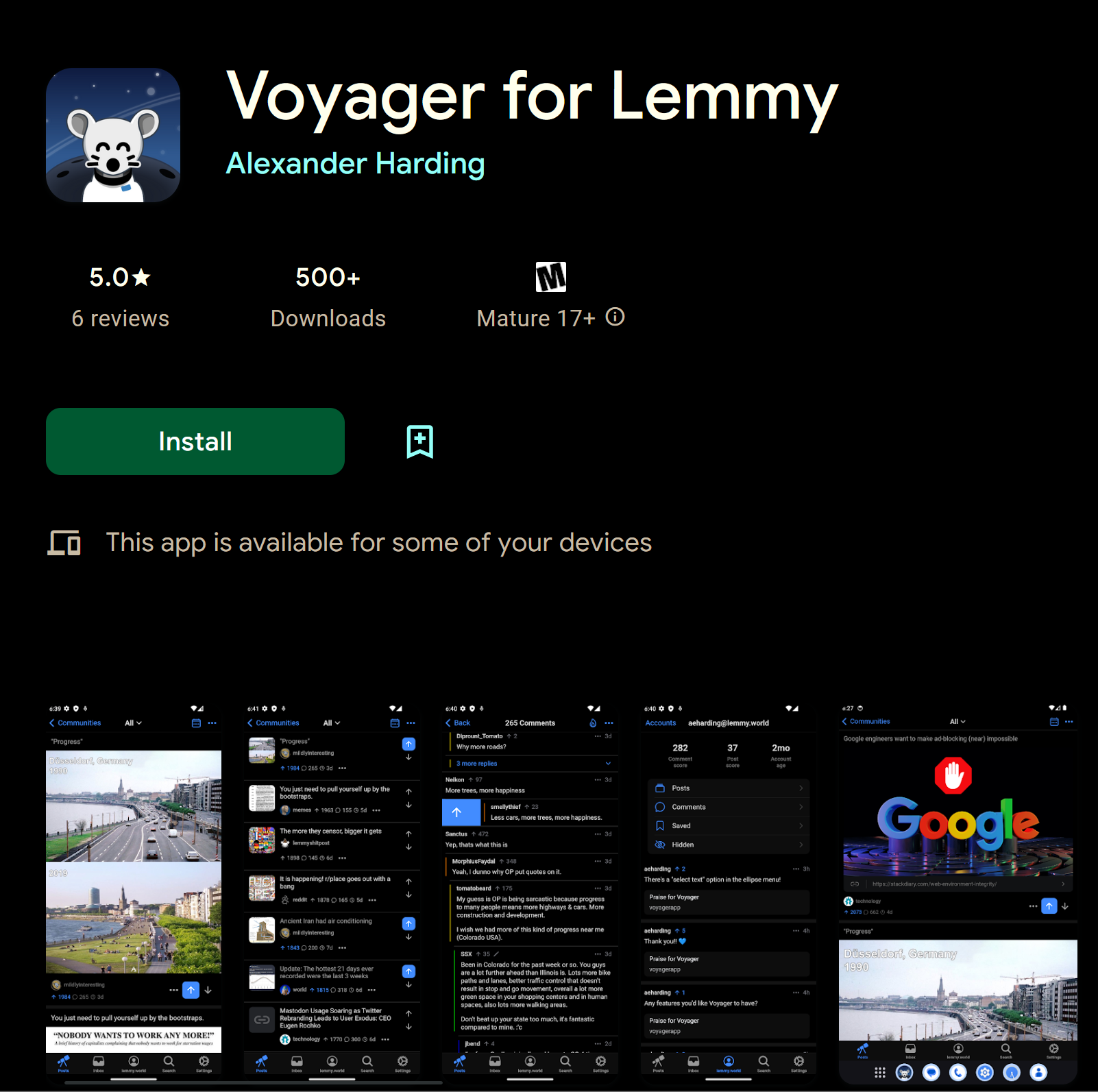
▲ 810 ▼ Voyager for Lemmy Released on Google Play! (play.google.com) submitted 3 years ago by hardly_alex@lemmy.world to c/android@lemdro.id 107 comments fedilink hide all child comments
[–] Jtee@lemmy.world 14 points 3 years ago (1 child) Is this any different to the web app? permalink fedilink source hideshow 2 child comments replies: [–] Xylight@lemmy.xylight.dev 28 points 3 years ago (3 children) It respects android back gesture permalink fedilink source parent hideshow 6 child comments replies: [–] Jtee@lemmy.world 7 points 3 years ago I'll try it out! I'm already using Voyager permalink fedilink source parent [–] hardly_alex@lemmy.world [S] 4 points 3 years ago* And vibrates! permalink fedilink source parent [–] JaddedFauceet@lemmy.world 3 points 3 years ago (1 child) I installed it as a web app earlier. I don't recall conflict with back gesture. What's the issue with back gesture? permalink fedilink source parent hideshow 2 child comments replies: [–] _thisdot@infosec.pub 2 points 3 years ago (1 child) You know how in Android the back button is sometimes not a back button? It sometimes transforms to a close button (modal, image overlay, keyboard, etc.) With an app built for iOS, these “close on back” was not working permalink fedilink source parent hideshow 2 child comments replies: [–] JaddedFauceet@lemmy.world 1 point 3 years ago* As a web app, such behaviour will also need to be programmed to work on a browser first. Packaging it for Play Store should not grant that behaviour automatically. (2) Image overlay For Voyager, back button for image overlay works in browser. When opening an image viewer, the web app triggers a browser history change like this: Browsing on feed - https://vger.app/posts/lemmy.world/all Opening an image viewer - https://vger.app/posts/lemmy.world/all#galleryOpen ^ notice the extra #galleryOpen When back button is triggered, the web page will listen to a "back" event, and close the image viewer. (3) Keyboard: Keyboard is a native UI. So triggering "back" will always close the keyboard (1) Modal / bottom sheet But... I couldn't figure out this one yet Clicking on the "3 dots icon" in a post opens a bottom sheet interface. Play Store version response to back button properly. But the web app version does not. permalink fedilink source parent
[–] Xylight@lemmy.xylight.dev 28 points 3 years ago (3 children) It respects android back gesture permalink fedilink source parent hideshow 6 child comments replies: [–] Jtee@lemmy.world 7 points 3 years ago I'll try it out! I'm already using Voyager permalink fedilink source parent [–] hardly_alex@lemmy.world [S] 4 points 3 years ago* And vibrates! permalink fedilink source parent [–] JaddedFauceet@lemmy.world 3 points 3 years ago (1 child) I installed it as a web app earlier. I don't recall conflict with back gesture. What's the issue with back gesture? permalink fedilink source parent hideshow 2 child comments replies: [–] _thisdot@infosec.pub 2 points 3 years ago (1 child) You know how in Android the back button is sometimes not a back button? It sometimes transforms to a close button (modal, image overlay, keyboard, etc.) With an app built for iOS, these “close on back” was not working permalink fedilink source parent hideshow 2 child comments replies: [–] JaddedFauceet@lemmy.world 1 point 3 years ago* As a web app, such behaviour will also need to be programmed to work on a browser first. Packaging it for Play Store should not grant that behaviour automatically. (2) Image overlay For Voyager, back button for image overlay works in browser. When opening an image viewer, the web app triggers a browser history change like this: Browsing on feed - https://vger.app/posts/lemmy.world/all Opening an image viewer - https://vger.app/posts/lemmy.world/all#galleryOpen ^ notice the extra #galleryOpen When back button is triggered, the web page will listen to a "back" event, and close the image viewer. (3) Keyboard: Keyboard is a native UI. So triggering "back" will always close the keyboard (1) Modal / bottom sheet But... I couldn't figure out this one yet Clicking on the "3 dots icon" in a post opens a bottom sheet interface. Play Store version response to back button properly. But the web app version does not. permalink fedilink source parent
[–] Jtee@lemmy.world 7 points 3 years ago I'll try it out! I'm already using Voyager permalink fedilink source parent
[–] JaddedFauceet@lemmy.world 3 points 3 years ago (1 child) I installed it as a web app earlier. I don't recall conflict with back gesture. What's the issue with back gesture? permalink fedilink source parent hideshow 2 child comments replies: [–] _thisdot@infosec.pub 2 points 3 years ago (1 child) You know how in Android the back button is sometimes not a back button? It sometimes transforms to a close button (modal, image overlay, keyboard, etc.) With an app built for iOS, these “close on back” was not working permalink fedilink source parent hideshow 2 child comments replies: [–] JaddedFauceet@lemmy.world 1 point 3 years ago* As a web app, such behaviour will also need to be programmed to work on a browser first. Packaging it for Play Store should not grant that behaviour automatically. (2) Image overlay For Voyager, back button for image overlay works in browser. When opening an image viewer, the web app triggers a browser history change like this: Browsing on feed - https://vger.app/posts/lemmy.world/all Opening an image viewer - https://vger.app/posts/lemmy.world/all#galleryOpen ^ notice the extra #galleryOpen When back button is triggered, the web page will listen to a "back" event, and close the image viewer. (3) Keyboard: Keyboard is a native UI. So triggering "back" will always close the keyboard (1) Modal / bottom sheet But... I couldn't figure out this one yet Clicking on the "3 dots icon" in a post opens a bottom sheet interface. Play Store version response to back button properly. But the web app version does not. permalink fedilink source parent
[–] _thisdot@infosec.pub 2 points 3 years ago (1 child) You know how in Android the back button is sometimes not a back button? It sometimes transforms to a close button (modal, image overlay, keyboard, etc.) With an app built for iOS, these “close on back” was not working permalink fedilink source parent hideshow 2 child comments replies: [–] JaddedFauceet@lemmy.world 1 point 3 years ago* As a web app, such behaviour will also need to be programmed to work on a browser first. Packaging it for Play Store should not grant that behaviour automatically. (2) Image overlay For Voyager, back button for image overlay works in browser. When opening an image viewer, the web app triggers a browser history change like this: Browsing on feed - https://vger.app/posts/lemmy.world/all Opening an image viewer - https://vger.app/posts/lemmy.world/all#galleryOpen ^ notice the extra #galleryOpen When back button is triggered, the web page will listen to a "back" event, and close the image viewer. (3) Keyboard: Keyboard is a native UI. So triggering "back" will always close the keyboard (1) Modal / bottom sheet But... I couldn't figure out this one yet Clicking on the "3 dots icon" in a post opens a bottom sheet interface. Play Store version response to back button properly. But the web app version does not. permalink fedilink source parent
[–] JaddedFauceet@lemmy.world 1 point 3 years ago* As a web app, such behaviour will also need to be programmed to work on a browser first. Packaging it for Play Store should not grant that behaviour automatically. (2) Image overlay For Voyager, back button for image overlay works in browser. When opening an image viewer, the web app triggers a browser history change like this: Browsing on feed - https://vger.app/posts/lemmy.world/all Opening an image viewer - https://vger.app/posts/lemmy.world/all#galleryOpen ^ notice the extra #galleryOpen When back button is triggered, the web page will listen to a "back" event, and close the image viewer. (3) Keyboard: Keyboard is a native UI. So triggering "back" will always close the keyboard (1) Modal / bottom sheet But... I couldn't figure out this one yet Clicking on the "3 dots icon" in a post opens a bottom sheet interface. Play Store version response to back button properly. But the web app version does not. permalink fedilink source parent