All those memories will be lost in time, like tears in rain.
Those people they fired are starting to haunt them. Well deserved.
Maybe all those people that they fired were you know, actually doing the game.
Fuck MS, make that backwards compatible!
Very creative indeed, well done!
Multitasking on mobile is a myth. Brand new tablet, trying to install a game on GameNative, only 2 apps open, start downloading the game, 2% progress, switch back to browser, thinking, well, let's browse something while it finish downloading, switch back to GameNativ 5 minutes later, progress still at 2%.
Same history with every app, Jesus, laptops also work on batteries, are often more powerful so they consume more yet the have actual multitasking.
So true! If you ignore big corpo and their slop, we actually live in a golden age of gaming.
If I see anything resembling politics I block it, immediately.
Fuck, man... Didn't knew.
Corpo's hard work is finally paying off.
I see, thank you!! Is the combat and general gameplay genuinely good or just get the job done?
Thanks for the answer! I never got into survival genre precisely because of what you say that in kind of looks like a job and I certainly more on the casual side of gaming, love sinking hours in the games i love but don't want to do research or have a side job. In order to enjoy them.
cross-posted from: https://piefed.blahaj.zone/post/131649
cross-posted from: https://lemmy.world/post/28130741

cross-posted from: https://lemmy.sdf.org/post/27496793
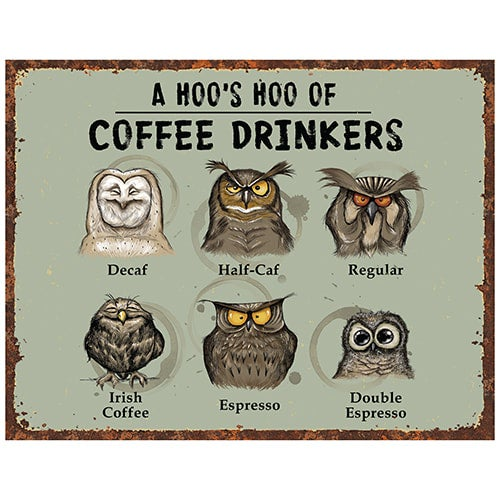
Hoo's Hoo of Coffee Drinkers
Just seen that, accurate portraying of coffee amateur ☺️
view more:
next ›