Miguel is out of GNOME for many years.
Is it not already like this?

Insomnia user here, it is worth moving to Bruno?
It depends hardly on the kind of keyboard/mouse you want. My recommendations, based on workstation I'm keeping at home:
Keyboards
- Logitech K780 (as @supersquirrel@sopuli.xyz said)
- Logitech MX Keys (full or mini, if you don't mind about numpad), this is my top keyboard atm, the one I'm using as developer mostly.
- Logitech G413/G413 TKL (wired, but works nice out of the box, mechanical, perfect for gaming and typing)
Mouses
- Logitech G203 (wired, works nicely on Linux too)
- Logitech M650 Signature (my favourite mouse, actually)
- HP 430 Bluetooth Mouse (works nicely, and does not require dongle because it works throught USB)
Extra
Logitech devices use to have all-in-one dongles, so you only need one for connecting all devices, saving you some USB ports. The unifyied dongle looks like this.

I don't know many people who choose Bun instead of Node or Deno, but all of them do it because speed.
IMHO, I like Deno because it's offering solutions for everything and trying to not fall into same issues Node had (same creator, trying to apologize), but eventually I run into Node because TypeScript and easy-to-use (in my experience). Anyway, Bun always has been to me like the third wheel of the bike.
I understand the concept, but the autistic engineer I have inside is a bit uncomfy with the design of this pile, implying that AWS depends on Azure.
I'm mostly fan of Stardew Valley but I didn't play too much farming sims tbh
Litertally. I was going to comment exactly this.
It means League of Legends is bad, but Doom is not.
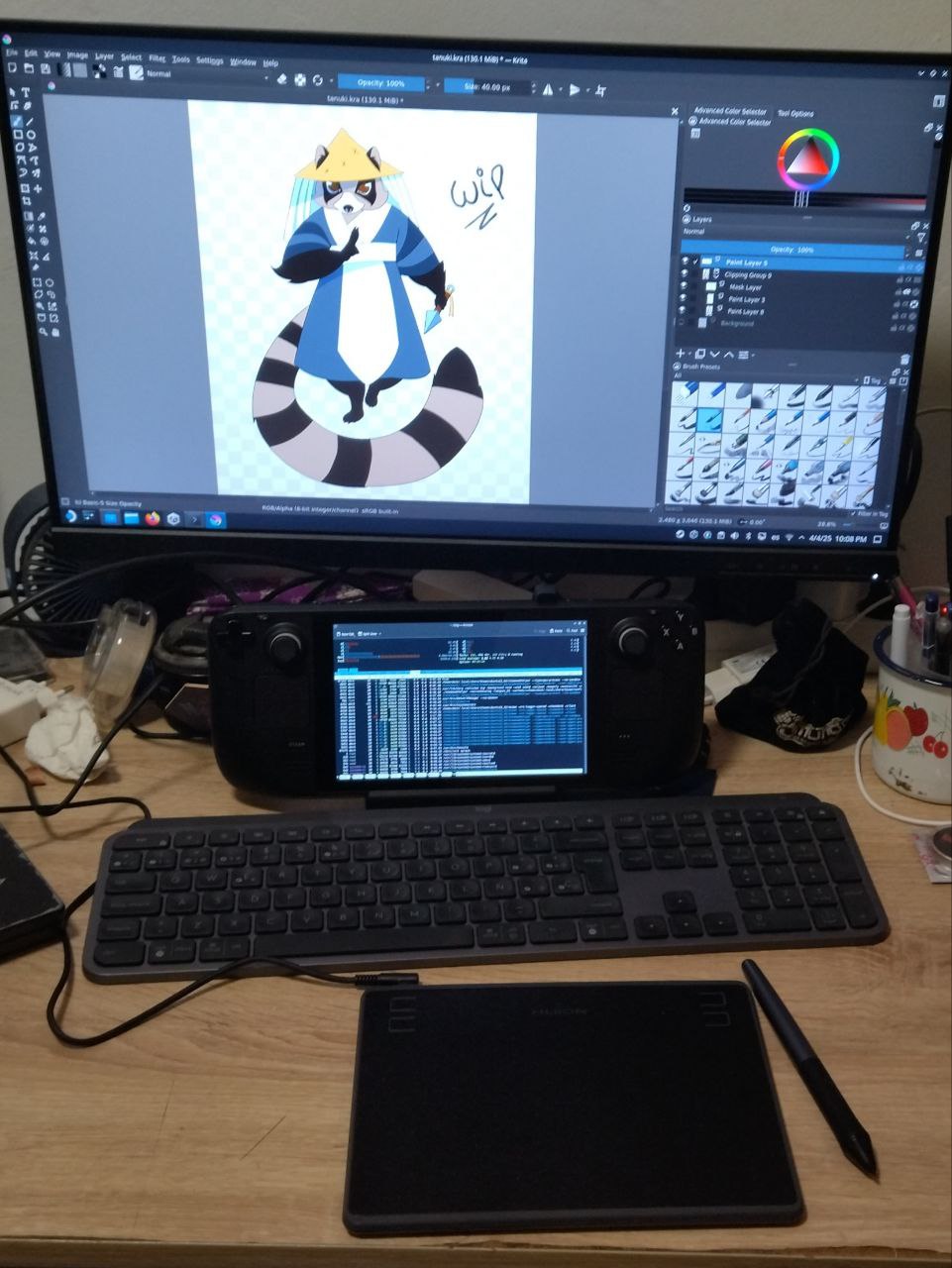
Major problem was drivers are made to run under Ubuntu/Debian, but not under ArchLinux, so after trying them without success, I decided to go for OpenTabletDriver and it worked nice!
This one is Logitech MX Keys, I'm using it as regular work keyboard (I'm software developer), but too big for jams, so I was thinking about something like MX Keys mini or Logitech Pebble, both TKL and bluetooth. Also a portable 15.6 screen because carrying this Lenovo one would be problematic.
Thanks! I made some improvements on the site, but 90% of it has been made by her!
Recently I've been looking for creating a portable gamedev station, because I refuse to buy a (another) laptop for game-jams and out-of-home development. I need something able to run Unity/Godot, Krita and sometimes Blender. I already own a Steam Deck, and I thought it could be the solution. Installing this Huion tablet was kinda problematic since drivers are not made for Arch Linux based distros, but OpenTabletDriver via Flatpak made the day. Also Krita works quite nice!
Deck also serves as second screen to hold a mandatory htop and evaluate the performance.
Disclaimer: draw made by my girlfriend, I'm not that good yet. You can find her at ypsilenna.art.
view more:
next ›