What is the difference between this and simply connecting to the same network? Even if it is offline you can connect through ethetnet or wifi without needing internet
I'm glad that the steps helped you, sorry I only saw your comment now because I wasn't very active here for a while.
I came back because I was moving from Windows to Linux so I had to redo some stuff, I'm glad I wrote the steps, by helping other I ended up helping myself
It took me a week suffering to get syncthing to work but it finally did. Thank you
Right now I'm turning it over night but during the day I find that I might use it one day a few times and another day not at all. Wake up on demand would be great, I'm worried about the wear from doing it like 3-4 times a day
That's impressive! I have less everything, how can I know how much it takes while idle? External device?
I don't mind the wait, I'm however worried about the wear from doing that a few times a day
That's a great idea that I haven't thought about, but I'm using couple of apps to view and the network thing is less convenient albeit attractive solution that I might look into. Thank you
Thank you
I think it has wake on Lan, so that means any connection attempt would wake it?
Sounds exteremly interesting! Thank you so much, that should elevate the boredem from my commute
Sorry for some reason I didn't see your reply before.
History, tech, tv seris (Fantasy, Sci Fi, etc).. These are the things that I think might work in a podcast format, do you have any recommendation?
Fossify Calendar
How to use it with Baikal, I enabled CalDav but I can only see local and gmail calendars. Do I have to use DAVx5 ?
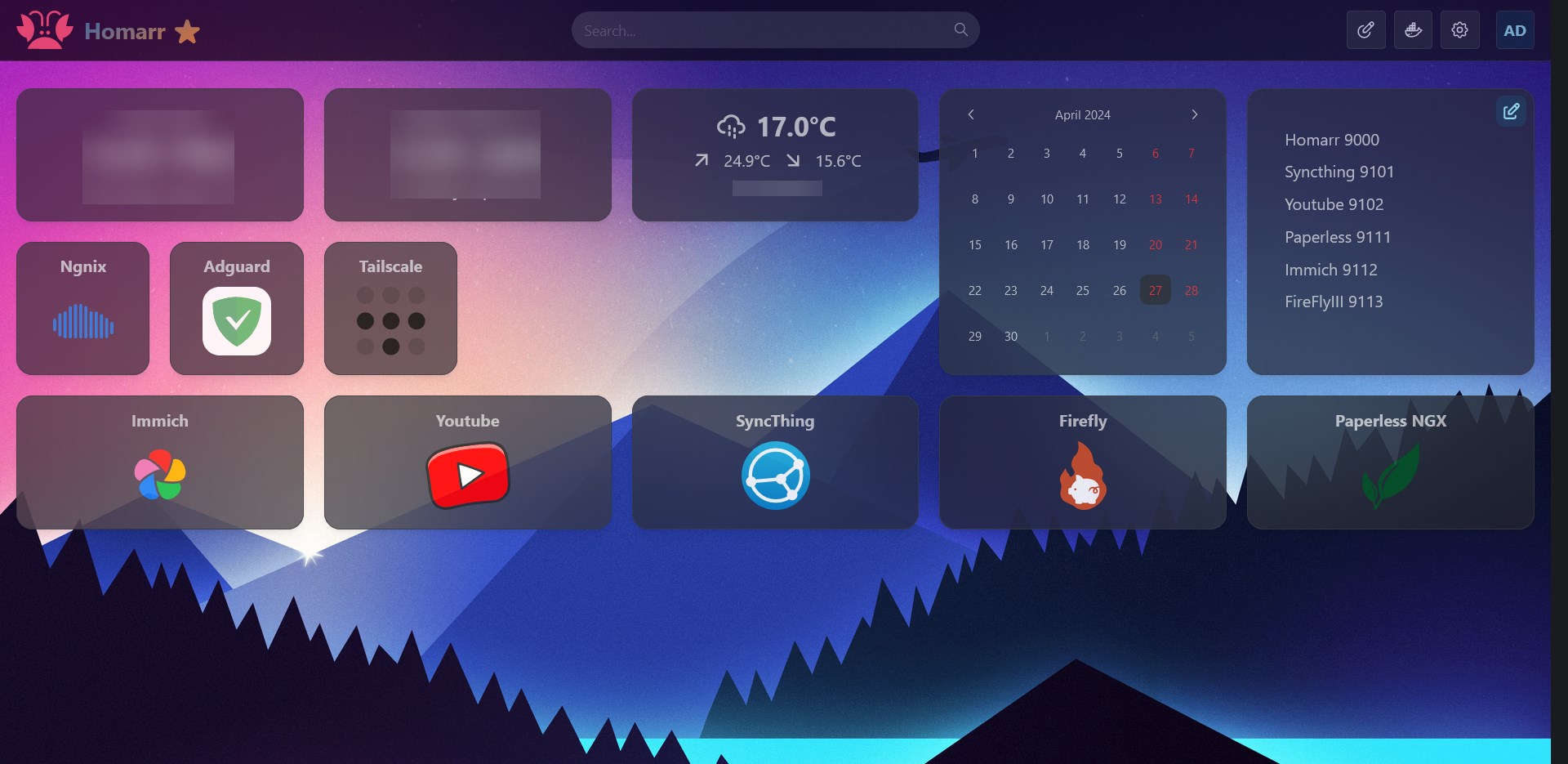
Finally got my server to work properly. (Routing with custom local domain instead of ports)
(programming.dev)
I spent all day today trying to get the routing to work correctly between Tailscale, Nginx and Adguard.
Basically I wanted to be able to be able to use **http://immich.network ** to route to 192.168.1.2:9000
I wanted to share the steps I took so people don't have to go through what I did.
First a few things Local Server IP: 192.168.1.2
- I installed Ngnix and Adguard, in a Docker Containers, and gave Adguard IPs 3000, 3001 instead of 80 and 443 because Ngnix took it.
- I went to my router and made it use the DNS: 192.168.1.2
- I configured Proxy Host in Ngnix ..... immich.network => 192.168.1.2:9000
- I configured DNS rewrite in Adguard .... *.network => 192.168.1.2
At this point I was able to use http://immich.network finally. I installed Tailscale to be able to access when I'm outside but http://immich.network didn't work.
These helped me https://tailscale.com/kb/1019/subnets + https://tailscale.com/kb/1054/dns?q=global+nameserver
- I created a subnet..... tailscale up --advertise-routes=192.168.1.0/24
- I approved it on Tailscale login
At this point I was able to access home server using its local IP 192.168.1.2 but I couldn't get http://immich.network to work.
- I created a nameserver dns with split DNS but I used my local ip.. 192.168.1.2 => network
Finally everything is working.. I have a feeling that I'm doing it wrong but I'm too tired and it's finally working.
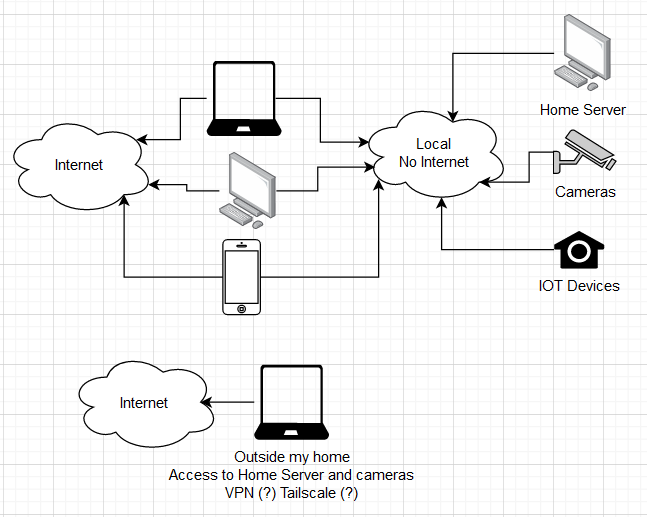
What do I need to separate devices to its own no-internet network and still be able to communicate with within the house and outside? (Diagram provided)
(programming.dev)
Hello, I'm planning on creating a home server and getting some cameras.
I would like to have the server, cameras and all IOT devices be disconnected from the internet but still be able to access them within the house from different devices and maybe have limited access to them when outside.
Do I need a specific hardware for this? And what router would support this? I'm still in the planning phase but I'm looking for budget friendly solutions.
Thank you
view more:
next ›