Hello everybody, Daniel here!

We're excited to be back with some new updates that we believe the community will love!

As always before we start, we’d like to express our sincere thanks to all of our Cloud subscription users. Your support is crucial to our growth and allows us to continue improving. Thank you for being such an important part of our journey. 🚀

What's New?


🛠️ Code Refactoring and Optimization

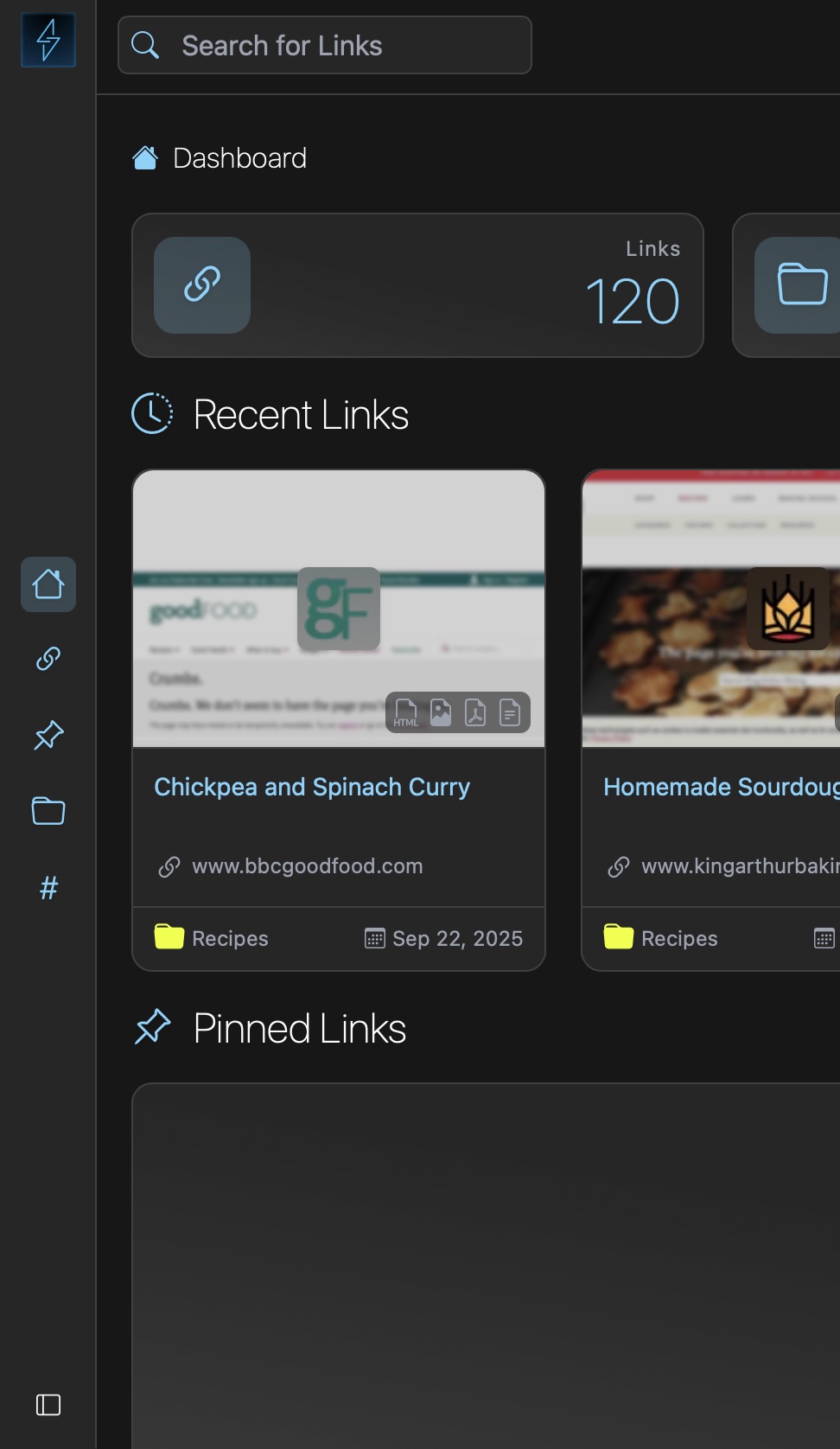
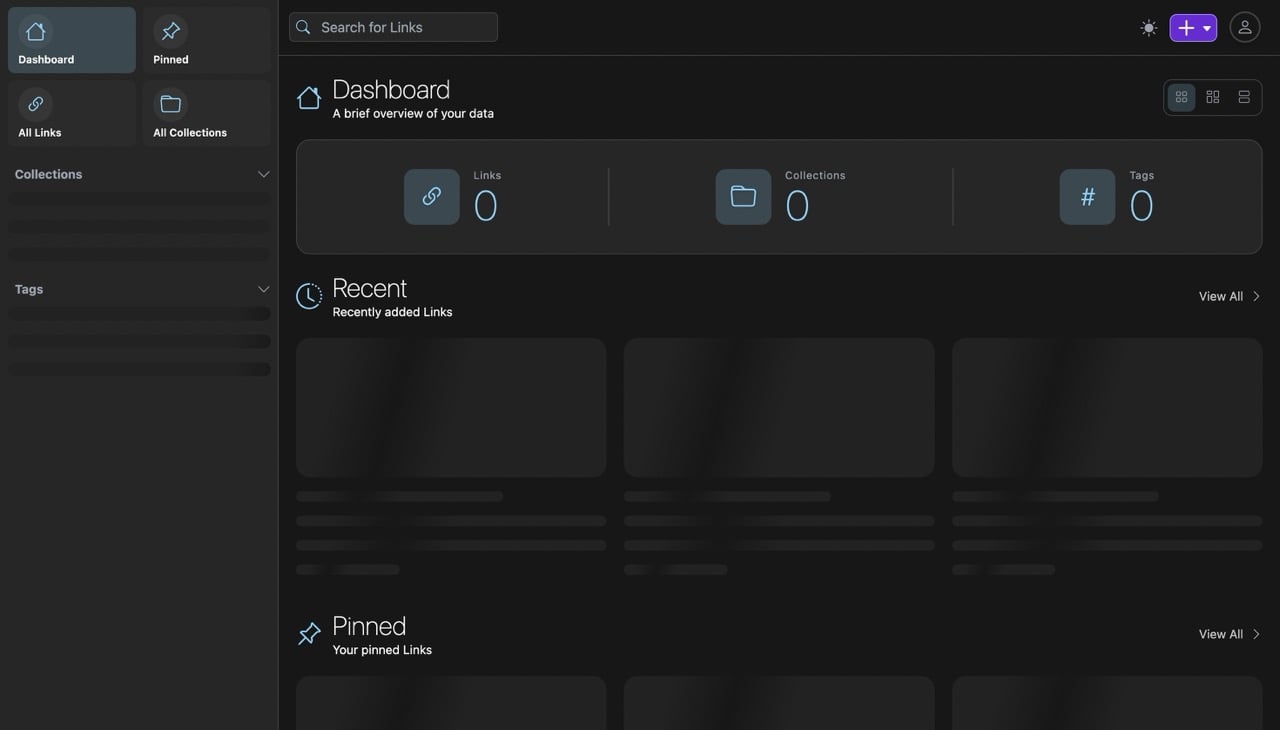
The first thing you'll notice here is that Linkwarden is now faster and more efficient.[^1] And also the data now loads a skeleton placeholder while fetching the data instead of saying "you have no links", making the app feel more responsive.

🌐 Added More Translations

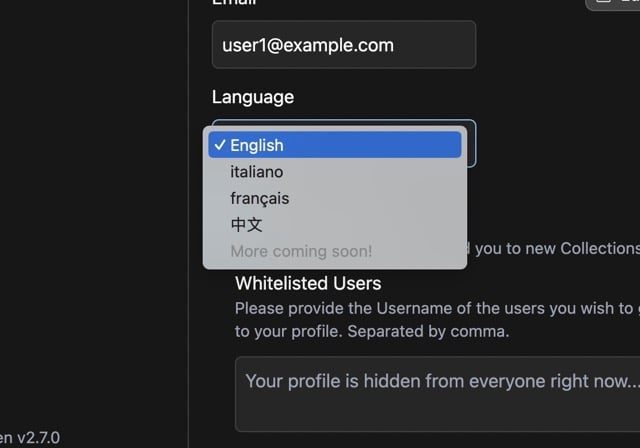
Thanks to the collaborators, we've added Chinese and French translations to Linkwarden. If you'd like to help us translate Linkwarden into your language, check out #216.

✅ And more...

Check out the full changelog below.

Full Changelog: https://github.com/linkwarden/linkwarden/compare/v2.6.2...v2.7.0


If you like what we’re doing, you can support the project by either starring ⭐️ the repo to make it more visible to others or by subscribing to the Cloud plan (which helps the project, a lot).

Feedback is always welcome, so feel free to share your thoughts!

Website: https://linkwarden.app

GitHub: https://github.com/linkwarden/linkwarden

Read the blog: https://blog.linkwarden.app/releases/2.7

[^1]: This took a lot more work than it should have since we had to refactor the whole server-side state management to use react-query instead of Zustand.

other discussions
 

Hello everyone! Daniel here, and I’m back with a new Linkwarden release across web and mobile.

For those who are wondering, Linkwarden is an open-source collaborative bookmarking tool that keeps permanent snapshot of the content of the links you save, so you can still access them even if the original content is no longer available. Linkwarden is available as a Cloud offering, or you can get the source code on GitHub and self-host it on your own server with no strings attached. If you find it useful, consider starring the repo so others can discover it too!

So let’s get into it.

What's new in mobile:

  • Support for self-signed certificates and custom request headers: Android now accepts self-signed certificates, and you can add custom request headers to the app's requests. This makes the app usable with instances behind a reverse proxy or auth layer like Authelia or Cloudflare Access.
  • Re-preserve link formats: You can now re-generate a link's preserved formats (screenshot, PDF, readable view) from the mobile app, useful if the original preservation failed or the page has changed since.
  • Change link's banner: You can now set a custom banner image for a link when editing it.
  • Access more account options in Settings: Settings now has a "More Account Settings" option that opens your full account settings inside the app, using your existing session.

(Android is out, iOS is still in review and it should be out later today.)

What's new in web:

  • Refreshed, more modern design: The top navbar is removed and its functionality moved into the sidebar, plus a number of smaller UX fixes. 
  • New search modal with recent search history: Press ⌘K (or Ctrl+K) anywhere to open a search modal. It also keeps your recent searches stored locally in the browser. 
  • New "System" theme option: The theme can now follow your OS light/dark preference instead of being set manually. 
  • PNG support for link banners: Link banners now accept PNG uploads in addition to JPEG.

There’s more…

As always, there's a long tail of smaller improvements across the web and the mobile app.

Full Changelog: https://github.com/linkwarden/linkwarden/compare/v2.15.1...v2.16.0

Thanks!

Thanks to everyone using Linkwarden, reporting bugs, suggesting improvements, contributing to the project, responsibly disclosing security issues, and supporting its development. Your contributions genuinely shape every release. 💙

If you'd like to try Linkwarden without dealing with server setup and maintenance, our Cloud offering is the easiest way to get started.

Hope you enjoy the latest updates!


Hello everyone! Daniel here.

Today, I'm excited to announce that Linkwarden is getting one of its largest mobile updates so far, along with a web app that’s much lighter to run.

For those who are new here, Linkwarden is a tool for collecting, organizing, reading, and preserving webpages, articles, and documents in one place. Linkwarden is available as a Cloud offering, or you can self-host it on your own server.

Let's get into it.

What's new on mobile:

🖍️ Highlight and annotate

You can now highlight text in the reader view, pick from four colors, and attach a note to any highlight.

There's also a new Notes & Highlights view per article which lets you skim what you've marked and jump to it in the text.

📥 True offline mode

Previously, the app only saved preserved formats for links you had already opened. Now, you can turn on Save for offline access in the settings, and the app will download every preserved format in the background as you browse.

🪪 Link details sheet

Long-press any link to open Link Details, which shows all the information about a link in one sheet, similar to the web app.

📖 Customizable reader view

Adjust font, text size, line height, and background color as you read.

What's new on the web:

🧠 Much lower memory usage

Linkwarden 2.15 roughly halves idle memory usage, from around 700 MB down to about 350 MB. We explained this in more detail on our blog.

🐳 A much smaller Docker image

The Docker image has also been cut in half, dropping from roughly 3.0 GB to 1.5 GB.

🔑 Generic OIDC provider

Self-hosters can now connect any OpenID Connect identity provider. Check it out in the docs!

🔒 Increased security

A good chunk of this release went into security hardening. We strongly recommend updating to 2.15.

There's more...

As always, there's a long tail of smaller improvements across the web and the mobile app.

Full Changelog: https://github.com/linkwarden/linkwarden/compare/v2.14.1...v2.15.0

Thanks!

Thanks to everyone using Linkwarden, reporting bugs, suggesting improvements, contributing to the project, responsibly disclosing security issues, and supporting its development. Your contributions genuinely shape every release.

If you'd like to try Linkwarden without dealing with server setup and maintenance, our Cloud offering is the easiest way to get started.

We hope you enjoy the latest Linkwarden updates!


Hello everyone!

It’s been about 3 months since the last release, and this one took a bit longer than usual. A lot of work went into polishing and refining both the web and mobile apps to make sure it was worth the wait.

Today, we’re excited to announce Linkwarden 2.14!

For those who are new to Linkwarden, it’s a tool for collecting, organizing, reading, and preserving webpages, articles, and documents in one place. Linkwarden is available as a Cloud offering, or you can self-host it on your own server.

This release focuses on performance, usability, security, and platform upgrades.

What’s new:

🗂️ Improved team collaboration

Collections and subcollections got some important improvements.

Members and their permissions can now be propagated to subcollections, and collection admins can now create subcollections as well.

🏷️ Improved tag browsing with pagination

Tags now support pagination, making large tag lists easier to browse.

This helps keep things faster and more manageable, especially in places like the sidebar and tags page.

⚡ Faster interface with optimistic rendering

We added optimistic rendering to some of the slower parts of the app, especially around links and collections.

That means actions like updating or deleting items can now feel much more immediate, since the UI updates right away instead of waiting for the full request to finish.

🚀 Platform upgrades: Next.js 15 and Expo 54

Linkwarden now runs on newer foundations across both web and mobile:

  • Next.js 15 for the web app
  • Expo 54 for the mobile app

These upgrades improve compatibility and give us a stronger base for future improvements.

✨ Improved user experience

This release brings a number of user experience improvements across the app, especially around search and settings.

Search is now more helpful and easier to discover, while settings are cleaner and easier to navigate.

🔒 Security improvements for submitted links

We improved how submitted links are validated on the server for safer and more reliable processing. We recommend updating to 2.14 as soon as possible.

✅ And more...

As always, this release also includes smaller fixes, UI cleanups, dependency updates, and under-the-hood improvements across the app.

Full Changelog: https://github.com/linkwarden/linkwarden/compare/v2.13.5...v2.14.0

Thanks!

Thanks to everyone who’s been using Linkwarden, reporting bugs, suggesting improvements, contributing, and supporting the project along the way.

This release took a little longer than usual, but a lot of care went into making sure it was worth the wait. It also gives us a much stronger foundation for what’s coming next, and we’re looking forward to sharing more with you in the coming months.

If you’re interested in trying Linkwarden without dealing with server setup and maintenance, our Cloud offering is the easiest way to get started.

We hope you enjoy Linkwarden 2.14!


Today, we're excited to announce the release of Linkwarden 2.13! 🥳 This update brings significant improvements and new features to enhance your experience.

For those who are new to Linkwarden, it’s basically a tool to collect, read, annotate, and fully preserve webpages, articles, and documents, all in one place. It’s great for bookmarking stuff to read later, and you can also share your resources, create public collections, and collaborate with your team. Linkwarden is available as a Cloud subscription or you can self-host it on your own server.

This release brings a range of updates to make your bookmarking and archiving experience even smoother. Let’s take a look:

What’s new:

🏷️ New Tag Management Page

We added a dedicated page where you can view, sort, add, bulk merge, and bulk delete you Tags, all in one place.

tag management page

⚙️ Compact Sidebar

You can now shrink the sidebar for a more compact and minimal look.

🐞 Bug fixes and Optimizations

This release comes with many bug fixes, security fixes, and optimizations that's recommended for all users.

✅ And more...

There are also a bunch of smaller improvements and fixes in this release to keep everything running smoothly.

Full Changelog: https://github.com/linkwarden/linkwarden/compare/v2.12.2...v2.13.0

Want to skip the technical setup?

If you’d rather skip server setup and maintenance, our Cloud Plan takes care of everything for you. It’s a great way to access all of Linkwarden’s features—plus future updates—without the technical overhead.


We hope you enjoy these new enhancements, and as always, we'd like to express our sincere thanks to all of our supporters and contributors. Your feedback and contributions have been invaluable in shaping Linkwarden into what it is today. 🚀

Also, the Official Mobile App for iOS and Android are coming very soon! Follow us on Mastodon, Twitter (X), and Bluesky for the latest updates.


Today, we're excited to announce the release of Linkwarden 2.12! 🥳 This update brings significant improvements and new features to enhance your experience.

For those who are new to Linkwarden, it’s basically a tool for saving and organizing webpages, articles, and documents all in one place. It’s great for bookmarking stuff to read later, and you can also share your resources, create public collections, and collaborate with your team. Linkwarden is available as a Cloud subscription or you can self-host it on your own server.

This release brings a range of updates to make your bookmarking and archiving experience even smoother. Let’s take a look:

What’s new:

🫧 Drag and Drop Support

One of our most requested features is finally here! You can now drag and drop Links onto Collections and Tags. This makes it much easier to organize your bookmarks and keep everything tidy.

📤 Upload from SingleFile

SingleFile is an awesome browser extension that allows you to save complete webpages as a single HTML file on your device. As of Linkwarden 2.12, you can upload your saved links directly from the SingleFile browser extension into Linkwarden. This allows you to easily save articles which are behind paywalls or require authentication directly from your browser.

To use this feature, simply install the SingleFile extension, and then follow the documentation.

🌐 Progressed Translations

We’ve made significant progress in our translations, with many languages now fully supported. If you’re interested in helping out with translations, check out our Crowdin page.

✅ And more...

There are also a bunch of smaller improvements and fixes in this release to keep everything running smoothly.

Full Changelog: https://github.com/linkwarden/linkwarden/compare/v2.11.8...v2.12.0

Want to skip the technical setup?

If you’d rather skip server setup and maintenance, our Cloud Plan takes care of everything for you. It’s a great way to access all of Linkwarden’s features—plus future updates—without the technical overhead.


We hope you enjoy these new enhancements, and as always, we'd like to express our sincere thanks to all of our supporters and contributors. Your feedback and contributions have been invaluable in shaping Linkwarden into what it is today. 🚀


Hello everybody, Daniel here!

Today, we're excited to announce the release of Linkwarden 2.10! 🥳 This update brings significant improvements and new features to enhance your experience.

For those who are new to Linkwarden, it's basically a tool for preserving and organizing webpages, articles, and documents in one place. You can also share your resources with others, create public collections, and collaborate with your team. Linkwarden is available as a Cloud subscription or you can self-host it on your own server.

This release brings a range of updates to make your bookmarking and archiving experience even smoother. Let’s take a look:

What’s new:

⚡️ Text Highlighting

You can now highlight text in your saved articles while in the readable view! Whether you’re studying, researching, or just storing interesting articles, you’ll be able to quickly locate the key ideas and insights you saved.

highlight.jpeg

🔍 Search Is Now Much More Capable

Our search engine got a big boost! Not only is it faster, but you can now use advanced search operators like title:, url:, tag:, before:, after: to really narrow down your results. To see all the available operators, check out the advanced search page in the documentation.

For example, to find links tagged “ai tools” before 2020 that aren’t in the “unorganized” collection, you can use the following search query:

tag:"ai tools" before:2020-01-01 !collection:unorganized

This feature makes it easier than ever to locate the links you need, especially if you have a large number of saved links.

🏷️ Tag-Based Preservation

You can now decide how different tags affect the preservation of links. For example, you can set up a tag to automatically preserve links when they are saved, or you can choose to skip preservation for certain tags. This gives you more control over how your links are archived and preserved.

tag_based_preservation.jpeg

👾 Use External Providers for AI Tagging

Previously, Linkwarden offered automated tagging through a local LLM (via Ollama). Now, you can also choose OpenAI, Anthropic, or other external AI providers. This is especially useful if you’re running Linkwarden on lower-end servers to offload the AI tasks to a remote service.

🚀 Enhanced AI Tagging

We’ve improved the AI tagging feature to make it even more effective. You can now tag existing links using AI, not just new ones. On top of that, you can also auto-categorize links to existing tags based on the content of each link.

ai_tagging.jpeg

⚙️ Worker Management (Admin Only)

For admins, Linkwarden 2.10 makes it easier to manage the archiving process. Clear old preservations or re-archive any failed ones whenever you need to, helping you keep your setup tidy and up to date.

worker_page.jpeg

✅ And more...

There are also a bunch of smaller improvements and fixes in this release to keep everything running smoothly.

Full Changelog: https://github.com/linkwarden/linkwarden/compare/v2.9.3...v2.10.0

Want to skip the technical setup?

If you’d rather skip server setup and maintenance, our Cloud Plan takes care of everything for you. It’s a great way to access all of Linkwarden’s features—plus future updates—without the technical overhead.


We hope you enjoy these new enhancements, and as always, we'd like to express our sincere thanks to all of our supporters and contributors. Your feedback and contributions have been invaluable in shaping Linkwarden into what it is today. 🚀

Also a special shout-out to Isaac, who's been a key contributor across multiple releases. He's currently open to work, so if you're looking for someone who’s sharp, collaborative, and genuinely passionate about open source, definitely consider reaching out to him!
 

Hello everybody, Daniel here! We're excited to be back with some new updates that we believe the community will love!

As always before we start, we'd like to express our sincere thanks to all of our Cloud subscription users. Your support is crucial to our growth and allows us to continue improving. Thank you for being such an important part of our journey. 🚀

What’s new:

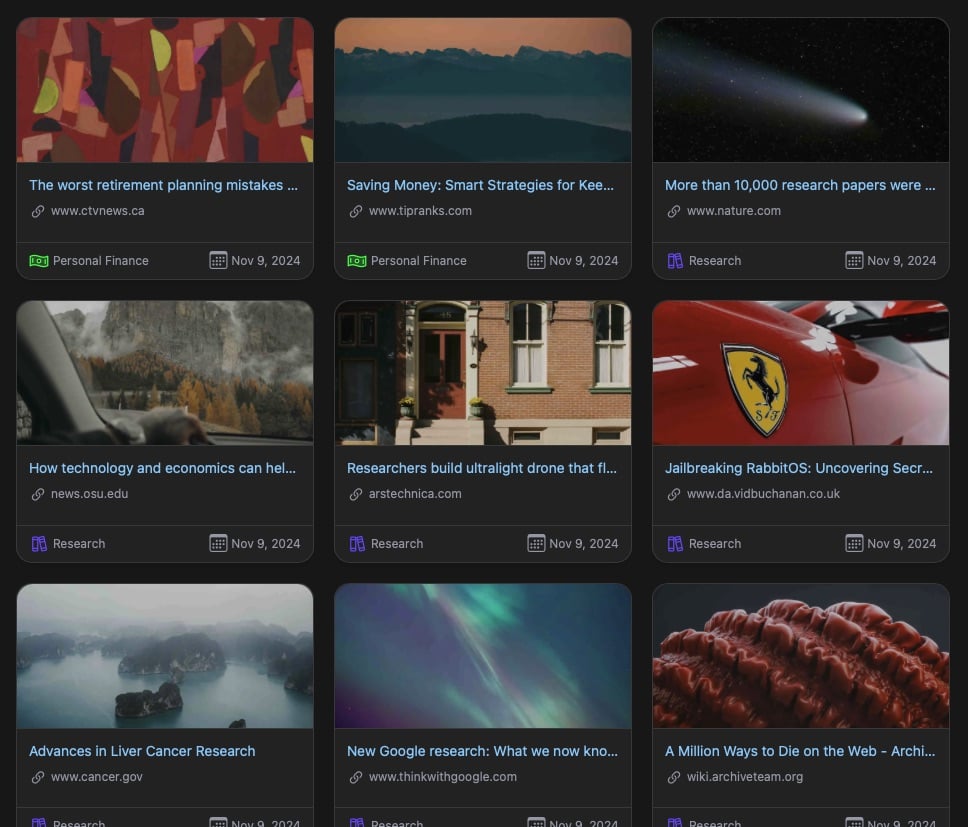
🖼️ Custom Preview Image

Allows users to set a specific preview image for links, making them more visually distinctive and personalized.

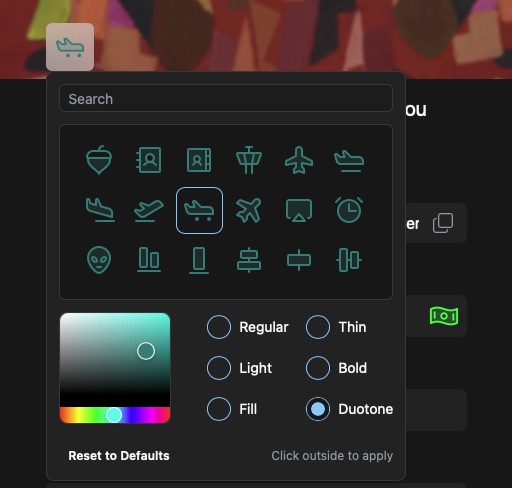
🎨 Custom Icons for Links and Collections

Thanks to Phosphor Icons, users can now assign unique icons to both individual Links and Collections, each with thousands of unique combinations.

ℹ️ New Link Details Drawer

We added a new drawer to display a full view of Link Details, Preserved Formats, and Additional information.

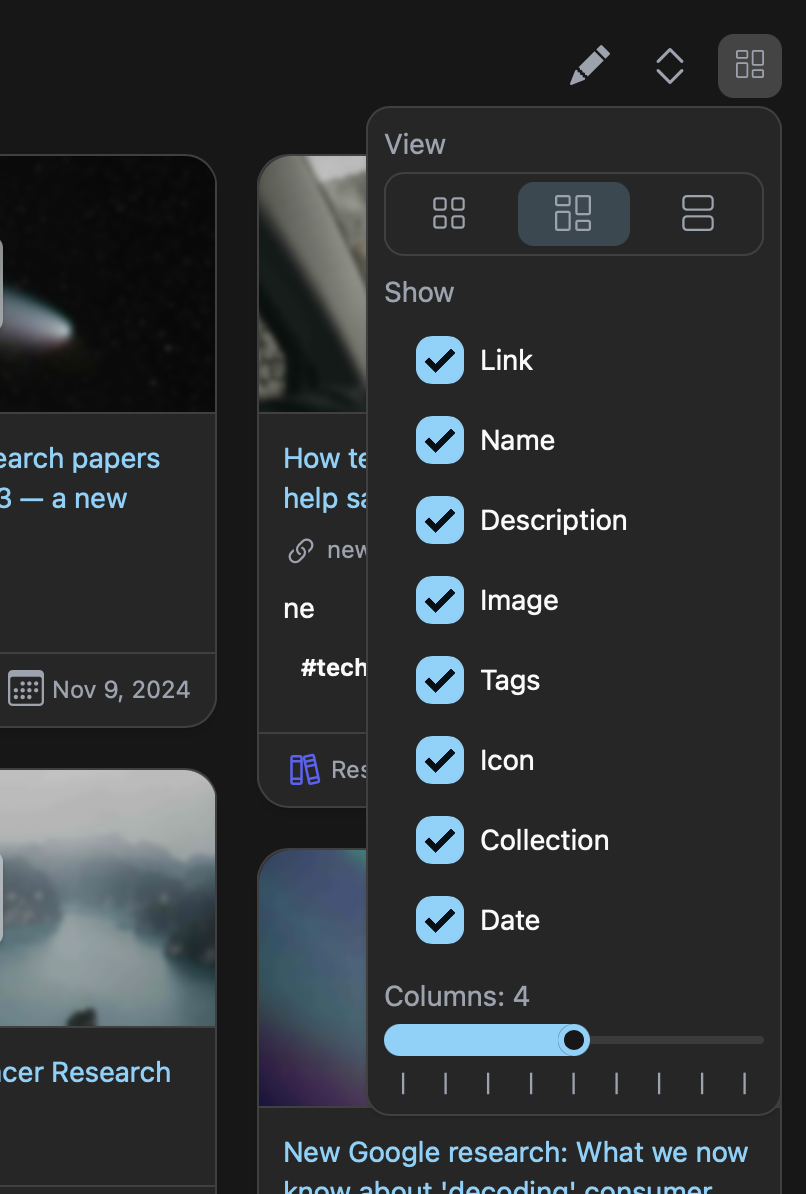
🛠️ Customizable View and Adjustable Columns

You can now customize what to view and adjust the number of columns in the Linkwarden dashboard.

🔄 Browser Synchronization

Special thanks to Marcel from Floccus, you can now sync your browser bookmarks with Linkwarden using Floccus.

↗️ Open all Links under a Collection

Allows users to open all links under a collection in a new tab.

🌐 Added many more Translations

Thanks to all the contributors, we now support the following languages to make Linkwarden accessible to a broader, global audience:

  • 🇹🇼 Chinese - Taiwan (zh-TW)
  • 🇳🇱 Dutch (nl)
  • 🇩🇪 German (de)
  • 🇯🇵 Japanese (ja)
  • 🇧🇷 Portuguese - Brazil (pt-BR)
  • 🇪🇸 Spanish (es)
  • 🇹🇷 Turkish (tr)
  • 🇺🇦 Ukrainian (uk)

👥 Reserve more Seats

Cloud subscribers can now add more seats and invite users who aren’t on Linkwarden from their billing page. Learn more about managing seats in our documentation.

🔗 Editable Link URL's

Users can now directly edit link addresses without needing to create a new entry.

🐳 Smaller Docker Image

The Docker image size has been reduced by around 50%, optimizing storage usage and making deployment faster.

✅ And more...

Check out the full changelog below.

Full Changelog: https://github.com/linkwarden/linkwarden/compare/v2.7.1...v2.8.0


If you like what we’re doing, you can support the project by either starring ⭐️ the repo to make it more visible to others or by subscribing to the Cloud plan (which helps the project, a lot).

Feedback is always welcome, so feel free to share your thoughts!

Website: https://linkwarden.app/

GitHub: https://github.com/linkwarden/linkwarden

Read the blog: https://blog.linkwarden.app/releases/2.8