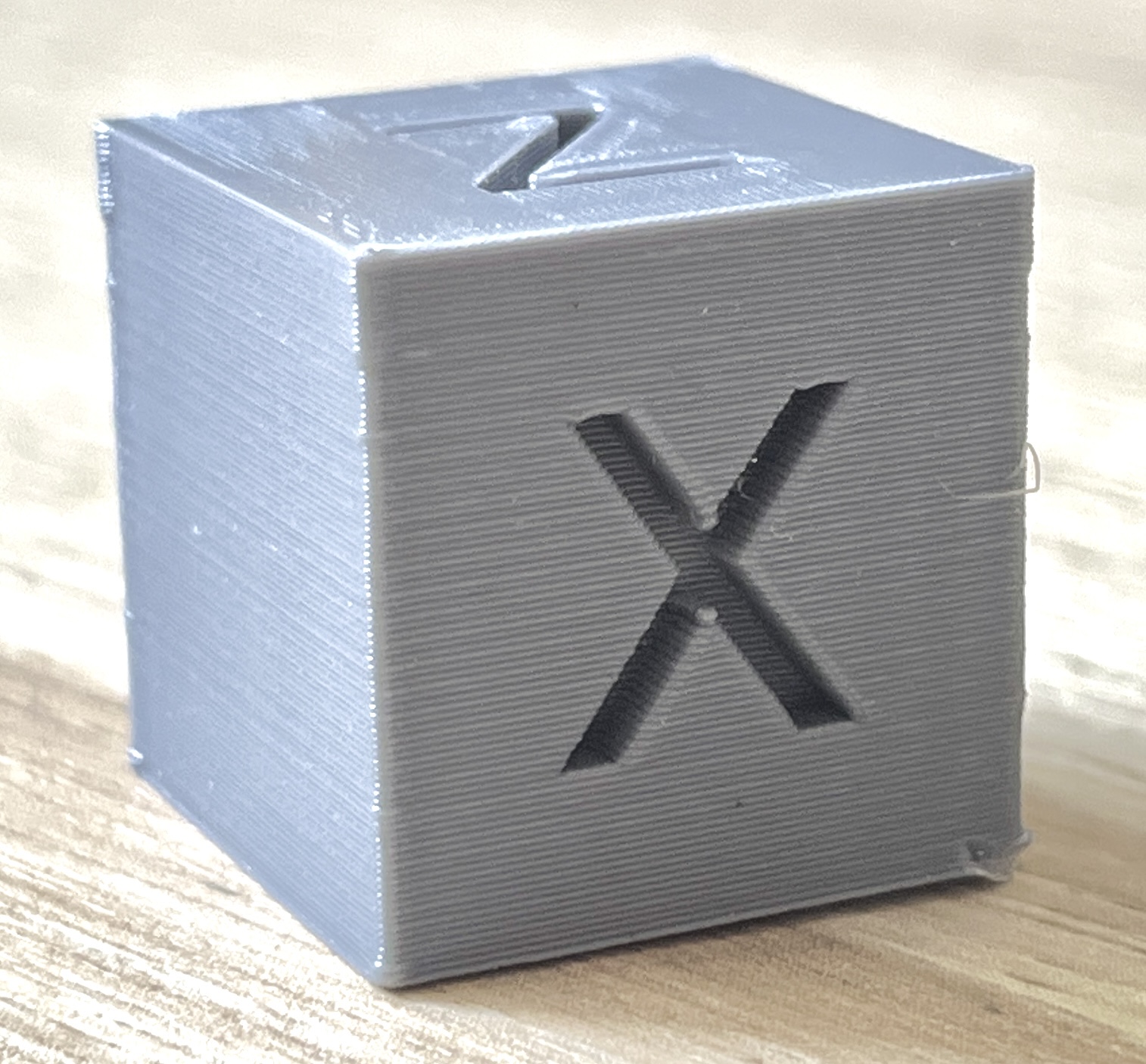
That's weird. Is there anything set in the slicer at that height? Some fade settings, speed changes, anything?
post
Does it always happen at the same height? Could be Z axis binding. What kind of printer do you have?
You need to dial up the linear advance just a hair to fix the bulging corners.
And you do look like your over-extruding by a hair as well.
Print a solid 20mm cube, 1 perimeter, 0% infill, 0 top layers.
It will print out a cube you can measure the wall thickness with a dial caliper.
The thickness should exactly match your extrusion width setting. If it does not, adjust your extrusion multiplier be how much your measurement is out.
For me that looks like slight overextrusion of the top layers. The first few layers are also slightly squished out. The Calibration Cube is a very extreme example. Before you start adjusting I'd print something more natural and if you don't like that you can go through this: https://teachingtechyt.github.io/calibration.html
First layer is printed with 0,8mm and half as fast as the others, then the second layer i believe is regular width but still half the speed, that’s why it’s a bit squished down there.
I was mainly worried about the top, as i didn’t set anything speed or extrusion related for anything apart from the first two layers mentioned.
Otherwise, prints are okay, but i like to print a calibration cube every now and again just to check for possible maintainance required.
Does it line up with the bottom of the z? If so - is it doing solid infill layers for the top few layers?
The correct answer for this is linear advance needs tuning. Google how to do that.
Other than that, getting a direct drive extruder like the TBG Lite will help a lot as well.
all 16 comments