submitted 2 years ago* (last edited 2 years ago) by to c/linux@lemmy.ml
 

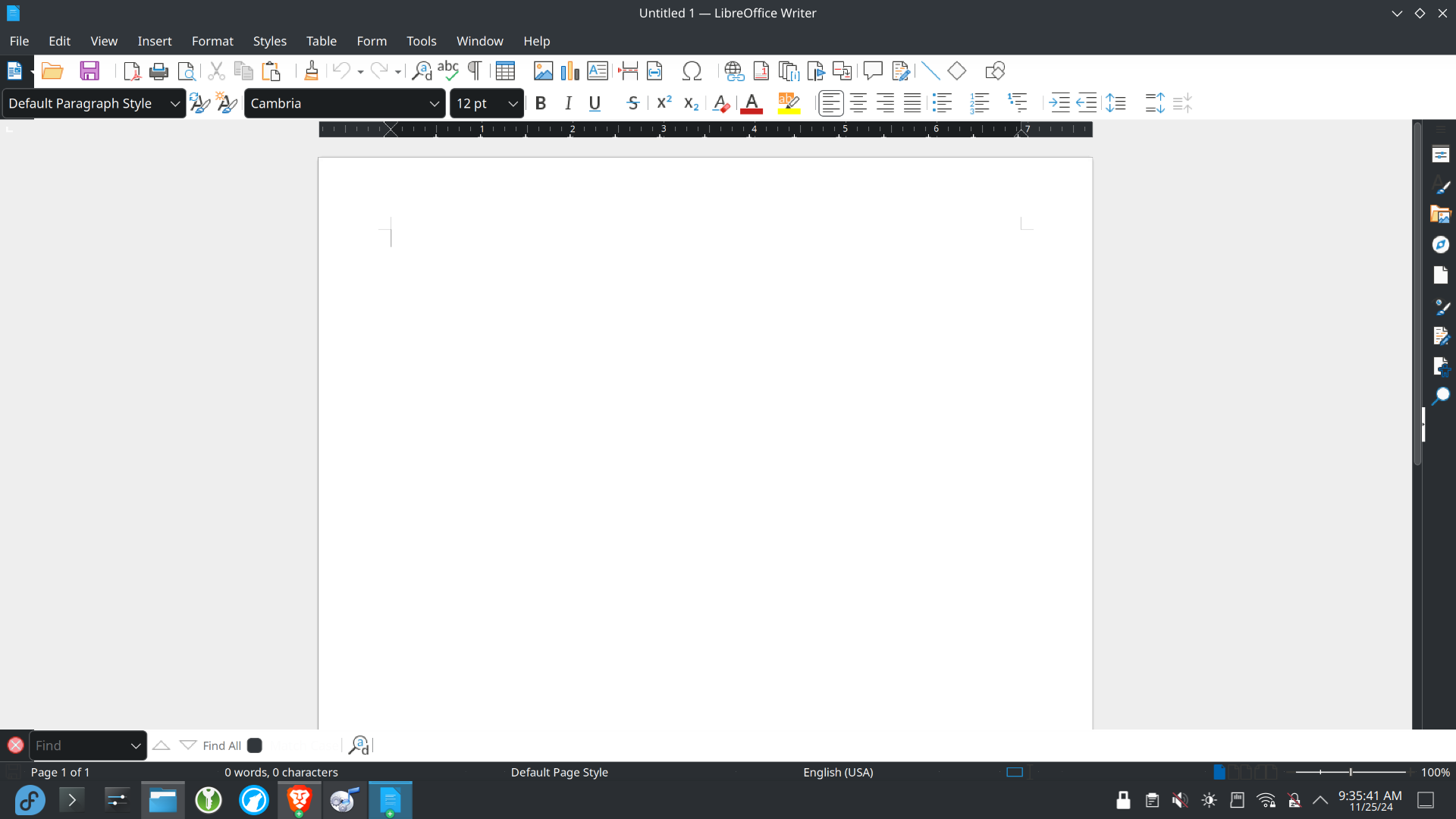
The dark system theme I have set seems to make some applications look funny, with dark boxes where they should be light. Is there any way I can manually set a theme on a per-application basis?
you are viewing a single comment's thread
view the rest of the comments
[+] -29 points 2 years ago (1 child)

Define normal? More like Ms Office? (Under tools if im not mistaken, you can select user interface and there you have the tabbed one)

  • source
  • hideshow 2 child comments
  • [–] [S] 24 points 2 years ago (1 child)

    I mean the boxes for font and paragraph style are all dark when they should be light. I think it's got to do with the system theme, I just wish I could selectively choose the theme for each application so dark mode doesn't mess things up like this.

  • source
  • parent
  • hideshow 2 child comments
  • [–] 14 points 2 years ago*

    By default I have the same issue using KDE and a dark theme, what I do is set a specific theme inside LibreOffice. Another thing you can look for is setting another GTK theme or color scheme inside Customization on Plasma Settings

  • source
  • parent