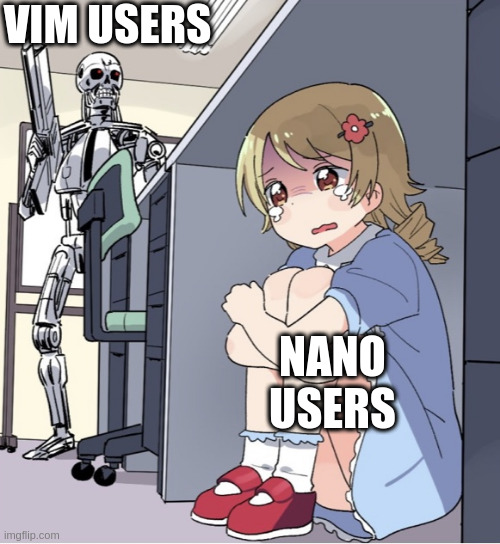
▲ 795 ▼ How dare you use a text editor because it's easy to use (lemmy.fosshost.com) submitted 2 years ago by majestictechie@lemmy.fosshost.com to c/linux@lemmy.ml 318 comments fedilink hide all child comments
[–] ramble81@lemm.ee 36 points 2 years ago (13 children) I’ve come to the conclusion, people who use vim just continue to do so out of a stubborn sense of pride for finally learning the key combinations. permalink fedilink source hideshow 26 child comments replies: [–] JustAnotherKay@lemmy.world 33 points 2 years ago (1 child) In my case it's not a sense of pride. I can't use anything other than Vim because I keep accidentally putting random incantations into my word documents. "There once was a dduuuZQ:q!" permalink fedilink source parent hideshow 2 child comments replies: [–] lemmesay@discuss.tchncs.de 8 points 2 years ago (2 children) haha, same. do you use vimium as well? permalink fedilink source parent hideshow 4 child comments replies: [–] PlexSheep@infosec.pub 4 points 2 years ago (1 child) That extension is actually pretty cool. There is also tridactyl and a browser that was made with vim in mind, but a browser and a text editor are too different for many things to translate. permalink fedilink source parent hideshow 2 child comments replies: [–] lemmesay@discuss.tchncs.de 2 points 2 years ago thanks for sharing, I'll try it on my work machine permalink fedilink source parent [–] JustAnotherKay@lemmy.world 2 points 2 years ago (1 child) Ya know, I might throw that on to my browser but I doubt I'd actually use it much. I only really use my browser for research; notes, music, and most of my work is done in the terminal. Being able to swap tabs faster by not having to cycle could be useful, but other than that I find the mouse to be a pretty rapid way of navigating unfamiliar pages permalink fedilink source parent hideshow 2 child comments replies: [–] lemmesay@discuss.tchncs.de 2 points 2 years ago in my case, my hand hurts if I use mouse(or a mobile phone) for some time. using j/k for scrolling and clicking links via f help me a lot. permalink fedilink source parent [–] pixelscript@lemm.ee 20 points 2 years ago I mean, yeah, kind of. In the same way pilots fly planes out of a stubborn sense of pride for knowing what all the flight deck controls do. permalink fedilink source parent [–] Theharpyeagle@lemmy.world 19 points 2 years ago (1 child) I honestly learned it just because I hated having to change hand position to use a mouse. permalink fedilink source parent hideshow 2 child comments replies: [–] Treachery4524@lemmy.ml 1 point 2 years ago (3 children) Can you use a mouse in nano? I always just use the arrow keys, or page up/down and home/end I mostly use vim but I barely use the jkl; to navigate the document. permalink fedilink source parent hideshow 6 child comments replies: [–] Theharpyeagle@lemmy.world 6 points 2 years ago Ah sorry, I meant using Vim in a GUI program. I wanted something with the flexibility of a mouse (quick navigation, context menu actions, etc.) without using a mouse. Using just the arrow keys, shift highlighting, etc. is just too slow when writing lots of text, and it doesn't follow the natural position of typing. permalink fedilink source parent [–] Opisek@lemmy.world 2 points 2 years ago Even if you use arrows, you still have to reposition your hand. permalink fedilink source parent [–] cerement@slrpnk.net 1 point 2 years ago nano -m <file> or set mouse in your nanorc permalink fedilink source parent [–] hakunawazo@lemmy.world 10 points 2 years ago It's just convenient that it's pre-installed on many servers. So I can use it now everywhere with my stubborn sense of pride for finally learning the key combinations. permalink fedilink source parent [–] techwizrd@programming.dev 10 points 2 years ago I am faster, more comfortable, and more productive in Vim. I use the same keybindings in all my editors and IDEs. It's okay for people to have different preferences. permalink fedilink source parent [–] PlexSheep@infosec.pub 8 points 2 years ago What do you mean? The vim users know their key combinations pretty well, that's kind of the point of vim. permalink fedilink source parent [–] psycho_driver@lemmy.world 7 points 2 years ago That's funny, I feel the same way about Excel users. permalink fedilink source parent [–] alexaralvarado@infosec.pub 5 points 2 years ago Somehow it seems this would apply to any linux user permalink fedilink source parent [–] Semi_Hemi_Demigod@lemmy.world 5 points 2 years ago It's not pride, it's just that I know how to use it really well and that makes it easy for me to use. But it's really only for viewing files on another system over SSH. For local work I use Sublime Text permalink fedilink source parent [–] catshit_dogfart@lemmy.world 3 points 2 years ago I just use vi Is that stupid? It's all I ever bothered to learn, hasn't failed me yet. Now I'm not some big time linux guru but I'm a sysadmin and regularly find myself elbow deep in a CLI for stuff. permalink fedilink source parent [–] root@precious.net 1 point 2 years ago When you only need to hammer a nail every once in a while, any hammer will do. When you're a roofer, you better have a roofing hammer. If you don't spend your life in a terminal and just need to edit a file, vim isn't for you. If you want to learn complex strings of arcane wizardry to not only make your life easier but amaze your underlings, use vim. permalink fedilink source parent [–] TheV2@programming.dev 1 point 2 years ago There is no sense of pride. Every text/code editor has key combinations that many users will learn eventually. Vim has easier key bindings. permalink fedilink source parent [+] 737@lemmy.blahaj.zone 1 point 2 years ago* (last edited 1 year ago) [deleted] permalink fedilink source parent
[–] JustAnotherKay@lemmy.world 33 points 2 years ago (1 child) In my case it's not a sense of pride. I can't use anything other than Vim because I keep accidentally putting random incantations into my word documents. "There once was a dduuuZQ:q!" permalink fedilink source parent hideshow 2 child comments replies: [–] lemmesay@discuss.tchncs.de 8 points 2 years ago (2 children) haha, same. do you use vimium as well? permalink fedilink source parent hideshow 4 child comments replies: [–] PlexSheep@infosec.pub 4 points 2 years ago (1 child) That extension is actually pretty cool. There is also tridactyl and a browser that was made with vim in mind, but a browser and a text editor are too different for many things to translate. permalink fedilink source parent hideshow 2 child comments replies: [–] lemmesay@discuss.tchncs.de 2 points 2 years ago thanks for sharing, I'll try it on my work machine permalink fedilink source parent [–] JustAnotherKay@lemmy.world 2 points 2 years ago (1 child) Ya know, I might throw that on to my browser but I doubt I'd actually use it much. I only really use my browser for research; notes, music, and most of my work is done in the terminal. Being able to swap tabs faster by not having to cycle could be useful, but other than that I find the mouse to be a pretty rapid way of navigating unfamiliar pages permalink fedilink source parent hideshow 2 child comments replies: [–] lemmesay@discuss.tchncs.de 2 points 2 years ago in my case, my hand hurts if I use mouse(or a mobile phone) for some time. using j/k for scrolling and clicking links via f help me a lot. permalink fedilink source parent
[–] lemmesay@discuss.tchncs.de 8 points 2 years ago (2 children) haha, same. do you use vimium as well? permalink fedilink source parent hideshow 4 child comments replies: [–] PlexSheep@infosec.pub 4 points 2 years ago (1 child) That extension is actually pretty cool. There is also tridactyl and a browser that was made with vim in mind, but a browser and a text editor are too different for many things to translate. permalink fedilink source parent hideshow 2 child comments replies: [–] lemmesay@discuss.tchncs.de 2 points 2 years ago thanks for sharing, I'll try it on my work machine permalink fedilink source parent [–] JustAnotherKay@lemmy.world 2 points 2 years ago (1 child) Ya know, I might throw that on to my browser but I doubt I'd actually use it much. I only really use my browser for research; notes, music, and most of my work is done in the terminal. Being able to swap tabs faster by not having to cycle could be useful, but other than that I find the mouse to be a pretty rapid way of navigating unfamiliar pages permalink fedilink source parent hideshow 2 child comments replies: [–] lemmesay@discuss.tchncs.de 2 points 2 years ago in my case, my hand hurts if I use mouse(or a mobile phone) for some time. using j/k for scrolling and clicking links via f help me a lot. permalink fedilink source parent
[–] PlexSheep@infosec.pub 4 points 2 years ago (1 child) That extension is actually pretty cool. There is also tridactyl and a browser that was made with vim in mind, but a browser and a text editor are too different for many things to translate. permalink fedilink source parent hideshow 2 child comments replies: [–] lemmesay@discuss.tchncs.de 2 points 2 years ago thanks for sharing, I'll try it on my work machine permalink fedilink source parent
[–] lemmesay@discuss.tchncs.de 2 points 2 years ago thanks for sharing, I'll try it on my work machine permalink fedilink source parent
[–] JustAnotherKay@lemmy.world 2 points 2 years ago (1 child) Ya know, I might throw that on to my browser but I doubt I'd actually use it much. I only really use my browser for research; notes, music, and most of my work is done in the terminal. Being able to swap tabs faster by not having to cycle could be useful, but other than that I find the mouse to be a pretty rapid way of navigating unfamiliar pages permalink fedilink source parent hideshow 2 child comments replies: [–] lemmesay@discuss.tchncs.de 2 points 2 years ago in my case, my hand hurts if I use mouse(or a mobile phone) for some time. using j/k for scrolling and clicking links via f help me a lot. permalink fedilink source parent
[–] lemmesay@discuss.tchncs.de 2 points 2 years ago in my case, my hand hurts if I use mouse(or a mobile phone) for some time. using j/k for scrolling and clicking links via f help me a lot. permalink fedilink source parent
[–] pixelscript@lemm.ee 20 points 2 years ago I mean, yeah, kind of. In the same way pilots fly planes out of a stubborn sense of pride for knowing what all the flight deck controls do. permalink fedilink source parent
[–] Theharpyeagle@lemmy.world 19 points 2 years ago (1 child) I honestly learned it just because I hated having to change hand position to use a mouse. permalink fedilink source parent hideshow 2 child comments replies: [–] Treachery4524@lemmy.ml 1 point 2 years ago (3 children) Can you use a mouse in nano? I always just use the arrow keys, or page up/down and home/end I mostly use vim but I barely use the jkl; to navigate the document. permalink fedilink source parent hideshow 6 child comments replies: [–] Theharpyeagle@lemmy.world 6 points 2 years ago Ah sorry, I meant using Vim in a GUI program. I wanted something with the flexibility of a mouse (quick navigation, context menu actions, etc.) without using a mouse. Using just the arrow keys, shift highlighting, etc. is just too slow when writing lots of text, and it doesn't follow the natural position of typing. permalink fedilink source parent [–] Opisek@lemmy.world 2 points 2 years ago Even if you use arrows, you still have to reposition your hand. permalink fedilink source parent [–] cerement@slrpnk.net 1 point 2 years ago nano -m <file> or set mouse in your nanorc permalink fedilink source parent
[–] Treachery4524@lemmy.ml 1 point 2 years ago (3 children) Can you use a mouse in nano? I always just use the arrow keys, or page up/down and home/end I mostly use vim but I barely use the jkl; to navigate the document. permalink fedilink source parent hideshow 6 child comments replies: [–] Theharpyeagle@lemmy.world 6 points 2 years ago Ah sorry, I meant using Vim in a GUI program. I wanted something with the flexibility of a mouse (quick navigation, context menu actions, etc.) without using a mouse. Using just the arrow keys, shift highlighting, etc. is just too slow when writing lots of text, and it doesn't follow the natural position of typing. permalink fedilink source parent [–] Opisek@lemmy.world 2 points 2 years ago Even if you use arrows, you still have to reposition your hand. permalink fedilink source parent [–] cerement@slrpnk.net 1 point 2 years ago nano -m <file> or set mouse in your nanorc permalink fedilink source parent
[–] Theharpyeagle@lemmy.world 6 points 2 years ago Ah sorry, I meant using Vim in a GUI program. I wanted something with the flexibility of a mouse (quick navigation, context menu actions, etc.) without using a mouse. Using just the arrow keys, shift highlighting, etc. is just too slow when writing lots of text, and it doesn't follow the natural position of typing. permalink fedilink source parent
[–] Opisek@lemmy.world 2 points 2 years ago Even if you use arrows, you still have to reposition your hand. permalink fedilink source parent
[–] cerement@slrpnk.net 1 point 2 years ago nano -m <file> or set mouse in your nanorc permalink fedilink source parent
[–] hakunawazo@lemmy.world 10 points 2 years ago It's just convenient that it's pre-installed on many servers. So I can use it now everywhere with my stubborn sense of pride for finally learning the key combinations. permalink fedilink source parent
[–] techwizrd@programming.dev 10 points 2 years ago I am faster, more comfortable, and more productive in Vim. I use the same keybindings in all my editors and IDEs. It's okay for people to have different preferences. permalink fedilink source parent
[–] PlexSheep@infosec.pub 8 points 2 years ago What do you mean? The vim users know their key combinations pretty well, that's kind of the point of vim. permalink fedilink source parent
[–] psycho_driver@lemmy.world 7 points 2 years ago That's funny, I feel the same way about Excel users. permalink fedilink source parent
[–] alexaralvarado@infosec.pub 5 points 2 years ago Somehow it seems this would apply to any linux user permalink fedilink source parent
[–] Semi_Hemi_Demigod@lemmy.world 5 points 2 years ago It's not pride, it's just that I know how to use it really well and that makes it easy for me to use. But it's really only for viewing files on another system over SSH. For local work I use Sublime Text permalink fedilink source parent
[–] catshit_dogfart@lemmy.world 3 points 2 years ago I just use vi Is that stupid? It's all I ever bothered to learn, hasn't failed me yet. Now I'm not some big time linux guru but I'm a sysadmin and regularly find myself elbow deep in a CLI for stuff. permalink fedilink source parent
[–] root@precious.net 1 point 2 years ago When you only need to hammer a nail every once in a while, any hammer will do. When you're a roofer, you better have a roofing hammer. If you don't spend your life in a terminal and just need to edit a file, vim isn't for you. If you want to learn complex strings of arcane wizardry to not only make your life easier but amaze your underlings, use vim. permalink fedilink source parent
[–] TheV2@programming.dev 1 point 2 years ago There is no sense of pride. Every text/code editor has key combinations that many users will learn eventually. Vim has easier key bindings. permalink fedilink source parent
[+] 737@lemmy.blahaj.zone 1 point 2 years ago* (last edited 1 year ago) [deleted] permalink fedilink source parent