▲ 26 ▼ material pywal (thelemmy.club) submitted 3 years ago by Vuraniute@thelemmy.club to c/linuxmemes@lemmy.world 28 comments fedilink hide all child comments
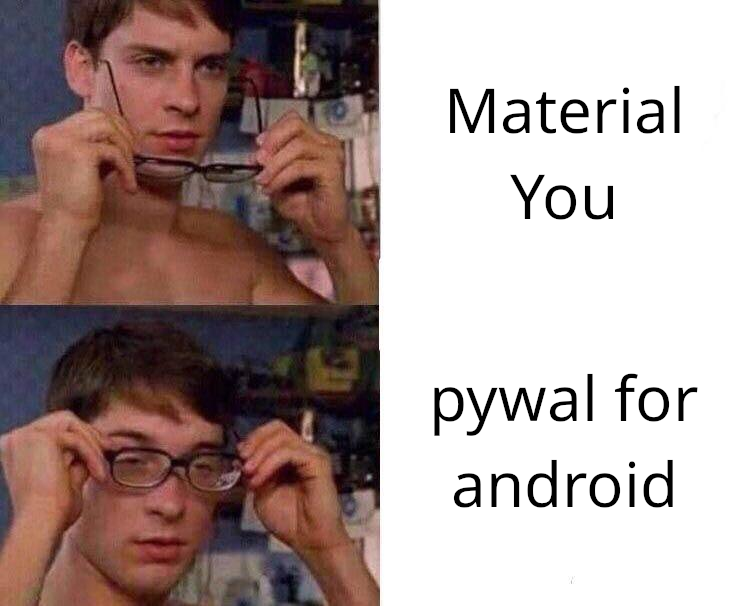
[–] Grass@geddit.social 1 point 3 years ago (2 children) Someone explain please permalink fedilink source hideshow 4 child comments replies: [–] Ghoelian@feddit.nl 3 points 3 years ago Material you changes the android colour palette based on the colours in your background image. Looks like pywal does the same for your terminal. permalink fedilink source parent [–] Vuraniute@thelemmy.club [S] 2 points 3 years ago* (1 child) Material You: sets all the colours of your phone according to the colours of your wallpaper Pywal: sets all the colours of your Linux desktop (terminal colours, GTK theme, config files derived from template files) according to the colours of your wallpaper permalink fedilink source parent hideshow 2 child comments replies: [–] Obi@sopuli.xyz 0 points 3 years ago (2 children) What I don't get is how often are people looking at their wallpapers? I see mine for a couple seconds before all the screen real estate gets taken by apps or monitoring etc. permalink fedilink source parent hideshow 4 child comments replies: [–] sxan@midwest.social 1 point 3 years ago I use a tiling window manager, and it maximizes that behavior. I still have wallpapers, because I spend most of my time in terminals, and they're set to something like 90% opacity. I can still see the wallpapers, but it's subtle. Inactive, non-terminal windows get 80% opacity, so I see it more there. permalink fedilink source parent [–] QuazarOmega@lemmy.world 1 point 3 years ago It's to get a cohesive theme across all applications, so, even if you don't see the wallpaper, it overrides the default app themes that would all clash with each other otherwise permalink fedilink source parent
[–] Ghoelian@feddit.nl 3 points 3 years ago Material you changes the android colour palette based on the colours in your background image. Looks like pywal does the same for your terminal. permalink fedilink source parent
[–] Vuraniute@thelemmy.club [S] 2 points 3 years ago* (1 child) Material You: sets all the colours of your phone according to the colours of your wallpaper Pywal: sets all the colours of your Linux desktop (terminal colours, GTK theme, config files derived from template files) according to the colours of your wallpaper permalink fedilink source parent hideshow 2 child comments replies: [–] Obi@sopuli.xyz 0 points 3 years ago (2 children) What I don't get is how often are people looking at their wallpapers? I see mine for a couple seconds before all the screen real estate gets taken by apps or monitoring etc. permalink fedilink source parent hideshow 4 child comments replies: [–] sxan@midwest.social 1 point 3 years ago I use a tiling window manager, and it maximizes that behavior. I still have wallpapers, because I spend most of my time in terminals, and they're set to something like 90% opacity. I can still see the wallpapers, but it's subtle. Inactive, non-terminal windows get 80% opacity, so I see it more there. permalink fedilink source parent [–] QuazarOmega@lemmy.world 1 point 3 years ago It's to get a cohesive theme across all applications, so, even if you don't see the wallpaper, it overrides the default app themes that would all clash with each other otherwise permalink fedilink source parent
[–] Obi@sopuli.xyz 0 points 3 years ago (2 children) What I don't get is how often are people looking at their wallpapers? I see mine for a couple seconds before all the screen real estate gets taken by apps or monitoring etc. permalink fedilink source parent hideshow 4 child comments replies: [–] sxan@midwest.social 1 point 3 years ago I use a tiling window manager, and it maximizes that behavior. I still have wallpapers, because I spend most of my time in terminals, and they're set to something like 90% opacity. I can still see the wallpapers, but it's subtle. Inactive, non-terminal windows get 80% opacity, so I see it more there. permalink fedilink source parent [–] QuazarOmega@lemmy.world 1 point 3 years ago It's to get a cohesive theme across all applications, so, even if you don't see the wallpaper, it overrides the default app themes that would all clash with each other otherwise permalink fedilink source parent
[–] sxan@midwest.social 1 point 3 years ago I use a tiling window manager, and it maximizes that behavior. I still have wallpapers, because I spend most of my time in terminals, and they're set to something like 90% opacity. I can still see the wallpapers, but it's subtle. Inactive, non-terminal windows get 80% opacity, so I see it more there. permalink fedilink source parent
[–] QuazarOmega@lemmy.world 1 point 3 years ago It's to get a cohesive theme across all applications, so, even if you don't see the wallpaper, it overrides the default app themes that would all clash with each other otherwise permalink fedilink source parent