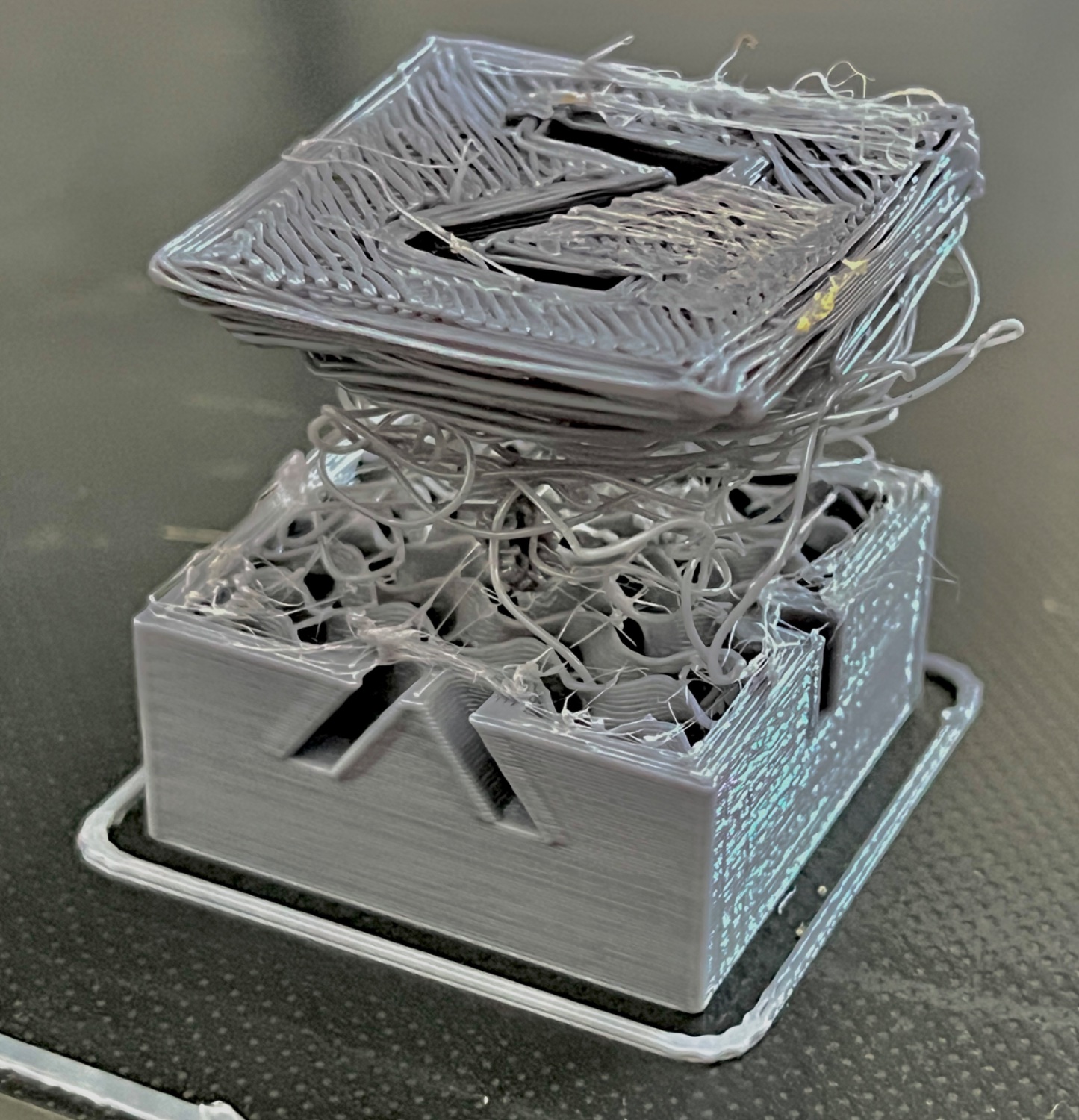
▲ 511 ▼ Print failed successfully! (lemmy.world) submitted 2 years ago by spckls@lemmy.world to c/3dprinting@lemmy.world 37 comments fedilink hide all child comments Turned on retraction speed to 11 and i guess it wore down the filament at one part but then managed to push it after some 10 minutes of spaghetti 👌
[+] FredericChopin_@feddit.uk 1 point 2 years ago* (last edited 2 years ago) (1 child) [deleted] permalink fedilink source parent hideshow 2 child comments replies: [–] chris@l.roofo.cc 2 points 2 years ago* (1 child) A few tips that made my prints much better: Check if your rollers are tight enough. None of the axes should wobble if you pull on them Use a PEI sheet for printing Clean the PEI Sheet with Soap and Water at least once Clean with IPA after every print Don't touch the print bed. The oil on your skin really doesn't help with sticking. Get yourself a metal feeler gauge with 0.2mm. Level your bed heat nozzel and bed to your normal print temp an then move the nozzel 0.2 mm above the bed. Adjust your Z Offset until you can get the metal gauge undr the nozzle but still feel it touching. that should be your perfect height If you still have problems try all the steps here one after another: https://teachingtechyt.github.io/calibration.html I used to have a lot of problems with parts lifting up or my prints being unclean but since I did this my prints look great and stick to the bed. permalink fedilink source parent hideshow 2 child comments replies: [+] FredericChopin_@feddit.uk 1 point 2 years ago* (last edited 2 years ago) [deleted] permalink fedilink source parent
[–] chris@l.roofo.cc 2 points 2 years ago* (1 child) A few tips that made my prints much better: Check if your rollers are tight enough. None of the axes should wobble if you pull on them Use a PEI sheet for printing Clean the PEI Sheet with Soap and Water at least once Clean with IPA after every print Don't touch the print bed. The oil on your skin really doesn't help with sticking. Get yourself a metal feeler gauge with 0.2mm. Level your bed heat nozzel and bed to your normal print temp an then move the nozzel 0.2 mm above the bed. Adjust your Z Offset until you can get the metal gauge undr the nozzle but still feel it touching. that should be your perfect height If you still have problems try all the steps here one after another: https://teachingtechyt.github.io/calibration.html I used to have a lot of problems with parts lifting up or my prints being unclean but since I did this my prints look great and stick to the bed. permalink fedilink source parent hideshow 2 child comments replies: [+] FredericChopin_@feddit.uk 1 point 2 years ago* (last edited 2 years ago) [deleted] permalink fedilink source parent
[+] FredericChopin_@feddit.uk 1 point 2 years ago* (last edited 2 years ago) [deleted] permalink fedilink source parent