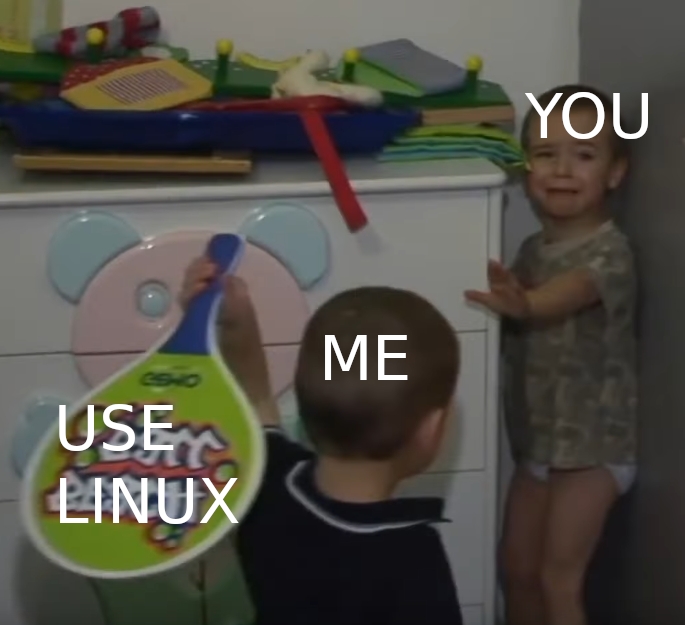
▲ 847 ▼ Just use it. Now. (lemmy.world) submitted 2 years ago by Krafting@lemmy.world to c/linuxmemes@lemmy.world 90 comments fedilink hide all child comments
[–] kionite231@lemmy.ca 4 points 2 years ago (1 child) Try to format the USB, it will solve the issue. permalink fedilink source parent hideshow 2 child comments replies: [–] Vrases@lemmy.world 1 point 2 years ago (1 child) I've been doing that over and over. But as soon as I download the iso file it goes to 4 mb being free space. On the manager it shows there is more space permalink fedilink source parent hideshow 2 child comments replies: [–] AnotherOne@feddit.de 5 points 2 years ago* (1 child) you sure that usb has 32gigs? might be scam one that says it has more space than it does (would also explain the boot problem maybe?) but you said it launched fine once so i'm not sure/a mint iso won't fit on 4mbs? but reformatting should definitely "reset" the usb... . have you tried it with a different one? permalink fedilink source parent hideshow 2 child comments replies: [–] Vrases@lemmy.world 3 points 2 years ago I've tried it with two different usbs. Maybe I should try a different brand. I bought both from micro center. I think the boot problem might be from having to copy and change a text for something in the files. But I can't do that with the small amount of space left permalink fedilink source parent
[–] Vrases@lemmy.world 1 point 2 years ago (1 child) I've been doing that over and over. But as soon as I download the iso file it goes to 4 mb being free space. On the manager it shows there is more space permalink fedilink source parent hideshow 2 child comments replies: [–] AnotherOne@feddit.de 5 points 2 years ago* (1 child) you sure that usb has 32gigs? might be scam one that says it has more space than it does (would also explain the boot problem maybe?) but you said it launched fine once so i'm not sure/a mint iso won't fit on 4mbs? but reformatting should definitely "reset" the usb... . have you tried it with a different one? permalink fedilink source parent hideshow 2 child comments replies: [–] Vrases@lemmy.world 3 points 2 years ago I've tried it with two different usbs. Maybe I should try a different brand. I bought both from micro center. I think the boot problem might be from having to copy and change a text for something in the files. But I can't do that with the small amount of space left permalink fedilink source parent
[–] AnotherOne@feddit.de 5 points 2 years ago* (1 child) you sure that usb has 32gigs? might be scam one that says it has more space than it does (would also explain the boot problem maybe?) but you said it launched fine once so i'm not sure/a mint iso won't fit on 4mbs? but reformatting should definitely "reset" the usb... . have you tried it with a different one? permalink fedilink source parent hideshow 2 child comments replies: [–] Vrases@lemmy.world 3 points 2 years ago I've tried it with two different usbs. Maybe I should try a different brand. I bought both from micro center. I think the boot problem might be from having to copy and change a text for something in the files. But I can't do that with the small amount of space left permalink fedilink source parent
[–] Vrases@lemmy.world 3 points 2 years ago I've tried it with two different usbs. Maybe I should try a different brand. I bought both from micro center. I think the boot problem might be from having to copy and change a text for something in the files. But I can't do that with the small amount of space left permalink fedilink source parent