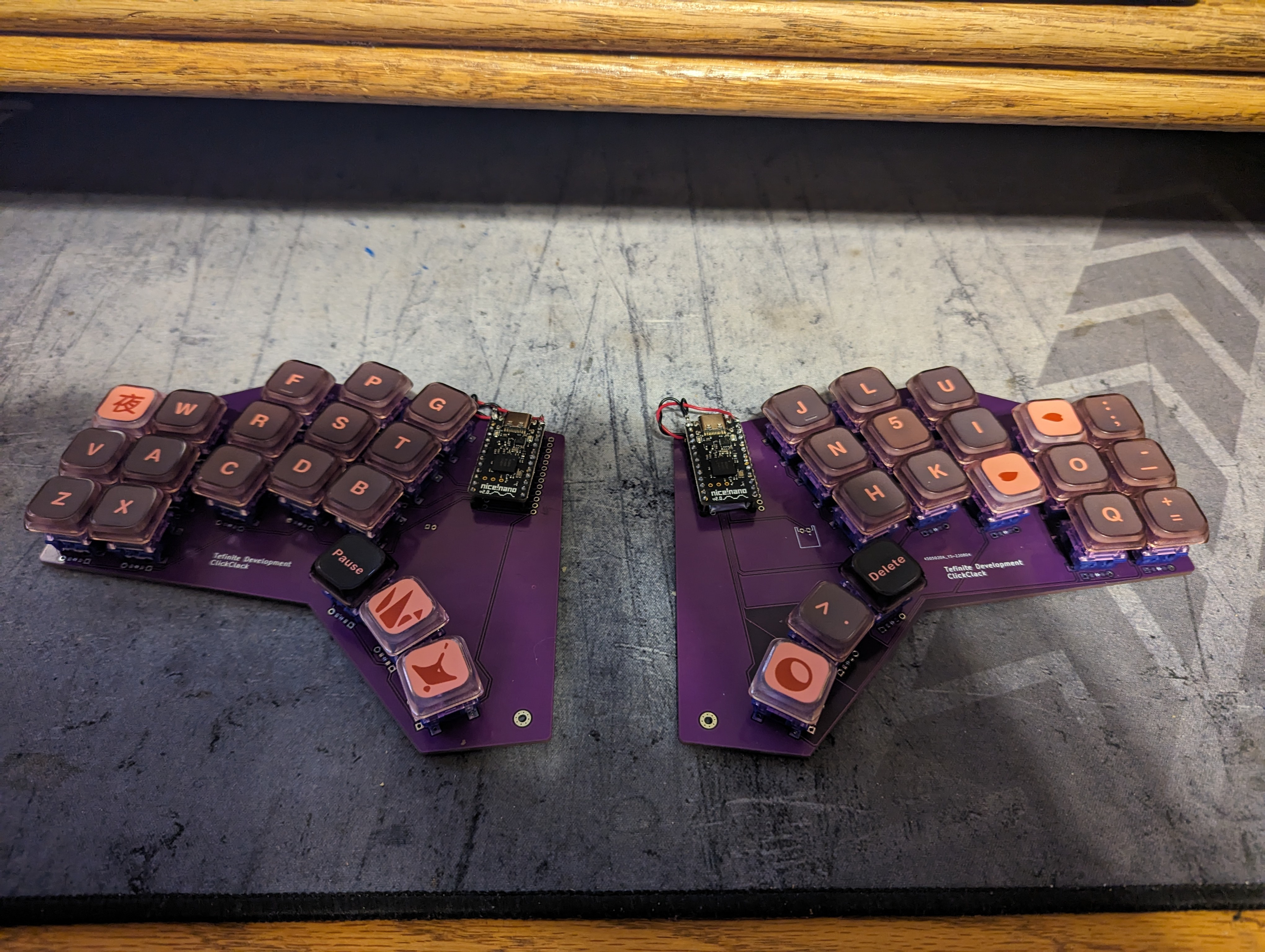
Learned a lot, not completely satisfied with the turnout, but I'll have more ammo for the next build.
Nice!Nano V2 using ZMK firmware, BLE, and custom PCB made with ergogen, kicad, and purchased thru JLPCB. Going to print a case and learn the keyboard layout.
Well, I had intended to have my pinkies rest on the outside of the board for a traditional keyboard feel, but I screwed up and my indexes are now on the inner columns.
You also don't have a real feel for spread or stagger until you put it all together.
I tried regular key caps but they're too big, and if you're looking for a modified key layout most key cap sets are saddled and curved.
So, that being said, low profile switches and key caps is the way to go. It also helps to know the difference between mx, kahli, and gateron keys