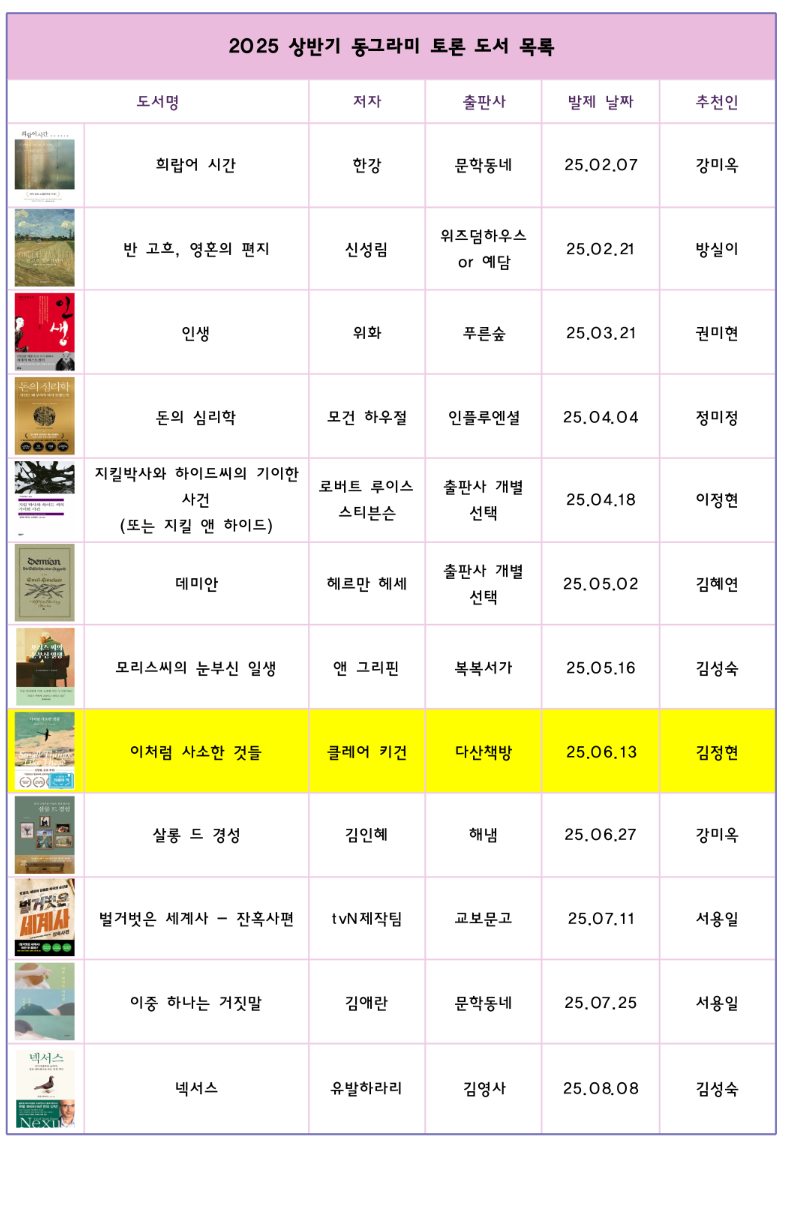
My mother wants to make something like the image.
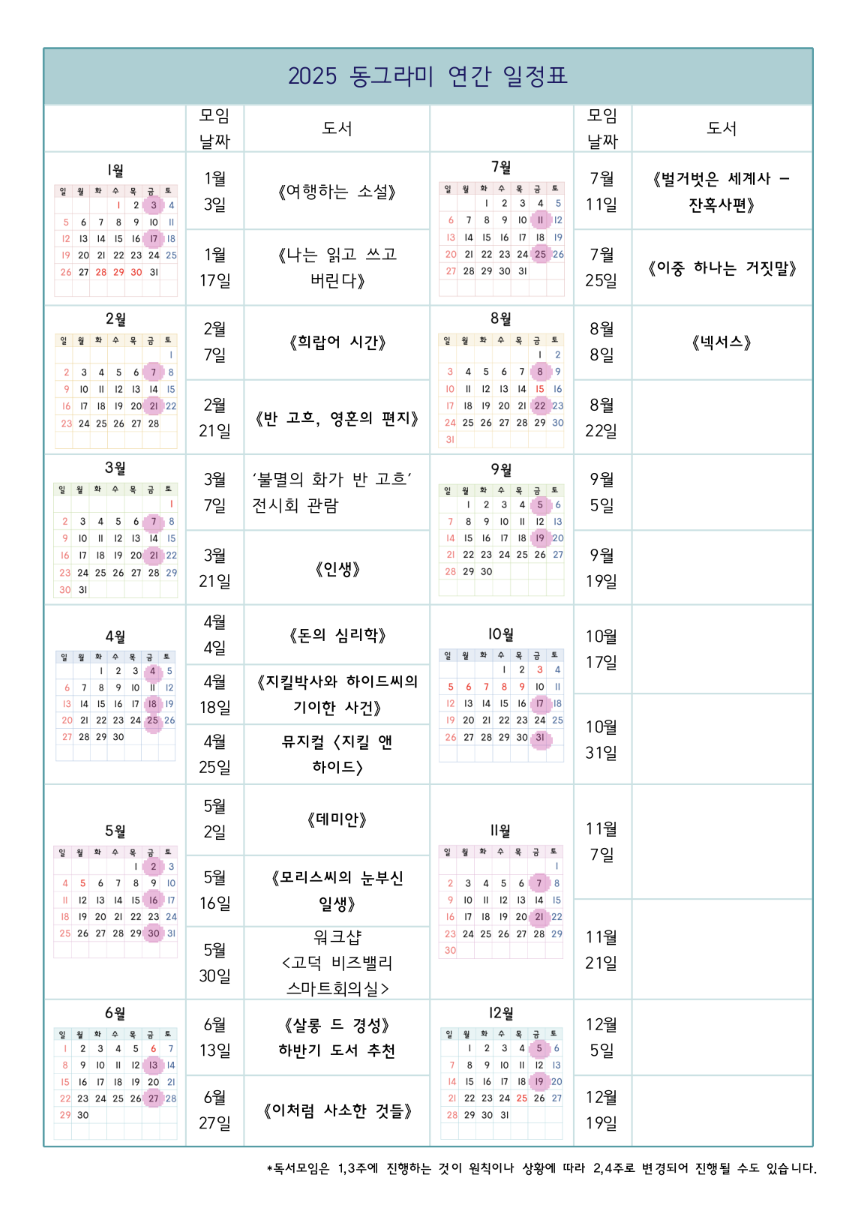
The table with images

Currently, she has to use a proprietary word processor, with no good way to control the size and margins. Hopefully there is a better way to achieve the same with less ceremony.

The features we need:

  • Create tables with images/texts on each cell (images should be embedded inside each cell)
  • Merge some cells together to make a good-looking table
  • Multi-line texts in some cells, with formattings like boldface
  • CJK language support

Then, good flexibility to control size of cells would be nice - the more intuitive, the better. Both locally installed program or web-based app is fine.

Are there software for this purpose? Thanks a lot in advance!
you are viewing a single comment's thread
view the rest of the comments
[–] 8 points 7 months ago* (1 child)

You can do all of those using Google Sheets or Excel. For open source program... not sure if LibreOffice Calc can insert image in to cell, since I never use it for that, but I'm guessing it can.

  • source
  • hideshow 2 child comments
  • [–] 16 points 7 months ago (1 child)

    Just tried it out (never had to put an image in a table before). It works.

    • Image in cell ✔
    • Image resize in cell ✔
    • Merge split cells ✔
    • Multiline in cell ✔
    • Bold/Italics/Underline/Strikethrough ✔
    • Full Unicode ✔
      • I used KCharSelect to insert unicode characters, but am assuming you have a specific keyboard to do the correct stuff for you.
    • Easily change cell size with merge and centred cells nearby ✔
      • I just typed multiline text and the cell resized the way I expected. I could also just drag the borders to resize.
    • Intuitivity: This was the first time I was doing these specific things in LibreOffice Writer and I didn't have to read a manual. I just looked at the icons on the bar on the top and tried right-click menus. The whole suite of above tests took <5min.
  • source
  • parent
  • hideshow 2 child comments