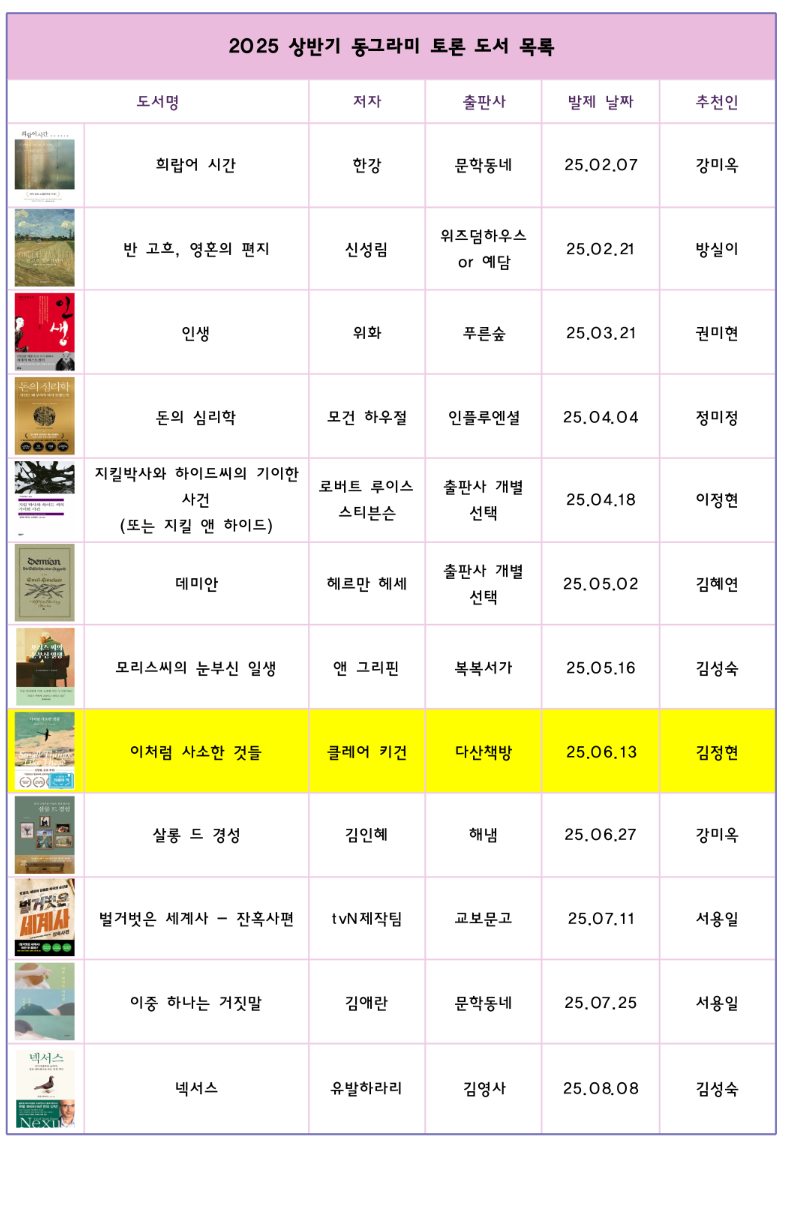
My mother wants to make something like the image.
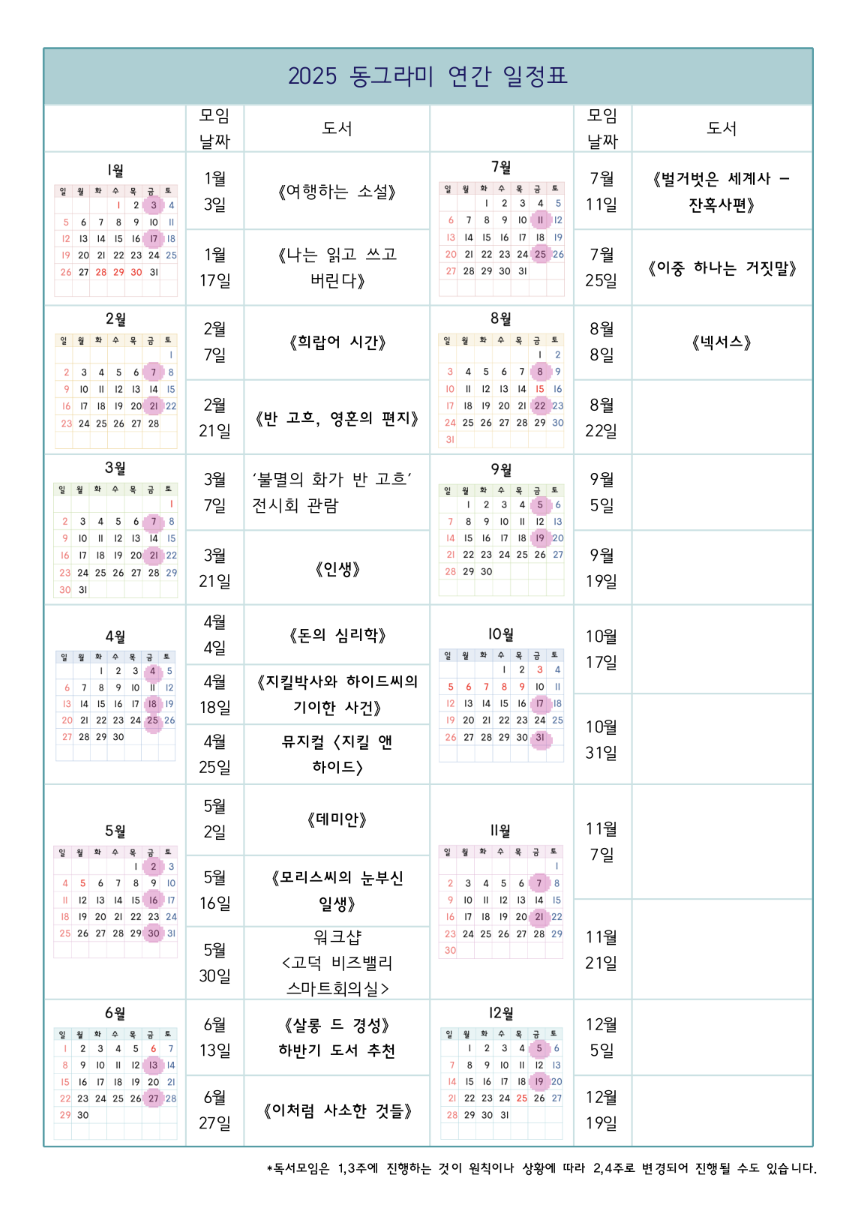
The table with images

Currently, she has to use a proprietary word processor, with no good way to control the size and margins. Hopefully there is a better way to achieve the same with less ceremony.

The features we need:

  • Create tables with images/texts on each cell (images should be embedded inside each cell)
  • Merge some cells together to make a good-looking table
  • Multi-line texts in some cells, with formattings like boldface
  • CJK language support

Then, good flexibility to control size of cells would be nice - the more intuitive, the better. Both locally installed program or web-based app is fine.

Are there software for this purpose? Thanks a lot in advance!
you are viewing a single comment's thread
view the rest of the comments
[–] 5 points 7 months ago (1 child)

Dunno.. excel? Or libreoffice calc? My customer does complex forms in it, because they don't use word. Bonus that you can also do calculations in the cells, and embed windows controls (like the date/ calendar control), and add scripting, if you're so inclined.

  • source
  • hideshow 2 child comments
  • [–] [S] 3 points 7 months ago (1 child)

    Hmm, how do you embed images in excel?

  • source
  • parent
  • hideshow 2 child comments
  • [–] 4 points 7 months ago (1 child)

    Insert->picture

    Or just drag from explorer into the spreadsheet.

  • source
  • parent
  • hideshow 2 child comments
  • [–] [S] 2 points 7 months ago (2 children)

    I just searched, did not know you can embed an image inside a cell. That said, my mom wants to input multiline texts in some cells..

  • source
  • parent
  • hideshow 4 child comments
  • [–] 1 point 7 months ago (1 child)

    Alt+Enter on PC and Opt+Enter on Mac puts a line break or carriage return in a cell rather than Enter which just skips to the next cell.

  • source
  • parent
  • hideshow 2 child comments
  • [–] 1 point 7 months ago* (1 child)
  • [–] 1 point 7 months ago*

    Enter moves selection down a cell.
    Shift+enter moves it up.
    Tab+enter moves it left.
    Shift+tab+enter moves it right.
    Ctrl+enter confirms the entry without changing the cell selection.

    You can change the behaviour of the enter key to put in a line break instead of moving down a cell in options.

  • source
  • parent