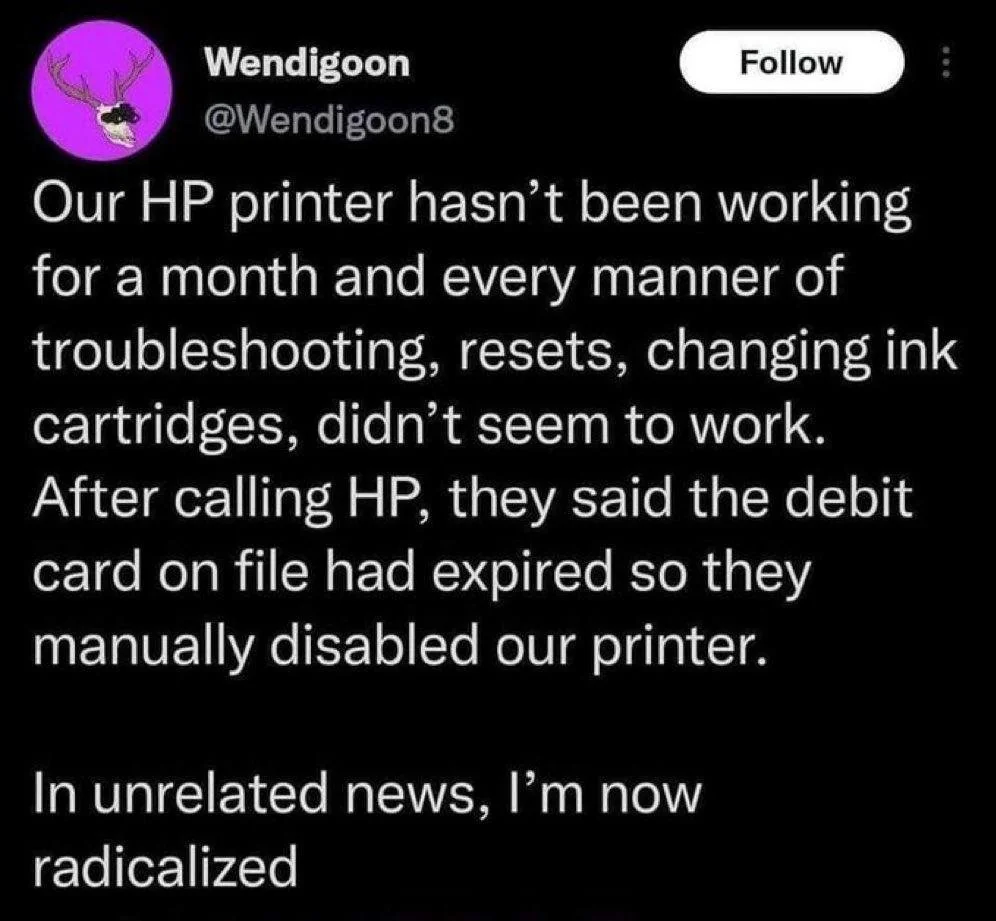
▲ 4407 ▼ You didn't bought it you rented it! (lemmy.world) submitted 3 years ago by Crispy_Mate@lemmy.world to c/lemmyshitpost@lemmy.world 469 comments fedilink hide all child comments I hate that everything now is a subscription service instead of buying it and do whatever you want.
[–] HortiEastwood@lemmy.world 10 points 3 years ago (1 child) Brother pulls similar shit. My brother printer day my ink is out, and prints shittty pages, but the test page it prints is absolutely gorgeous. permalink fedilink source parent hideshow 2 child comments replies: [–] Hobo@lemmy.world 1 point 3 years ago (1 child) Change the print settings to a higher dpi and/or adjust the density. You might have to fiddle around with some other settings in there to get it how you like it. Generally if the test page prints okay there's something wokny with the print settings for whatever app/driver. Test pages print with preset settings, so they are standardized. Could be unrelated, and you might just have issues with the printer head, but I've closed a more than a few tickets back in the day for people by adjusting print settings for them (these were brother label printers so YMMV). Here's a generic KB for doing this on most models of Brother printers: https://support.brother.ca/app/answers/detail/a_id/83445/~/the-printed-pages-are-faint,-light,-or-faded.-how-do-i-improve-print-quality permalink fedilink source parent hideshow 2 child comments replies: [–] HortiEastwood@lemmy.world 1 point 3 years ago This is amazing. Thank you for your help friend. I will try this. permalink fedilink source parent
[–] Hobo@lemmy.world 1 point 3 years ago (1 child) Change the print settings to a higher dpi and/or adjust the density. You might have to fiddle around with some other settings in there to get it how you like it. Generally if the test page prints okay there's something wokny with the print settings for whatever app/driver. Test pages print with preset settings, so they are standardized. Could be unrelated, and you might just have issues with the printer head, but I've closed a more than a few tickets back in the day for people by adjusting print settings for them (these were brother label printers so YMMV). Here's a generic KB for doing this on most models of Brother printers: https://support.brother.ca/app/answers/detail/a_id/83445/~/the-printed-pages-are-faint,-light,-or-faded.-how-do-i-improve-print-quality permalink fedilink source parent hideshow 2 child comments replies: [–] HortiEastwood@lemmy.world 1 point 3 years ago This is amazing. Thank you for your help friend. I will try this. permalink fedilink source parent
[–] HortiEastwood@lemmy.world 1 point 3 years ago This is amazing. Thank you for your help friend. I will try this. permalink fedilink source parent