1
posts
2
3
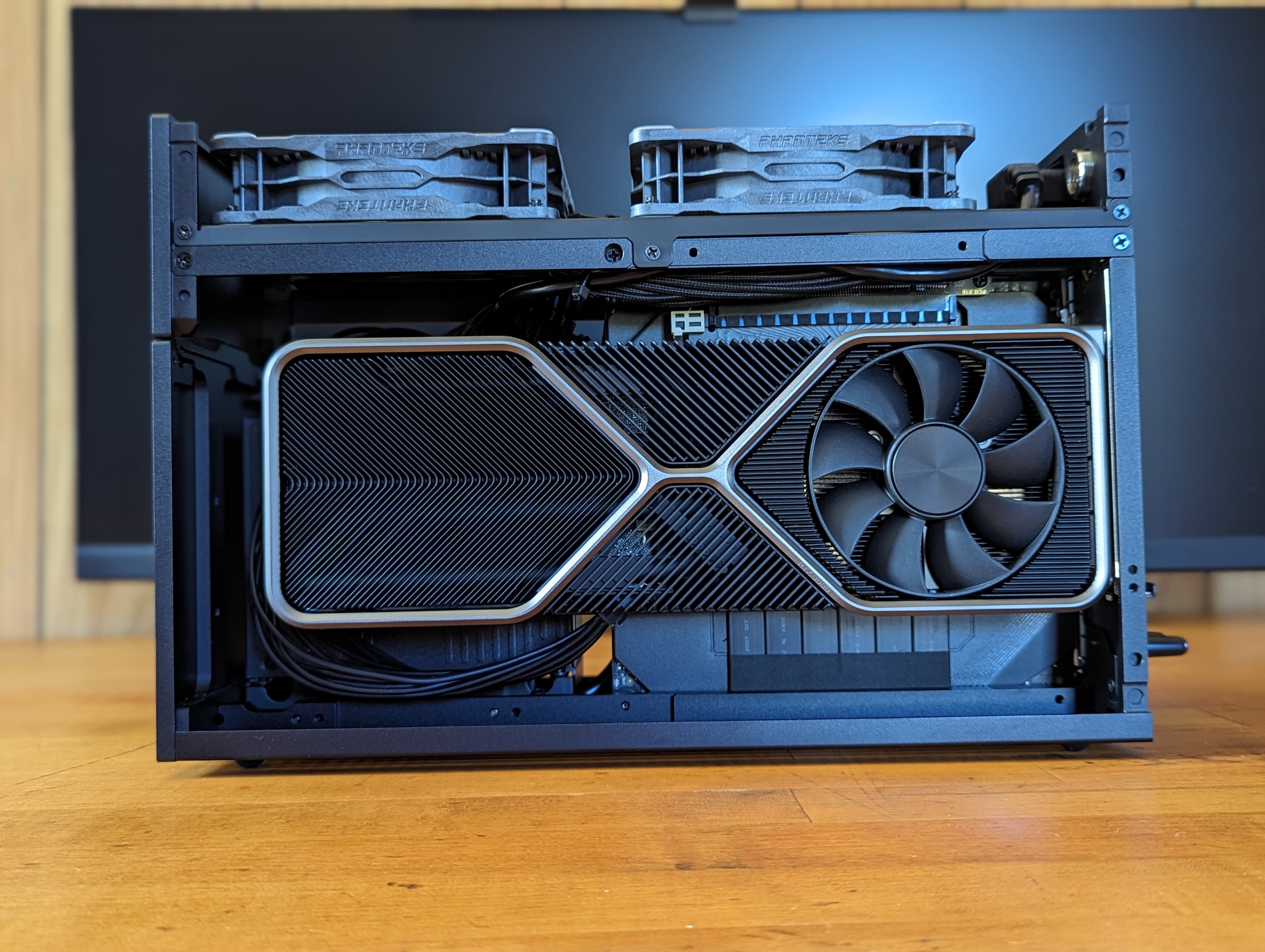
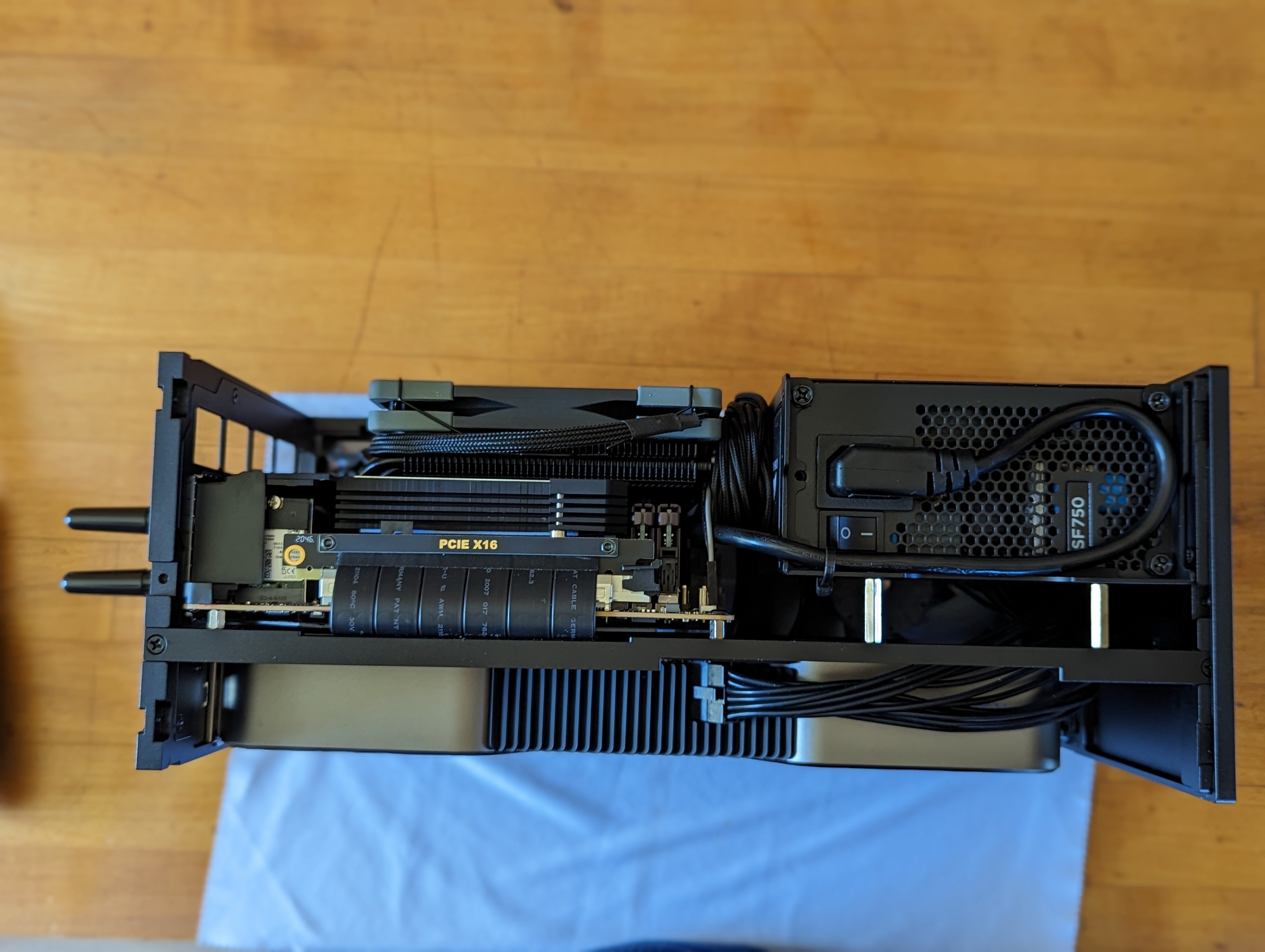
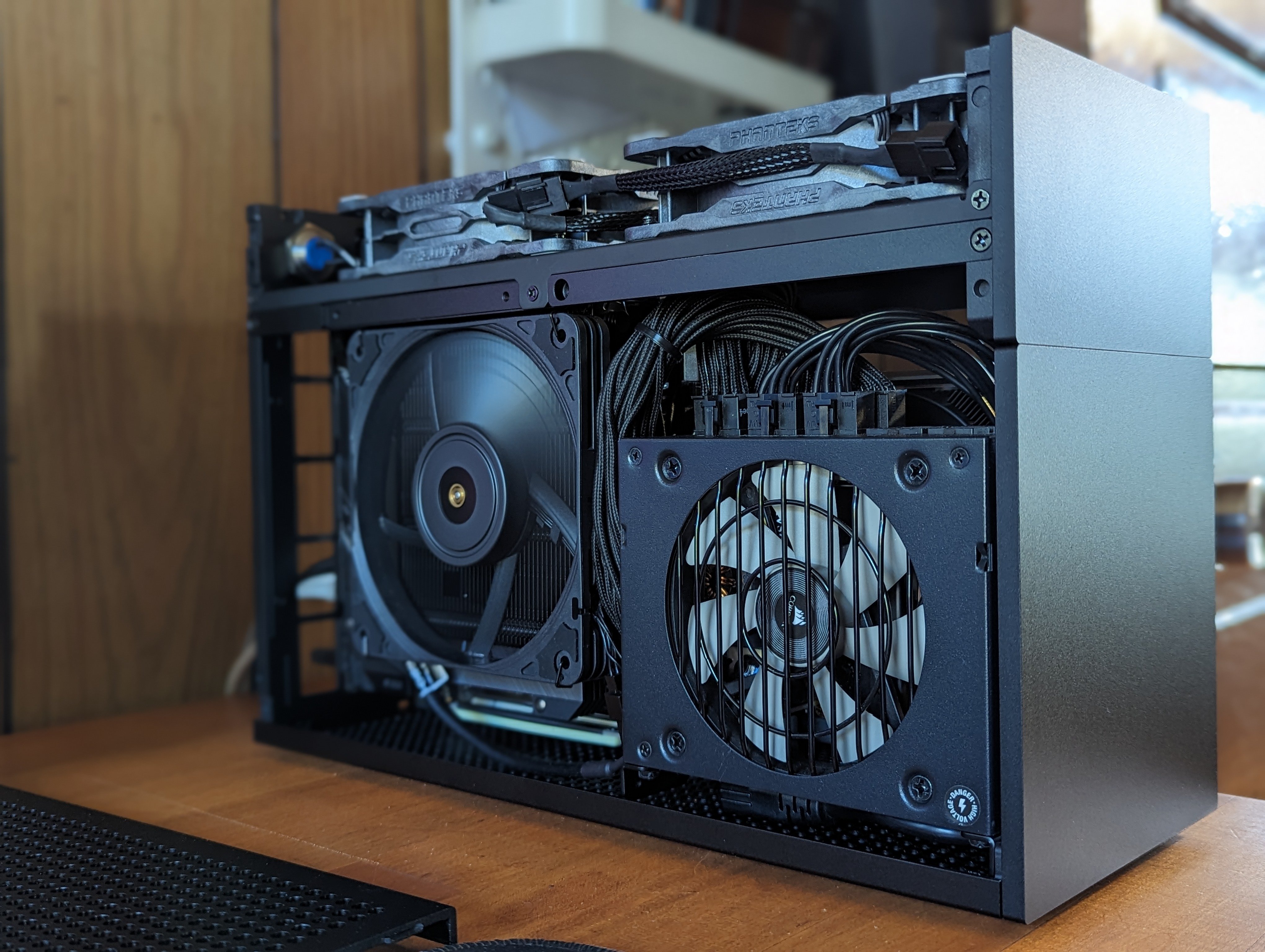
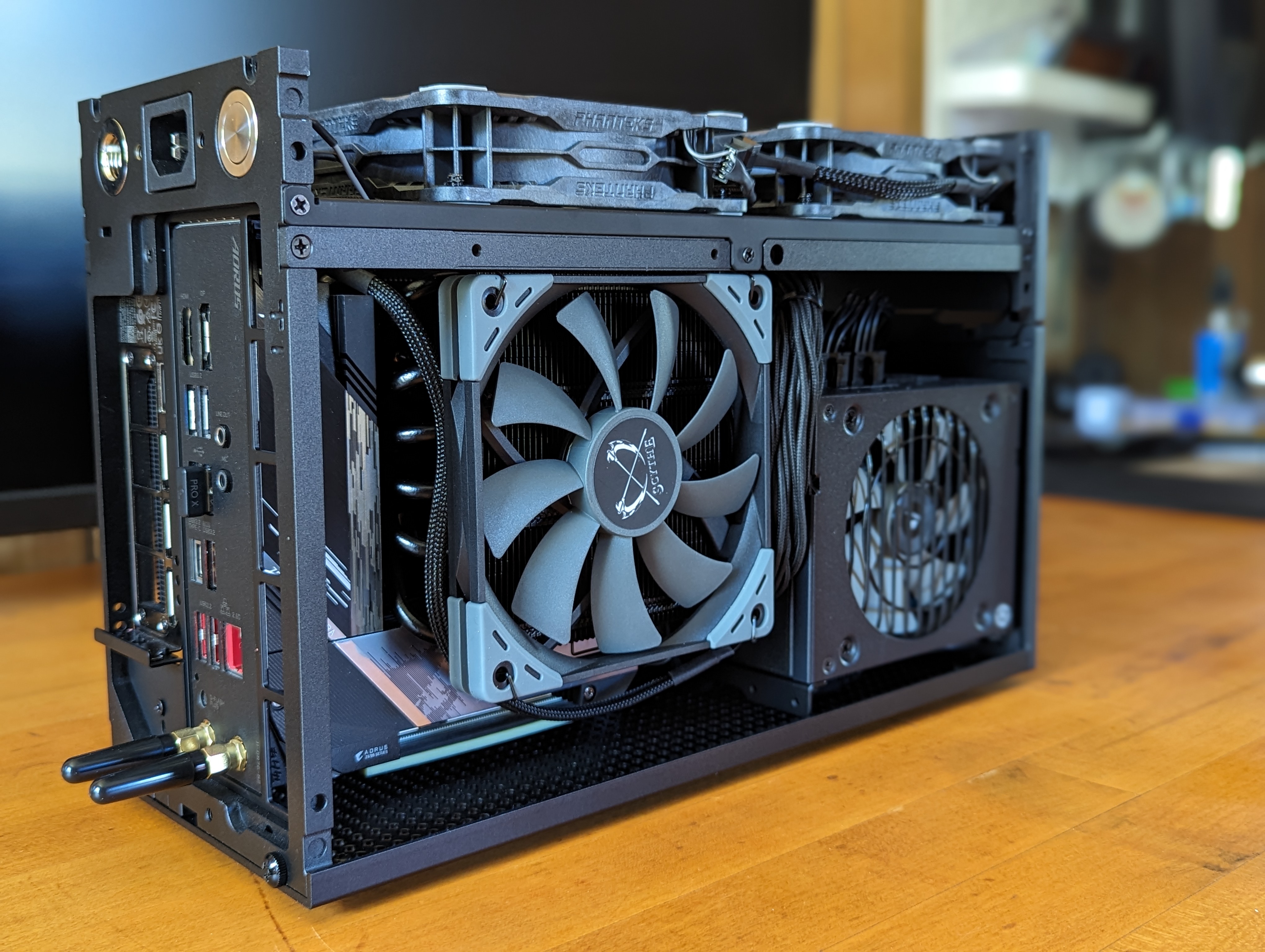
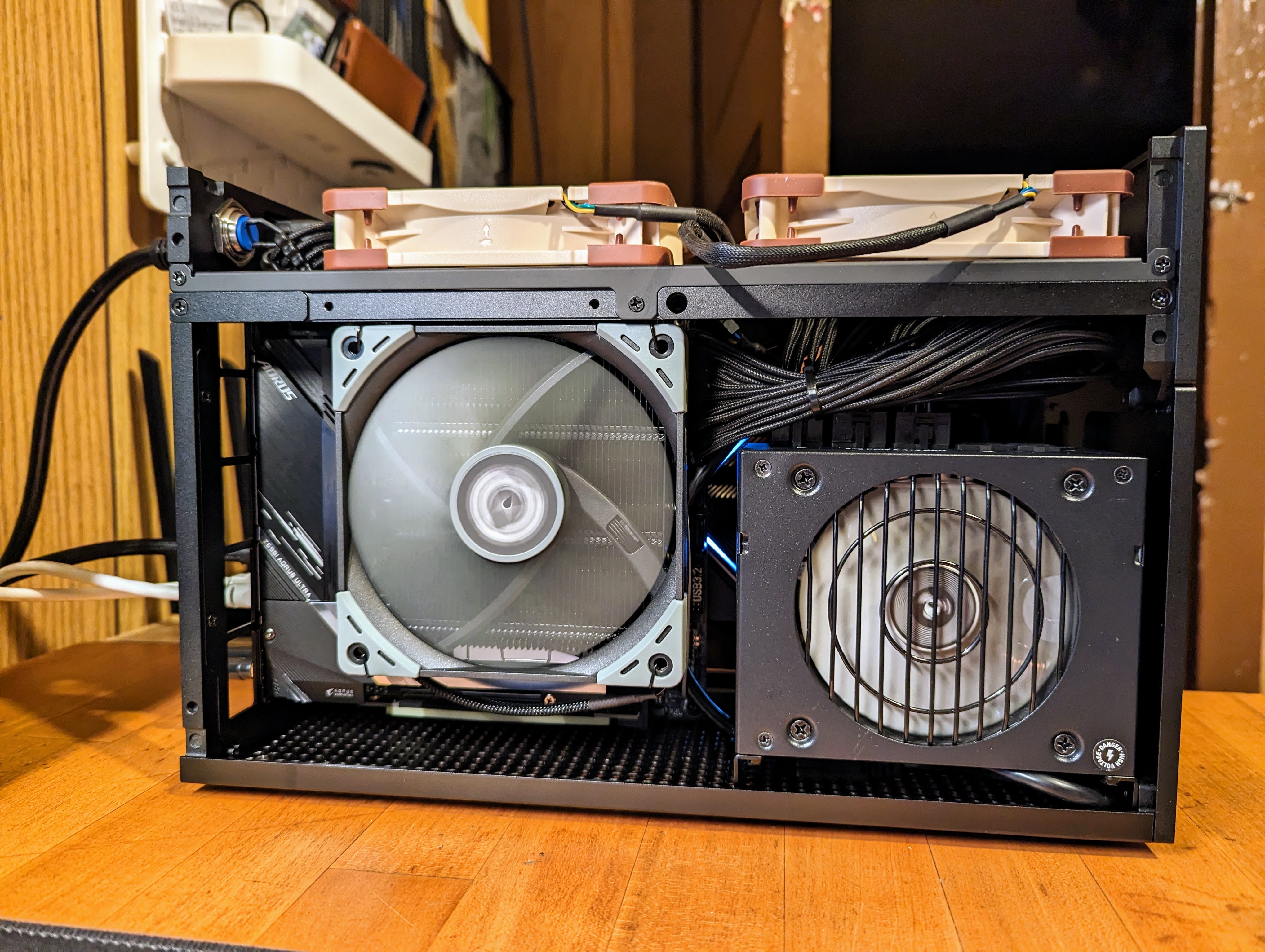
CPU: Intel Core i5 12600K
CPU Cooler: Thermalright AXP 120-67 w/ Scythe Kaze Slim Fan (changed to a Chromax Slim Noctua)
GPU: NVIDIA RTX 3080FE
RAM: 16GB x2 Corsair Vengance 3600mhz
PSU: Corsair SF 750 SFX
Motherboard: Aorus Z690i Ultra Lite DDR4
Case: FormD T1 V1.1 Sandwich
Storage: 2TB Samsung 980 Pro
Case Fans: 2x Phanteks T30
4
Since I suspect not everyone viewing this thread is a SFF PC enthusiast, SFF PC stands for "Small Form Factor Personal Computer". The community generally likes to categorize any computers under 20 L in volume as a SFF PC.
My PC uses a boutique/enthusiast case called the FormD T1 which is 9.95 L in volume. I can barely hold it in one hand (it's still very heavy though because it's so dense).
LMK if you have any questions about my build or the community in general. Happy to answer questions.
Parts List
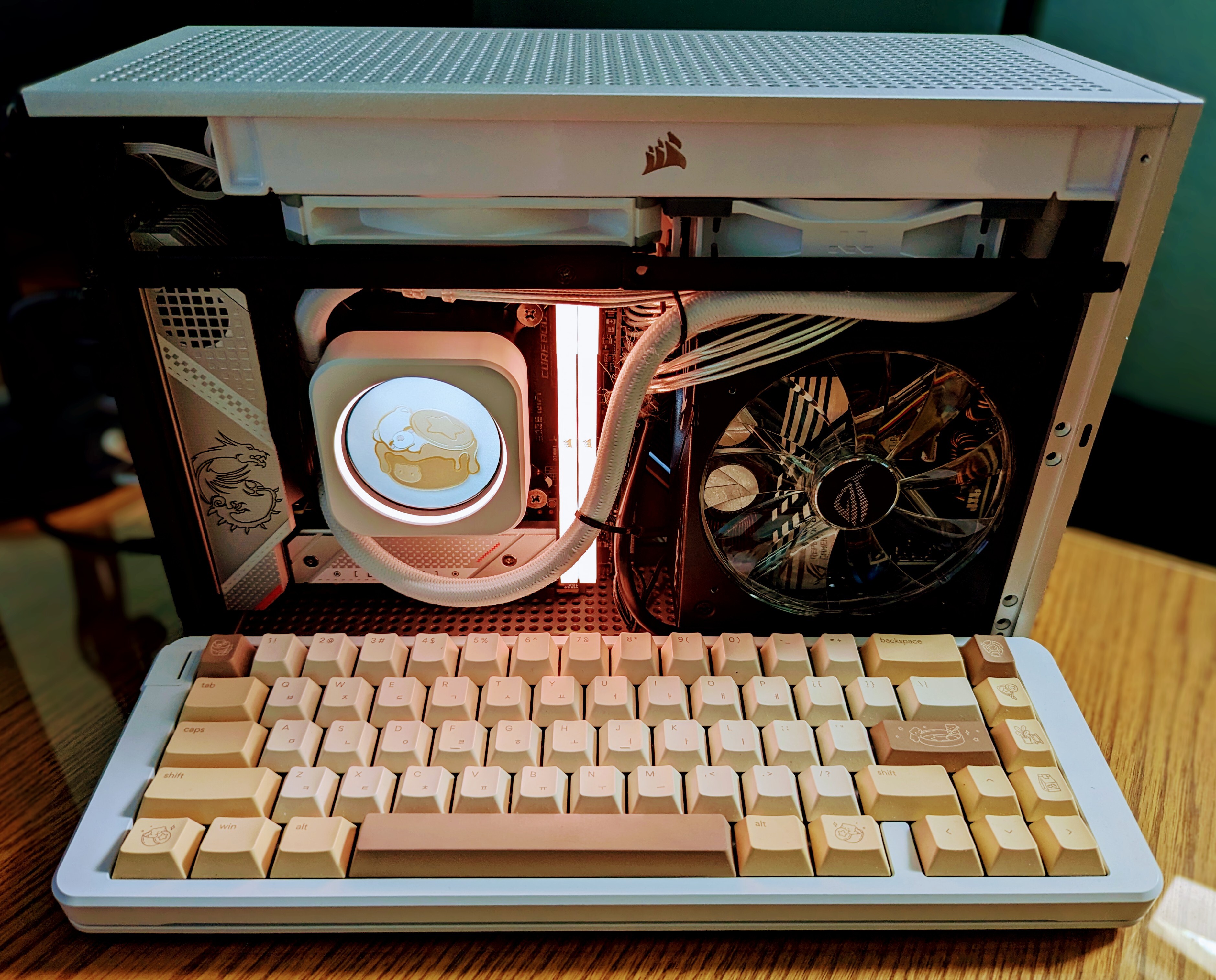
- CPU: i7-13700k
- GPU: 4090 FE
- Motherboard: MSI MPG Z790i Edge
- Ram: Corsair Vengeance RGB 5600 (OCed to 6000 CL36)
- PSU: Asus ROG Loki SFX-L 1000W
- Cooler: Corsair H100i Elite Capellix w/ LCD screen kit
- Case: FormD T1 Silver
- Custom Cables: Cablester
- Keyboard: Space65 R3 with Osume Dalgona keycaps
Posted this on r/SFFPC on Reddit, but might as well post here. Build was quite tough due to the AIO + SFX-L combo. The AIO also requires a separate fan/RGB hub, so there ends up being very little room for cable management.
Temps are on the high side, but that was expected with the 13700k and a slightly gimped 240 mm AIO due to having to use a slim fan in the T1. Idle coolant temps are 42 C (ambient ~30 C). Gaming coolant temps between 46 C to 50 C and occasionally up to 52 C, but that's only when my ambient temps are 35 C. My personal danger threshold for the coolant is 55 C, so I try to target under 50 C. CPU temps at load is anywhere from 60 C to 75 C.
Works well though otherwise. Scored 27818 on Cinebench R23, with PL1=PL2=200w, -110 mV offset, Lite Load 1, and LLC 5. CPU temps hit 95 C during the benchmark, and coolant temps hit 52 C.
4090 FE's cooler is overbuilt and idles around 37 C and reaches 65 C at load. A complete non-issue temperature-wise for this build.
5
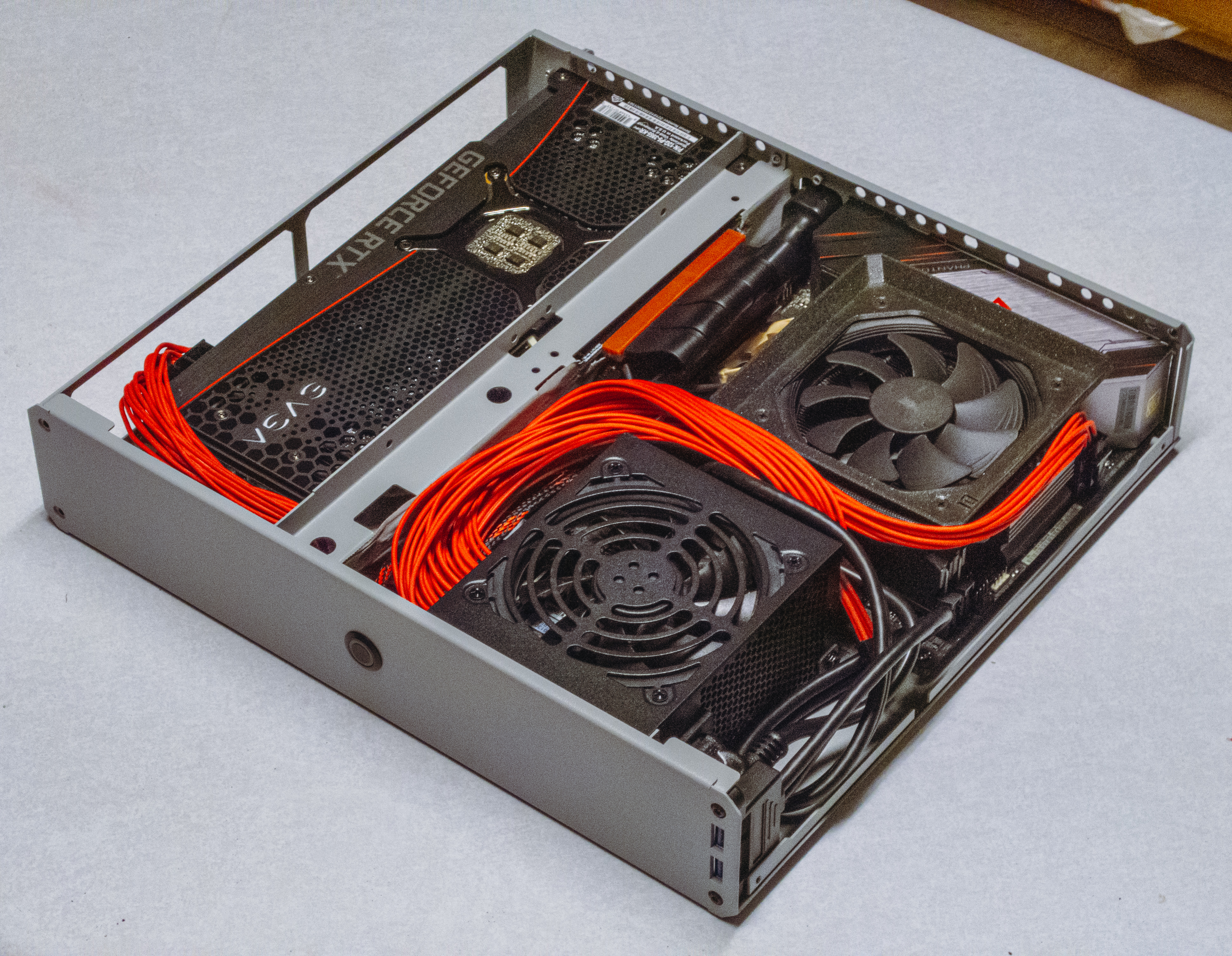
CPU: 12600K Cooler: Thermalright AXP 120-67 w/ Scythe Kaze Slim fan GPU: RTX 3080FE PSU: SF750 RAM: 32GB DDR4 3600mhz Motherboard:Aorus Z690i Ultra Lite DDR4 Case: FormD T1 V1.1 Sandwich
6
7
8
9
10
11
12
Honestly not the easiest build, the EVGA PSU had some issues under load and had to be replaced, and the reseller from AliExpress who painted the case didn't do a phenomenal job. However, it's not easy finding a sub 7L case with front IO so I'm happy with the final product.
- i5-8600k and an RX5700xt


13
14
Ol' reliable NR200
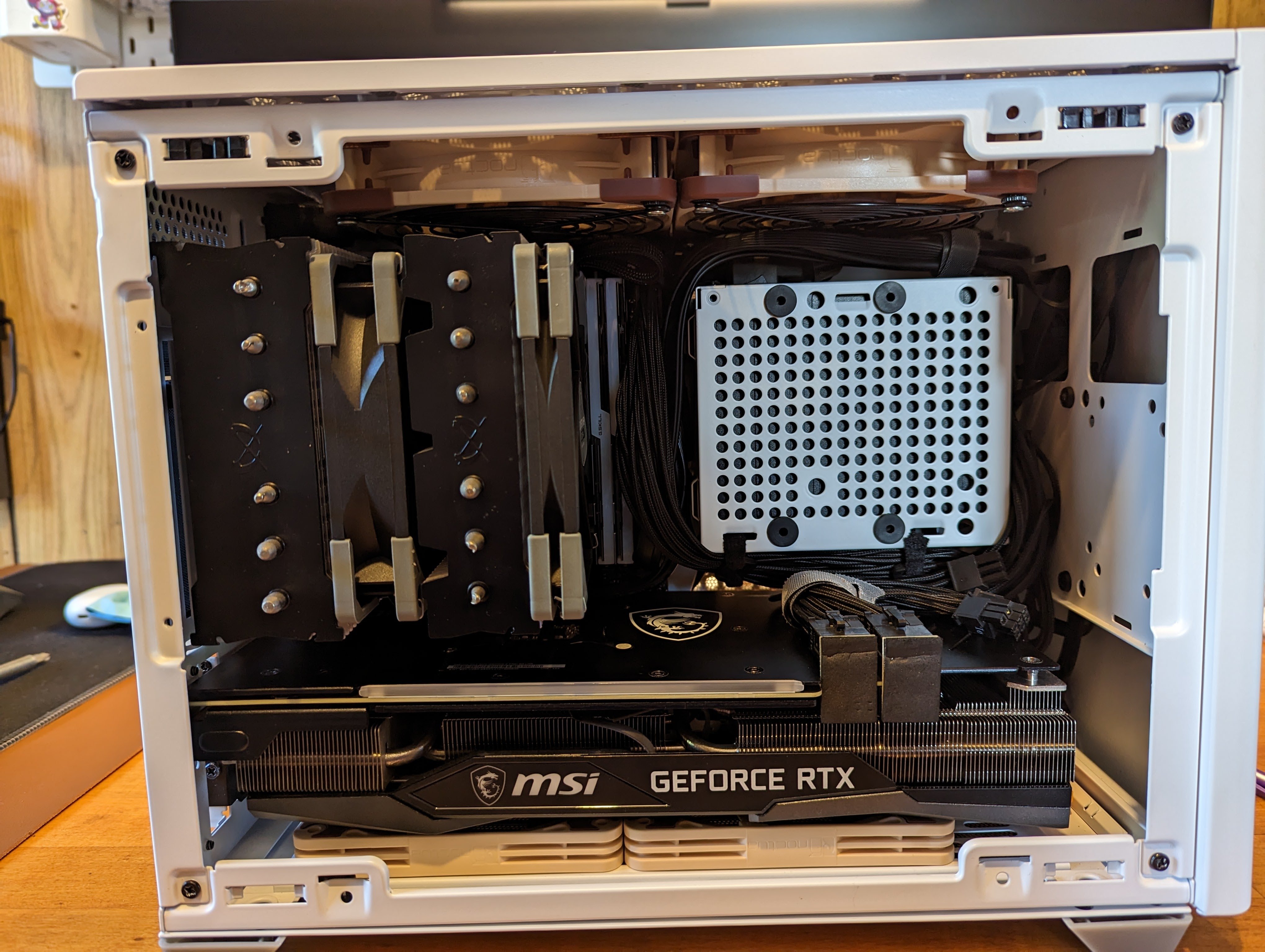
I7 10700K/RTX 3070

15
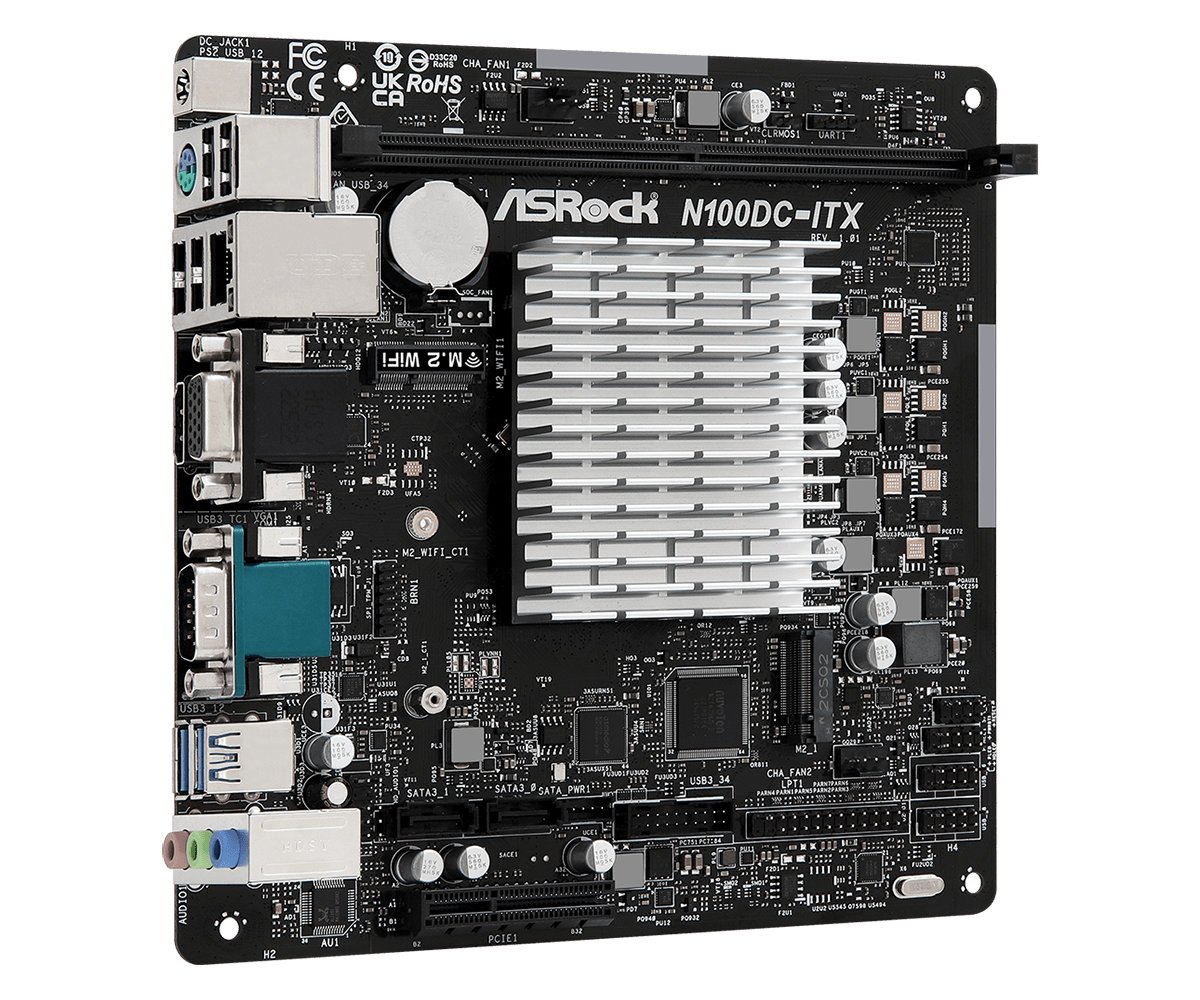
I saw the new motherboards coming out with the N100 processor and I think it would make a great little NAS system.
This one has 2x SATA connectors but then it hit me, if the mobo doesn't have a 24-pin connector, how do you power the Sata drives? So far I've only built PCs with a regular PSU so I never wondered.
I think it might be a stupid question :)
This is the mobo https://www.asrock.com/mb/Intel/N100DC-ITX/index.asp#Overview
16
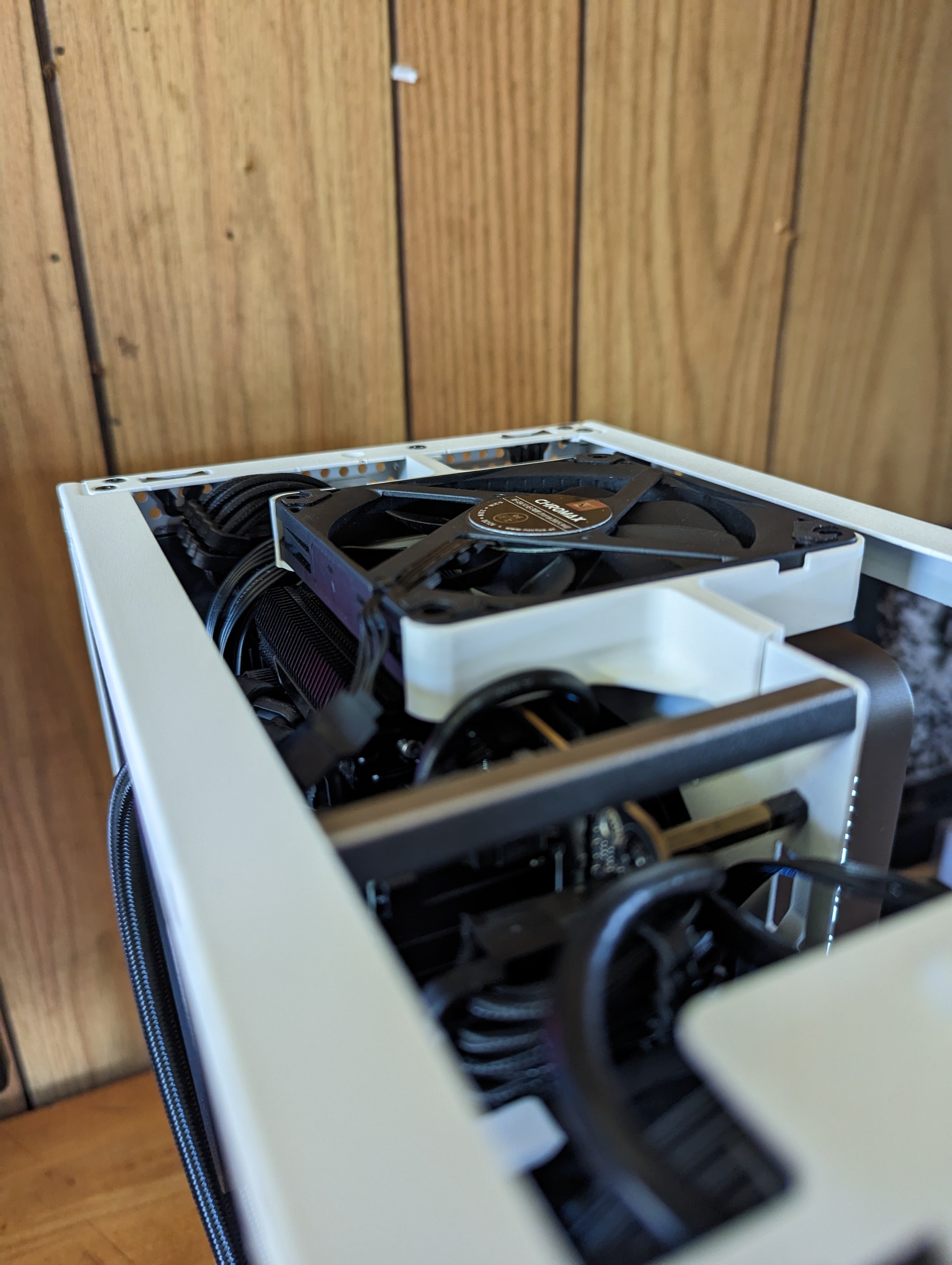
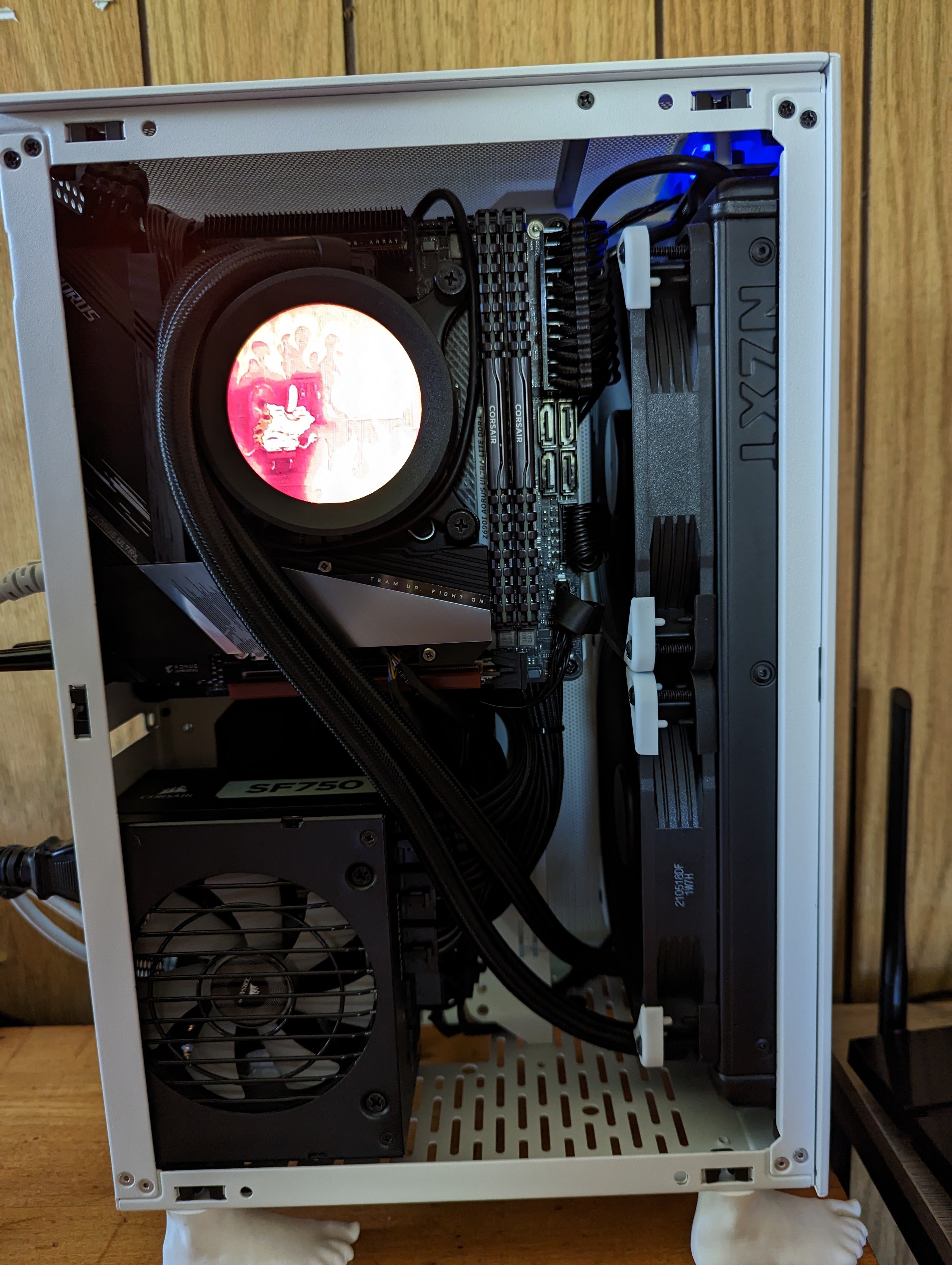
280mm AIO kept the 12600K ridiculously cool. Custom 3D printed feet so I wouldn't need to buy a right angled displayport adapter.
Eventually bought a bracket to get a 92mm fan mounted at the top of the case to keep the 3080FE cool in this sandwich layout.
17
18
19
20
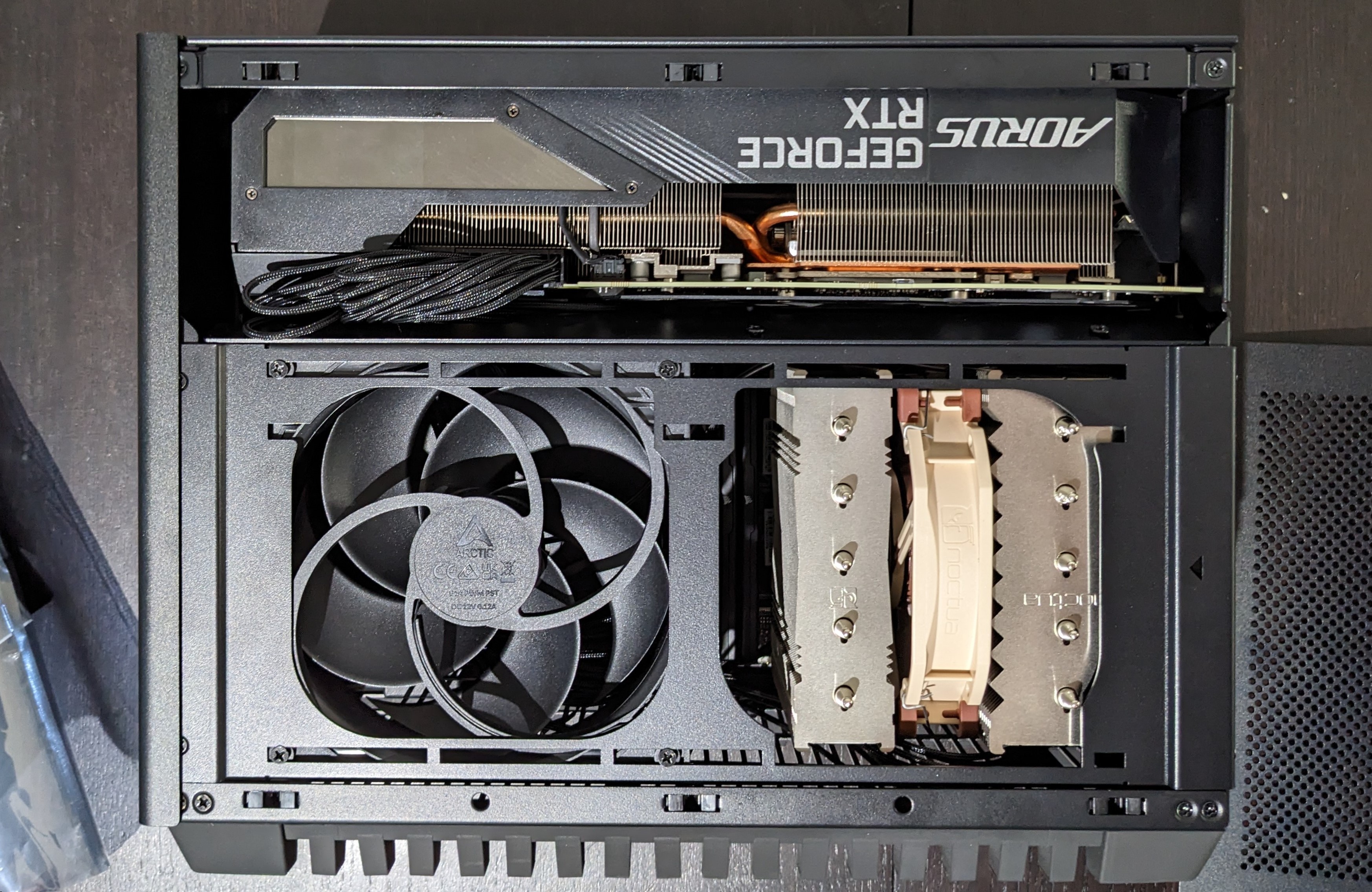
Inspired by Optimum Techs awesome video about the Dan C4 SFX (https://youtu.be/PpENpqI7BiE) I decided to upgrade my PC and try my hand at this whole MiniITX-thing:
HW:
- AMD Ryzen 7 7800X3D (AM5, 4.20 GHz, 8 -Core)
- Noctua NH-D12L (145 mm)
- Corsair Vengeance (2 x 16GB, 6400 MHz, DDR5-RAM, DIMM) which kinda bit me in the arse
- ASUS ROG STRIX B650E-I GAMING WIFI
- Gigabyte AORUS GeForce RTX 3080 MASTER 10G LHR
- Samsung 990 Pro 1TB for OS und apps
- WD Black SN850X 4TB for games
- Lian-Li SP850 SFX power supply
- Dan Cases C4-SFX
I admit, I was quite intimidated by the prospect of building in such a small case, but the C4 SFX makes it easy.
Some tipps for first time builders like me:
- Check your graphic card measurements carefully against the numbers on the website for this case:https://www.dan-cases.com/c4sfx_spec.html
- Don't be afraid to use a bit of force when running the power supply cables. Don't destroy the plugs but you can push a bit to make them fit.
- Best use only NVMe-drives. The less you try to shove into the case the better.
For those who are a bit unsure I recommend the video from Optimum Tech. While it's not a detailed step-by-step guide it does cover most of what you should know. Sure made my day easier and gave me some confidence.
21
22
23
Been meaning to post this forever.
Built around a In Win 301c, and wanted a real quiet build, so i went with the Noctua D15 instead of the D14.
It does fit, but its almost impossible to do the clips up.

24
Nice and fluffy but even the idle temps go up too much to my liking.
SKTC S02 case Asus X570-I 5800 X3D Cooler Master ML240L (swapped stock fans for A12x25s) 2x16 GB HyperX 3200 MHz Asus TUF 3070 Ti 2 Samsung 980 2TB SSDs SF600 Gold pslate customs cables Linkup PCIe4.0 riser cable
Minor changes - replaced the stock power button (horrible feel, don't recommend) with a vandal switch

25
Took a while to get right, but I'm really happy with it. Only thing missing in this pic is a fan array like the one seen in this HWCanucks video. Handles everything I've thrown at it thus far and runs pretty quiet to boot.
Specs: 3080ti, 5900x, 32GB RAM, ASRock X570 TB3, Sentry 2.0 Case
view more:
next ›