1


GBAtemp's RSS feeds seem to push posts whenever they get new replies

Testing around with the forum's multiple #rssfeeds, I couldn't help but to notice how older posts, and even a same post multiple times, would appear as I opened posts en masse from newer to older.

After investigating these posts as they popped up, the dates of the newest comments were all within the time frames of the posts I'd been opening with my reader. So as mentioned in the title, it would seem the feeds are picking posts by the ones most recently commented on.

Could be a bit spammy if one's just looking for new posts, but if interested also in following discussions of the posts, it could turn useful instead. Though for that use, RSS per post similar to NodeBB would be better imo.

2


"RSS愛好会" ("RSS Fanclub"), a RSS bridge for sites without RSS, to stop providing RSS for Reuters

#reuters #rss

From a quick machine translation:
"Reuters has strengthened its anti-bot measures, making it difficult for crawlers to retrieve articles. Therefore, we will be discontinuing our feed distribution. We apologize for any inconvenience this may cause."

Source: https://rss.wor.jp/?ref=crawler&dt=260718H

Found by @oricon_news@rss-mstdn.studiofreesia.com: https://thebrainbin.org/m/random/p/812005

3


The BIG List of Neocities RSS Feeds
Requirements:
Send an email.
Host or link from Neocities.

Ye Olde Blogroll
Requirements:
Submit form.

ooh.directory
Requirements:
Submit form.

Minifeed
Requirements:
Submit form.

powRSS
Requirements:
Submit form.

indieblog
Requirements:
Submit form.

BlogDB
Requirements:
Submit Form.

feedle
Requirements:
Submit Form.

Blogarama
Requirements:
Create account (email verification).

Kagi Small Web
Requirements:
GitHub account (to create a pull request).

Bubbles
Requirements:
Send an email.

RSS Parrot
Requirements:
Mastodon account (to mention the bot).

A bit more info here: https://pirahxcx.neocities.org/computer-nerding#indexed03

4


Ci-en, DLsite's blog for creators, appears to have removed RSS feeds

Checking some creators on #DLsite's #Cien, I noticed RSShub Radar wasn't picking their #rssfeeds any longer. And investigating, there seem to be no mentions of RSS feeds on view-source:, and also links I know that worked previously no longer seem to work, throwing a 404 error instead.

The site is pretty simple so Ublock Origin and Violentmonkey can easily be used to hide posts, lowering the dependence on accessing there all the time and the potential addiction for doing so. But if it was a deliberated change and not just some sort of accident, for the sake of privacy, having an unified local feed controlled and curated by yourself, and gauging how bloated your online life is, it's a shame another site went the walled garden way.

5


Do you have a blog or update list or you post articles on different pages, and you customized your template instead of using those Django, Nunjucks or whatever, and would like to have RSS feed auto generated compatible with the mess of HTML you created?

This is a simple script for you to copy to your local folder and run and create an Atom Feed for your site, and it should be easy enough for any webmaster to use. All you have to do is fill 6 fields: Your feed title, your site url, the url of your blog/news/updates/whatever-you-want-to-create-a-feed-for, the element that wraps your entries, the element that wraps your entry titles, the element that wraps your entry dates.

Maybe you just have one page with your blog, but maybe you have a page for a journal, another for a microblog, another for your media consumption, and on your index and you have a div with updates you done in the site and also different pages for articles you wrote, you can list all of them... is each using different elements for entries? Not a problem, you can target all of them and the script will look for matches.

check: https://pirahxcx.neocities.org/computer-nerding#pirafeed

6


RPG Maker's new dedicated forum appears to have RSS feeds

Title, and tangential to: https://thebrainbin.org/m/Forums@sh.itjust.works/t/1752486

The forum behaves a bit weird, so make sure to reload the page once or twice if using RSShub Radar so it can find the feeds.

#RPGMaker #forum #RSSfeeds

7


Hi, just thought i’d share some of my favourite rss related tools and apps. All free and non-technical to use.

Bye, Doom!

This is a current favourite. Makes rss feeds from social accounts

https://houseofkyle.com/2026/03/08/bye-doom/

Kill the Newsletter!

Turn email newsletters into feeds

https://kill-the-newsletter.com/

FetchRSS

Good for making feeds from simple web pages that haven’t got one

http://fetchrss.com/

RSS Lookup

Finds feeds on pages that have got one

https://www.rsslookup.com/

Two tools for generating feeds for sites that haven’t got one. They don’t claim to be perfect but worth a go

OpenRSS: https://bearrss.lovable.app/

RSSORB: https://rssorb.com/

RSS XML Generator

There might be a small overlap between people who want to manually update their feed but don’t want to write the code but if that’s you then i’ve got the tool for you

https://pauladams.neocities.org/apps/rss-xml-generator/rss-xml-generator

RSS Gizmos

Special mention for this, there's a ton of good stuff on here

https://rssgizmos.com/

RSS aggregators

Scour: https://scour.ing/about

powRSS: https://powrss.com/

WTF is an RSS feed?

My explainer for rss newbies

https://pauladams.neocities.org/articles/wtf-is-an-rss-feed

What are your favourite rss tools?

8


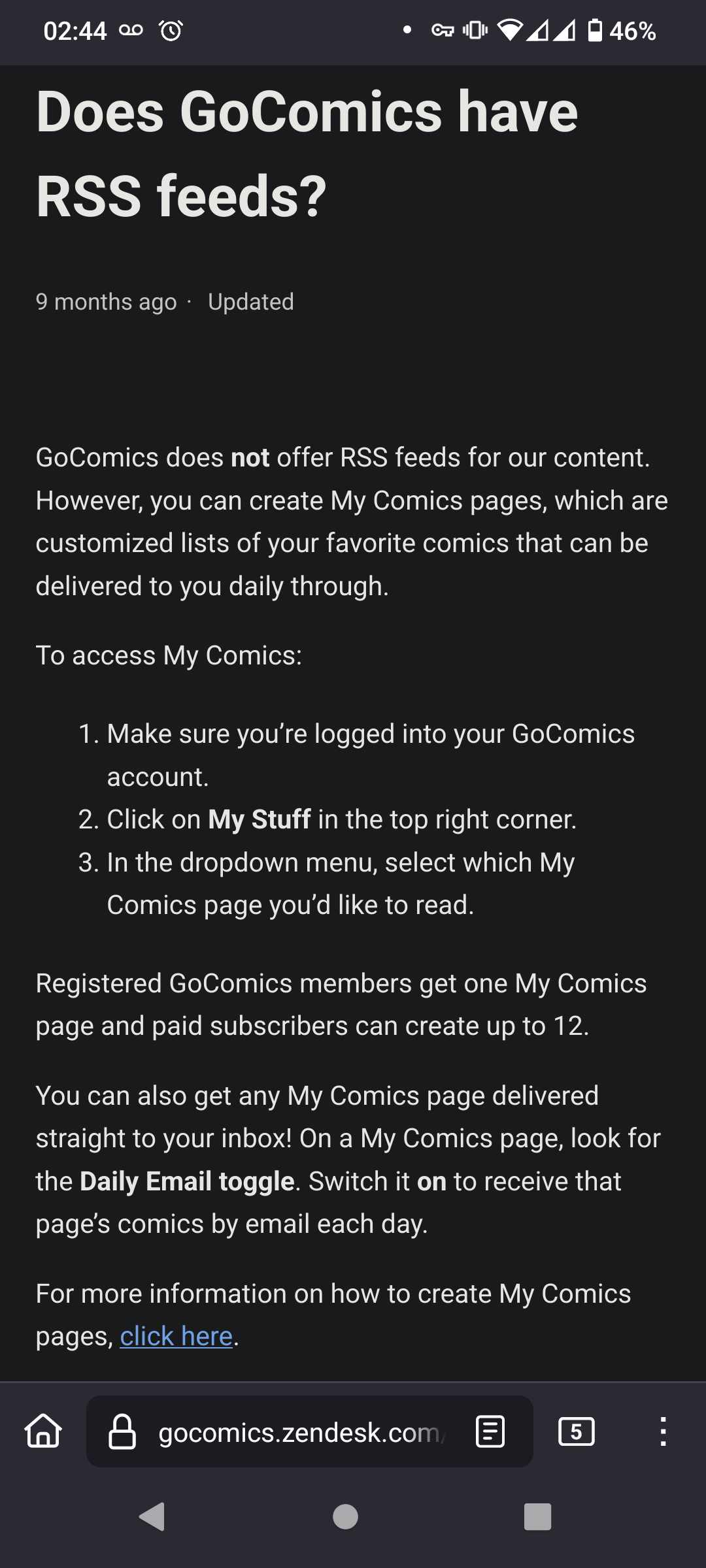
GoComics: seeking to be a dependence machine, to have the users' behavioral data, both, or something else?

Going by another post, they even sent a C&D letter to some tool that bridged their posts to RSS.

#GoComics #RSS #privacy #enshittification

Source: https://gocomics.zendesk.com/hc/en-us/articles/34107442635415-Does-GoComics-have-RSS-feeds

@rssfeed@lemmy.world
9
Heathcliff RSS? (multiverse.soulism.net)


I'd like to subscribe to Heathcliff, but the RSS feed I found said they got cease and desisted by Go Comics, which doesn't offer their own RSS as far as I can tell. I just want to read the funny orange cat comics.

10


When you make a site you can ask search engines to crawl it, but if you create a RSS feed, is there any place you can submit it so it might show up on those aggregators people pull feeds from?

no, I'm not talking about putting <link rel="alternate" type="application/rss+xml" href="/feed.xml"> in your <head>

11
From RSS to Atom (susam.net)
submitted 2 months ago by to c/rssfeeds@lemmy.world


Crossposted from https://programming.dev/post/49958316

Contrary to the recurring claim that RSS and Atom are dead, most of the traffic to my personal website still comes from web feeds, even in 2026. Every time I publish a new post, I can see a good number of visitors arriving from feed readers. From the referrer data in my web server logs (which is not completely reliable but still offers some insight), the three largest sources of traffic to my website are web feeds, newsletters and search engines, in that order.

12


Tips for avoiding time-outs with Newsboat

First, apparently #Newsboat always checks lines as they are placed in the file, so shuffling them helps not pinging the #RSS feeds from a same domain all at once. Some programs have shuffle features built in, like Sublime Text with Edit > Permute lines > Shuffle, so no need to do it manually.

Second, if using auto-reload, remember to set reload-time too, else Newsboat will keep cycling updating the feeds without breaks.

Third, if using a repeating next-unread ; open-in-browser macro, try not making it too long. Macros don't have a throttle feature (actually Newsboat generally doesn't), so commands in the macro will run as soon as they can. And by consequence, the more a macro repeats, the more likely anti-bot features are to trigger.

Fourth, leveraging feeds slower to respond with one of the few throttling functions from Newsboat, download-timeout, can help lowering the aggressiveness of the reader too. When reloading the feeds, download-timeout 90 for example should make Newsboat wait 90 seconds for a response of a given feed before giving up and going to the next, giving some space for anti-bot features to cool down.

Fifth, keep an eye for redundant feeds that aren't needed. The less you ping a domain without need, the better.

Hope those tips help. =)

@rssfeeds@lemmy.world

13


Mainly built it to get around CORS restrictions, since I have a local machine that I use for tasks like these. Over time I started adding different query features and formats (like JSON). Figured it might be worth sharing with other "RSS connoisseurs". Feedback is welcome!

14


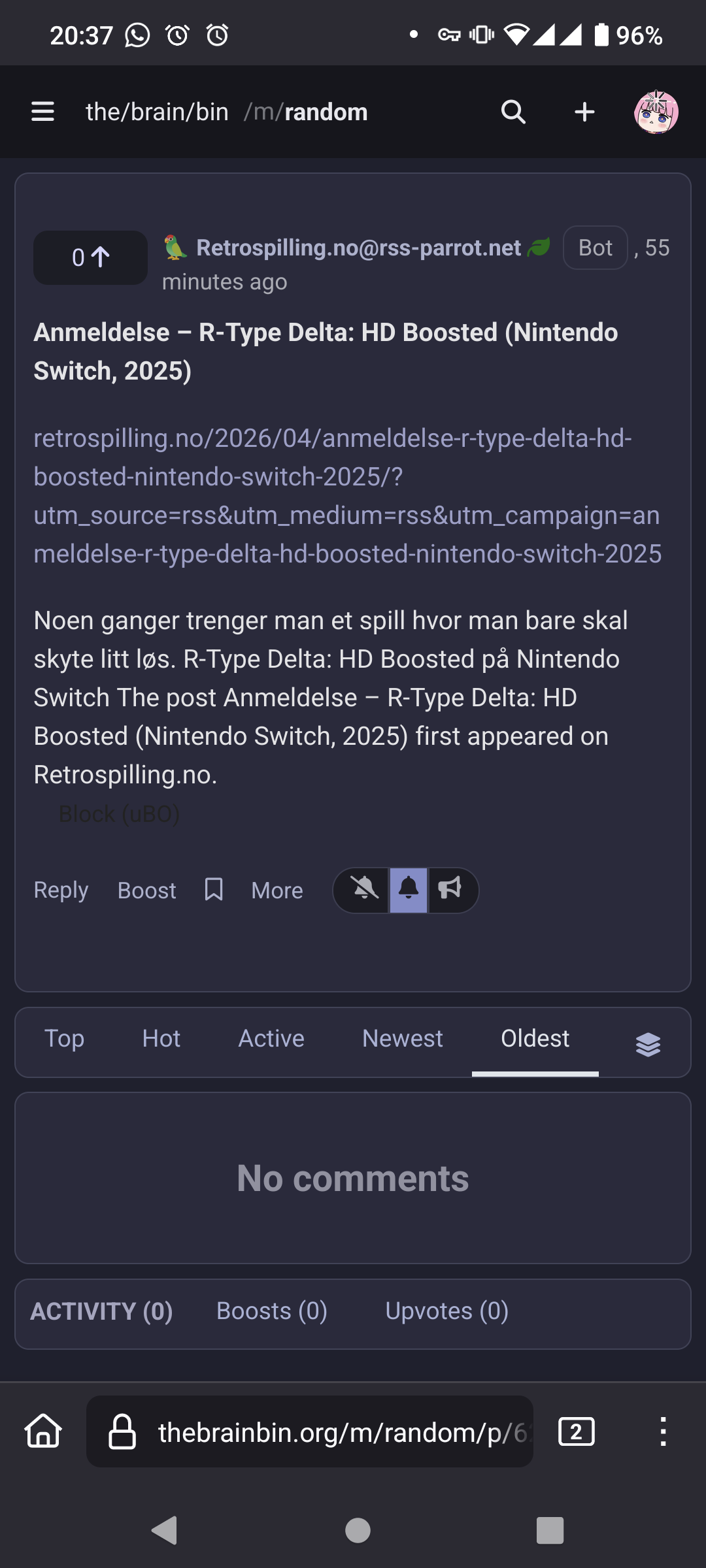
The bot is pulling from the site's RSS, thus the trackers.

In such a situation, a question arises though, is it better to clean the link before opening to stay private, or open as is to show RSS is still relevant? "<.<
15
RSS feeds for Egaite? (thebrainbin.org)
submitted 3 months ago by to c/rssfeeds@lemmy.world


Egaite is a site announced some months ago as a Pixiv alternative that doesn't allow AI-generated images, and that had the release delayed due to using an underscoped server, and apparently some legal trouble with the name it would originally have.

It is now live, but skimming around the site, I see no RSS feeds, at most users linking their blogs and such. I also see no feeds on bridge sites.

So my question is, does it have any feeds, maybe which I may have missed?

Thanks in advance!

16


OCD in me just noticed #Newsboat seems to have a limit of 17 characters per #RSS feed when at the all in one query:All Unread Articles:unread = "yes" feed.

Since I use mainly it, yay for having to rewrite the names of a comically large number of feeds. 🥹

(Well, at least I was reworking my feeds anyways)

17
submitted 5 months ago by to c/rssfeeds@lemmy.world


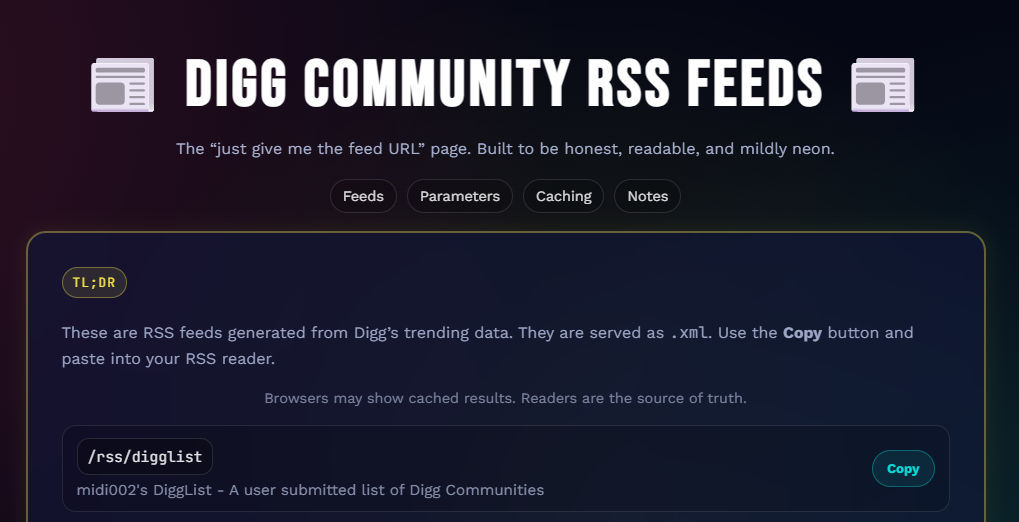
Some user made a bridge tool for the Digg communities, announced here.

Wish it could've been official, but for those trying to keep forums alive, better than nothing I guess. =)
18


https://github.com/mratmeyer/rsslookup

RSS Lookup is a free, open-source tool designed to find the RSS feed associated with any URL. Simply paste the website's address, and RSS Lookup will scan the site's HTML and check common feed path conventions to give you the best chance at finding feeds on the site.

Check out the live tool: www.rsslookup.com

19


Just a rambling post, btw.

But those that post about such news usually are on platforms that, likely unbeknown to them, have RSS feeds either natively or by bridges.

Ironically, the subreddits I still lurk, including the one I saw the post on, I do so thanks to RSS feeds, since Old Reddit still has it.

That's it. "<.<

20


Crossposted from https://thebrainbin.org/m/programming@programming.dev/t/1374405

From the OP:

I have created InsideStack where you can search tech content from currently over 600 Tech Feeds from independent bloggers, Open Source Projects, small Tech Media Houses and Big Tech companies. I am purely following RSS/Atom Feeds and do not scrape the web.

My Goal is to provide a diverse Tech Feed with quality Content and also increase visibility of independent Tech experts which are putting a lot of effort into their blogs.

It is hosted on Hetzner. It has also semantic search (using Mistral Embedding) which is functioning very well.

I would appreciate your feedback. Also if you have any recommended Blogs/Feeds, I will add them very happily.

Also if it can be somehow integrated into Lemmy, I would be very happy to do so.

The original poster also asks for feedback, so I suggest doing so in the original post.

21


As I open articles in batch and either randomly or semi-randomly, I don't get to see where an article is coming from until it loads in the browser. But when it does, chances are the article's hidden somewhere, and the search function only finds the article, not its feed (unless you name the feed as its link).

That would be a problem as then if you find an article whose feed you no longer want, you get reminded to remove it, but have no easy way to track it down. Or, tangential to that and the main reason I sought a solution, Mbin feeds if malformed but still recognizable as RSS feeds become the feed for the landing page, meaning spam of a bunch of communities I want nothing with. 💩

And since some versions ago, a solution indeed came for Newsboat, where it added the article-feed function which when used within an opened article, takes you to its source feed, allowing you to get its link and remove it with your text editor of choice. And it can be tied in Newsboat's config to an internal macro or as a menu option.

Worst part was having to compile the program, but nothing out of this world and at least it works fine when not installed to the system (best option since I couldn't make a decent AppImage out of it).

22


I have multiple .opml files (that list rss feeds I subscribe to in xml i.g.) with different contents on different devices. How can I merge them without duplicates? Are there tools for this?

23


Recently, someone made a fork of Bluesky the instance and made Blacksky.

Got curious if accounts would load in there, and upon testing, they do. But then tested further, and even a local RSS is generated, akin to Mbin and Misskey!

Testing for example one of the parallel accounts of Extra Fabulous (comic series - link), just had to copy the handle over to the Blacksky instance (resulting link), and add /rss at the end the same way one would do with Bluesky (resulting link).

Couldn't find any Blacksky profiles yet to test the opposite, but I'd imagine it'd work unless Bluesky actively tries to block the instance.

But alas, good news for redundancy or if someone prefers one service over the other! =D

24


Use thunderbird as a rss feed reader? Or do you dislike thunderbird and prefer others because of certain features?

25
Feeds I know of (thebrainbin.org)
submitted 11 months ago by to c/rssfeeds@lemmy.world


Thought it might be interesting to share, so below it goes.

Feel free to suggest any more!

RSS search/lookup tools


  • RSSHub Radar - browser extension that tries to find RSS links in pages currently being looked at.

  • RSS Lookup - the site looks up for feeds in the page that loads by the link the user provides, and as a bookmarklet looks up for feeds in the current tab.

Unofficial ones


  • RSS bridges for Twitter - Nitter, which has multiple independent instances; example 1, example 2, example 3. Append /rss to the end of a profile's base link or get the link directly from the RSS button in the top right.


  • RSS bridge for select sites without native feeds - RSS愛好会

Fediverse instances

  • Lemmy - At the top of any given community, copy the link from the RSS feed button to the side of the filter and sorting options. Lemmy only hosts local feeds, so getting the link of e.g. an ani.social community through lemmy.world will grant you an ani.social feed, not a lemmy.world bridge.

  • Mastodon tags - Go to the page of a given tag, e.g. https://mastodon.social/tags/fediverse, and add .rss to the end of the link, so in the example, https://mastodon.social/tags/fediverse.rss. Unlike users (see right below), tag RSS tracks external posts.

  • Mastodon users - Go to the main page of a given profile, e.g. https://mastodon.social/@Mastodon, and add .rss to the end of the link, so in the example, https://mastodon.social/@Mastodon.rss. Akin to Lemmy, only tracks local profiles.

  • Mbin - Each feed (list of posts) has an RSS feed at the bottom of the sidebar, in the RSS hyperlink right above Powered by Mbin. Allows tracking remote communities too, and after an update, added the possibility of tracking threads, microblog, both at the same time, and domains (and yet to check if users too).

  • Misskey - Same as Mastodon, add .rss to the end of a profile's base link. Allows tracking remote profiles.

  • NodeBB - for categories, simply add .rss to the end of the link (e.g. https://billboard.bsd.cafe/category/5.rss); for topics, remove anything past the topic ID and append .rss, e.g. https://billboard.bsd.cafe/topic/4.rss for https://billboard.bsd.cafe/topic/4/welcome-to-the-freebsd-section.

  • Peertube channels - for one of the feed variants, in a given channel's main page, click on the arrow to the side of the "Subscribe" button, and in the dropdown menu, get the RSS link from "Subscribe via RSS"; for the other variants, when available, in the same page, look for "Subscribe to RSS feed" (ctrl f if you can't find), and get the format you want from the RSS icon's dropdown menu to the right. Unfamiliar how Peertube handles remote profiles.

  • Peertube users - go to the user's page, https://{domain_name}/a/{user_id}/video-channels, click on "Subscribe to all channels" and click or right-click "Subscribe via RSS".

  • PieFed - In a given community, get the RSS link from the RSS feed hyperlink in the sidebar. Allows tracking remote communities.

  • Bandwagon - With a profile's link, e.g. https://bandwagon.fm/@some_user, add /feed?format=atom, /feed?format=rss or /feed?format=json at the end of the link, whichever you prefer. Alternatively, go to the page's source (on Gecko browsers, e.g. Firefox, Ctrl U or by adding view-source: to the beginning of links), look for the links with /feed?format=, and get the link or links you want/need.

Fediverse bots

  • RSS Parrot - Used to generate bots on the fediverse from RSS feeds. Instructions on the site. Works on Mastodon but not on Mbin, and unaware of compatibility to other microblogging-capable softwares. With the bot created, follow it through some Misskey instance and get Misskey's RSS for it as explained in the "Fediverse instances" section above.

  • @bsky.brid.gy@bsky.brid.gy / Bluesky counterpart - Bluesky-Fediverse bridge. Instructions on the bot's bio. Accounts bridged to Bluesky can be followed through Bluesky's native RSS for profiles, and accounts bridged to the fediverse can be followed using Misskey's RSS for profiles, as explained respectively in the sections "Other forums/blogs/microblogs" and "Fediverse instances".

  • Fediverse instance for RSS bots, Ibbit, successor of Pondercat (RIP) - Meta community (@meta@ibbit.at) used (also) for requesting new feeds to be tracked, according to its sidebar. Once included, users can have fediverse-provided RSS feeds through Lemmy, Mbin, Piefed and Misskey, as explained in the Fediverse section above.

  • Linux APT package feed2toot: Ubuntu Packages link. From the description, "automatically parses rss feeds, and posts entries to the fediverse".

  • Lemmit (instance) - Reddit to Lemmy crossposting instance. See Lemmy's entry on the "Fediverse instances" section above.


Other forums/blogs/microblogs

  • ArtStation - Use https://someuser.artstation.com/rss, changing someuser for the ID of a given user found in its link.

  • Bluesky - Add /rss to the end of a given profile's base link.

  • DeviantArt - Use https://backend.deviantart.com/rss.xml?type=deviation&q=by%3Asomeuser+sort%3Atime+meta%3Aall, changing someuser for the ID of a given user found in its link.

  • Reddit - Using old.reddit.com, add .rss to the end of user or subreddit links, e.g. https://old.reddit.com/r/AskReddit/.rss and https://old.reddit.com/user/spez/.rss

  • Medium - Add /feed right after the domain, e.g. https://medium.com/feed/@someexample

  • Pixiv - Only for official news from the site. Go to https://www.pixiv.net/info.php and pick the global feed link and/or the subsection links you want from the respective signal icons acting as hyperlinks.

  • Tumblr - for profiles with the link pattern https://some_user.tumblr.com/ and custom links (e.g. https://satw.us/), add /rss at the end of the link, e.g.https://some_user.tumblr.com/rss and https://satw.us/rss

  • VGMdb (forums) - Need to check again, but previously could only find some feeds through the page's source (on Gecko browsers, e.g. Firefox, Ctrl U or by adding view-source: to the beginning of links).

Other sites that have feeds due to their underlying engines

  • Both Blogger and Livedoor (ライブドアブログ)-powered sites - Go to the page's source, e.g. Gecko's Ctrl U or view-source:, and look for the feed links right after rss+xml and atom+xml mentions (two different types of feeds, so pick the one/ones you want/need).

  • Discourse-powered forums (e.g. RetroPie's, and these forums look kinda the same) - forum categories and posts both have a (small) RSS button, the former to the side of the category's name at the top, and the latter to the side in the statistics right below the post's name at the top.

  • Wordpress-powered sites - By default include RSS options for new posts and comments in their source codes, so Gecko's Ctrl U or view-source: again.

Steam (community, store, etc.), because it has an excessive amount of feeds

  • Steam group announcements (News Hub) - Use https://store.steampowered.com/feeds/news/group/<group-id>, e.g. for Steam Client Beta with ID 4397053, https://store.steampowered.com/feeds/news/group/4397053

  • Steam group announcements (Steam Community) - get the link from the button at the sidebar of the announcements tab, or more guaranteed since a variant interface doesn't show it, using the group's base link (e.g. https://steamcommunity.com/groups/somegroup), add /rss at the end.

  • Steam game news (News Hub) - Use https://store.steampowered.com/feeds/news/app/<app_id>/, e.g., for Dota 2 with app ID 570, https://store.steampowered.com/feeds/news/app/570/

  • Steam game news (Steam Community) - Use https://steamcommunity.com/games/<app_id>/rss/, e.g., for Starbound with app ID 211820, https://steamcommunity.com/games/211820/rss/

  • Steam general news (News Hub) - Use https://store.steampowered.com/feeds/news.xml

Other stores, store-adjacent and catalogue-esque sites


  • GOG's announcements - Use http://www.gog.com/frontpage/rss

  • Ototoy - Use https://ototoy.jp/rss/

  • VGMdb (game & anime albums database) - "Albums Just Added" & "Upcoming Albums" linked in the sidebar.

Comics sites and blogs

  • A Softer World - Use http://asofterworld.com/rssfeed.php

  • Buttersafe - Use https://www.buttersafe.com/feed/

  • Junior Scientist Power Hour - Use https://www.jspowerhour.com/comics.rss

  • Line WEBTOONS - If a series there has an RSS feed, the RSS button appears to the left of the "Subscribe" button near the top right.

  • Safely Endangered - Use https://safelyendangered.com/blogs/comics.atom

  • Tapas - Go to a given series, e.g. https://tapas.io/series/some_series, and add rss/ before series/, e.g. https://tapas.io/rss/series/some_series. Also found an extension that adds a button with the RSS link to a given series' page (Firefox Add-Ons link)

  • xkcd - Use whichever you want of https://xkcd.com/rss.xml and https://xkcd.com/atom.xml

  • クラゲバンチ - From my experience, RSS button for a given series is included in any of the series' chapters.

News/magazines sites (gaming)

  • GamingOnLinux - Home page and each page from the Sections tab that once opened have a "Latest" segment have their own feeds with their respective RSS null

  • GrabFreeGames - Use https://grabfreegames.com/rss

  • Indie Retro News - Use https://www.indieretronews.com/feeds/posts/default

  • Nintendo Life - Use https://www.nintendolife.com/feeds/latest

  • RPG Site - Use https://www.rpgsite.net/feed

News/magazines sites (others)


  • Nova (some Serbian news media) - Use https://nova.rs/feed

  • Revista Oeste (Brazilian political news media) - use either/both https://revistaoeste.com/atom or/and https://revistaoeste.com/feed

  • Switched to Linux - All feeds linked at https://www.switchedtolinux.com/rss-feeds

  • Waterfox - Use https://www.waterfox.net/blog/rss.xml

Video platforms

  • Odysee - Go to a given channel, click on the 3 dots in the top right, and click on Copy RSS URL.

  • Youtube, option #1 - see RSSHub Radar in the "RSS search/lookup tools" section. May need reloading the channel page.

  • Youtube, option #2 - if a given channel's link follows the https://www.youtube.com/channel/some_very_random_code pattern, e.g. https://www.youtube.com/channel/UCnHXLLNHjNAnDQ50JANLG1g (Youtube Rewind's), add the part after /channel/ to the end of https://www.youtube.com/feeds/videos.xml?channel_id, so in the example https://www.youtube.com/feeds/videos.xml?channel_id=UCnHXLLNHjNAnDQ50JANLG1g.

  • Youtube, option #3 - go to a given channel's main page (https://youtube.com/channel/some_code, https://youtube.com/@some_channel) open the page's source, e.g. on Gecko browsers like Firefox, Ctrl U or by adding view-source: to the beginning of the link, look for application/rss+xml (Ctrl F helps) and get the link that comes right after.
view more: next ›