26
27
28
29


I ( @excursion22@piefed.ca ) received the email this morning from Proton announcing improvements to Drive speed, and they just happened to tuck this in there:

... It also allowed us to focus on deeper integration with the rest of the Proton ecosystem (such as Drive in Lumo) and support for a Linux client, which we're now actively building.

Glad I won't have to continue using my cobbled together Syncthing solution much longer.

Here's the full email for anyone interested, seems the announcement isn't on their website yet.

Tap for spoilerDear Proton community member,

A faster, more powerful Proton Drive is here, giving you smoother access, stronger protection, and more control over your files.

Proton Drive is up to 3x faster

We rebuilt Proton Drive around a single, shared engine that now powers uploading, downloading, and encryption across all our apps. Uploads are up to 3x faster and downloads up to 2x faster, plus smoother scrolling and quicker loading in Photos. It also allowed us to focus on deeper integration with the rest of the Proton ecosystem (such as Drive in Lumo) and support for a Linux client, which we're now actively building.

Faster, stronger encryption

Your files stay end-to-end encrypted — that hasn't changed, and never will. But that happens more efficiently now. We've adopted a cryptographic advance in the OpenPGP standard, cutting encryption time for new file uploads by up to 4x.

More control over who can manage your shared files

When you share a file or folder, you can already choose Viewer or Editor access. Now you can also decide whether an Editor can manage sharing on your behalf — inviting others, changing permissions, or removing access. To keep that control for yourself only, open the share's Settings and toggle off access.

More power and flexibility across Proton Drive

Alongside the updates above, we’ve continued improving Proton Drive across platforms, making it easier to automate workflows, browse shared files, manage syncing, and work more efficiently.

  • The Proton Drive CLI is now available for Linux, macOS, and Windows, so you can script uploads, downloads, and sharing from your terminal.
  • Grid view is now available on public Proton Drive links, making shared photo folders much easier to browse.
  • On the Windows desktop app, you can now pause syncing for a few hours or until the next day, and Proton Drive automatically resumes so you don't forget to turn it back on.
  • A new encrypted cache stores your 500 most recently viewed thumbnails, so albums you've already browsed load instantly the next time.
  • Proton Sheets now supports custom currency, number, and date/time formats, alongside bug fixes and reliability improvements.

Protecting your privacy is our priority. Follow us on X for the latest feature releases, privacy news, and security tips. Join the discussion on Reddit for insights directly from our team, and share your ideas on UserVoice to help shape Proton’s future.

Thank you for your continued support. Stay secure,

The Proton Drive team

30


cross-posted from: https://infosec.pub/post/49770060

Comments

31
32
33
34
35
36


I'm ditching Ubuntu for Debian. But I'm wondering if I shouldn't use Debian Testing instead of Stable to get more updated software.

Tuxedo OS is going to rebase their distro on Debian Testing, and I've heard that it's actually pretty stable for a non-stable distro, which is why I'm considering it. But, I want your hear about your experience. What kind of trouble do you frequently run into? Any traps I should look out for?

I really want something that's going to be no-fuss, solid as a rock and that's simply going to get out of my way. I don't have time to troubleshoot my PC after a whole ass day of troubleshooting some company's software shit.

Before you tell me to switch to whatever other distro, I'm not interested. I want to use Debian. I'm used to it's packaging system and how it's set up and I know it's a super stable distro. And I fully support the people behind it and their social contract.

37
38


cross-posted from: https://realbitcoin.cash/post/334465

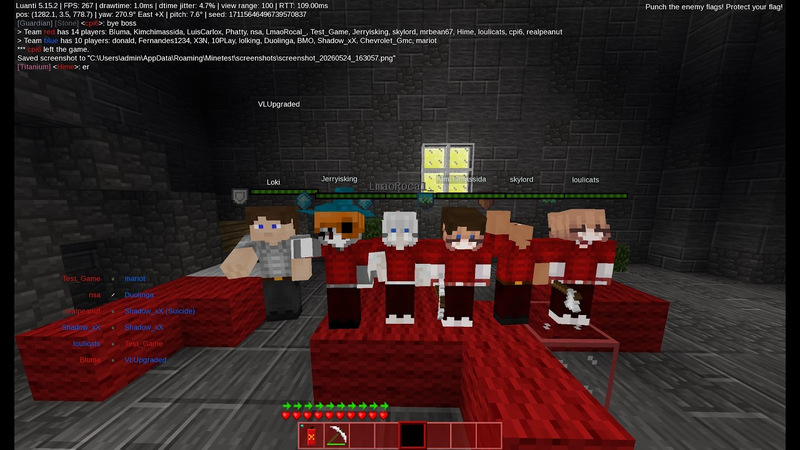
So many people think open source games are a no-go. But there are many good FOSS games. Luanti CTF is one of those games I really enjoy. It is based on the open source voxel game engine Luanti which has similarities with the closed source Minecraft game.

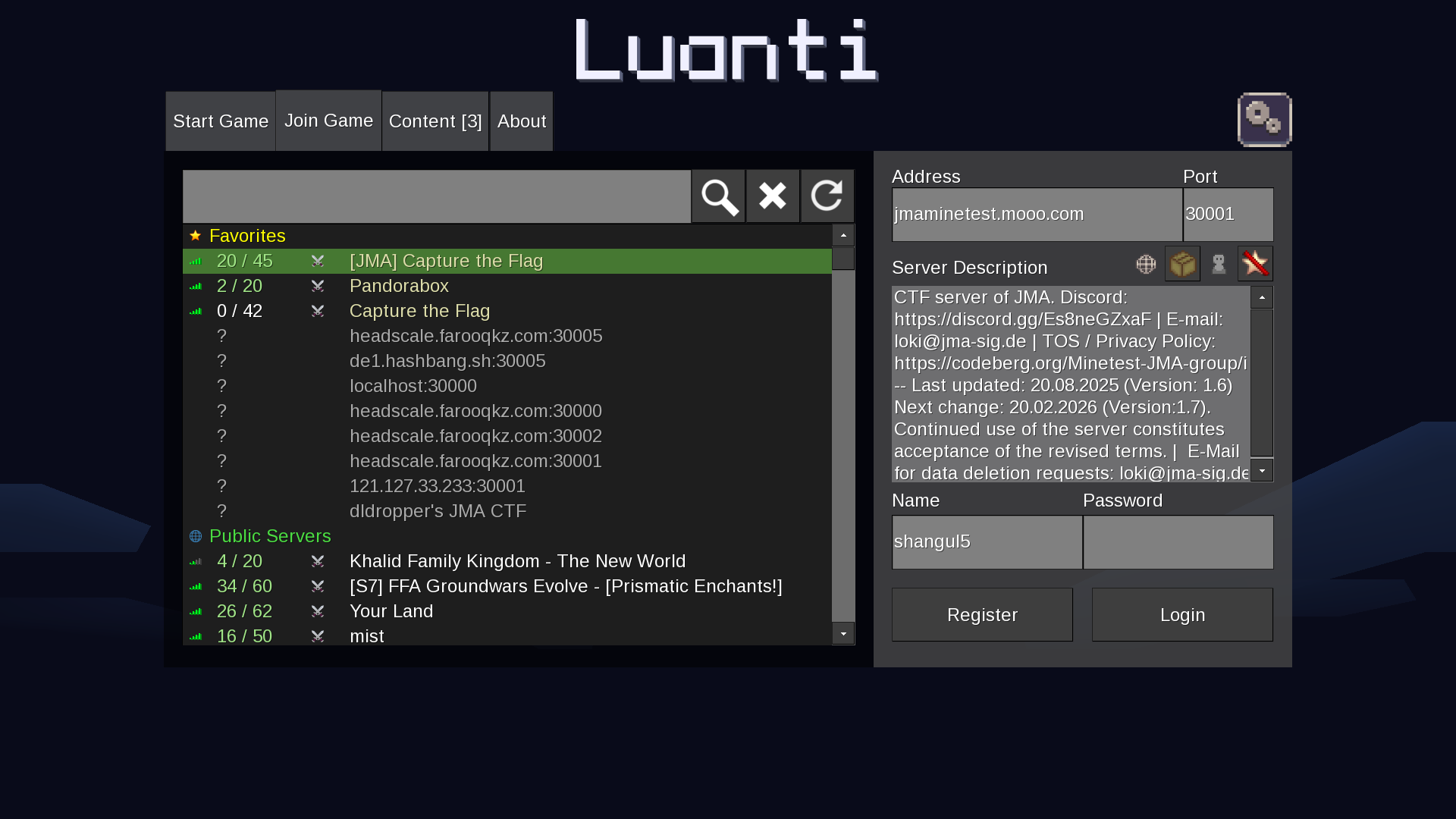
Showing server list in Luanti

I have been playing this game since youth years. And now I also develop the game :)

Server address: jmaminetest.mooo.com:30001

Some YT channels posting CTF vids:

Edit: See this post from rubenwardy on history of CTF. He started the game. And as he lost interest, he did a wise choice to hand it over to someone else.

Edit2: This server, and also other servers in the JMA network is strictly family friendly. Bear this in mind when playing on the server. This also means it could be a good playground for your kids, if you've got any :)
39
40


Edit: Thanks for all suggestion! In my case (Thinkpad) I managed to make it persistent via udev, as described here.

It looks like there was a pre-existing udev configuration about this, but had slightly wrong SUBSYSTEM and DRIVER parameters:

  • old: SUBSYSTEM=="acpi", DRIVER=="button"
  • correct (in my case): SUBSYSTEM=="platform", DRIVER=="acpi-button"

maybe because of some recent systemd changes?

Hope this may help others.


I have Kubuntu on a Thinkpad, and a S3-sleep state selected in the Bios.

My setup has always been to not resume from sleep when the lid is open. I achieved this by running once

echo "LID" | sudo tee /proc/acpi/wakeup

which toggles the wakeup-on-lid state. The behaviour would be respected upon restart.

Here's my problem: since some recent update – I don't know whether from apt or fwupd – I discovered that the laptop was waking up upon lid opening. So I issued the command above again. It works, but it gets reset upon restart, unlike before.

Anyone has good tips on how to make this setting permanent?

In the Bios I didn't find any settings about this.

Cheers!

41


An important difference between Wayland and X11 is that Wayland by concept combines window manager and compositor. That made it harder to write simple or experimental window managers for Wayland, such as StumpWM or i3.

River is a compositor for Wayland that supports implementing a window manager separately, with an independent window placement paradigm, in an arbitrary language.

Here is the wiki page listing window managers for river:

https://codeberg.org/river/wiki/src/branch/main/pages/wm-list.md

The ones I find most interesting are mousetrap and mopotamo - I am a big fan of StumpWMs manual tiling and configurability.

42


First post here, if this place isn't for tech support, I'll remove it.

I’ve heard dual booting Linux and Windows isn’t a good idea because Windows Update will nuke the Linux boot loader, so I’ve avoided doing that.

For a very long, technical, and complicated reason, I still need Windows because one piece of software that I absolutely MUST have is only compatible with Windows. No, there is no alternative software available for my use case; none, zero, not any, at all. I’ve already tried running it within many different VMs, using many different hypervisors, and I’ve already tried Wine; they aren’t an option, the software isn’t stable in those cases. I don’t want to get in the weeds about it, so please just accept that I NEED some version of Windows installed.

Since Windows 10 doesn’t receive updates anymore, can I dual boot Linux and Windows 10 without worrying about whether Windows Update will break anything?

I intend to keep Windows on one drive and Linux on another. Windows would only be used when I need to run this one specific program, which is maybe five or ten hours per week. The rest of the time, I’d be using Linux.

43


A small tool for KDE Plasma (and other freedesktop desktops) that lets you easily customize single app icons:

  • Use your own images or library
  • Copy icon from another app
  • Pick one icon from any installed theme (without switching global theme)
  • Built-in pixel editor to create your own
  • Batch apply, undo, overrides, missing icons overview
  • Import image to turn it into an icon

GitHub: https://github.com/rayman1972/kappicon

AUR: kappicon or kappicon-git

By developer @rayman30@lemmy.world

44
45
46
47
48
49
50


Upstream images vs bazzite: https://github.com/ublue-os/countme/blob/main/growth_upstream_with_bazzite.svg

My prediction: bazzite may have more installs than Fedora KDE by the end of the year.

view more: ‹ prev next ›