301


One of my main gripes regarding git is that it just generates diffs per line regardless of context or document format. This can be frustrating as it often leads to diffs that cover the end of a function declaration that was not touched and leaves out the end of a function that was just added.

Git supports diff options such as patience and histogram but , even though they mitigate some problems, they are still fallible.

So does anyone know if there is any way to get git to do context- or document format-sensitive diffs?

302
303
submitted 3 years ago* (last edited 3 years ago) by to c/git@programming.dev


I'm looking for a web-based client, like git gui for choosing files to stage and to make commits. The actual files in the git repo would be edited elsewhere, so that is taken care of, but my google-fu is letting me down in this endeavour of finding the actual client.

There is a metric ton of repo browsers, and that would be fine, as long as they also could show status and diffs from a git repo and being able to commit.

Anyone have any pointers to anything a web git client? Thanks!

304
305
submitted 3 years ago by [M] to c/git@programming.dev
306
307
308


cross-posted from: https://lemmy.sdf.org/post/1352760

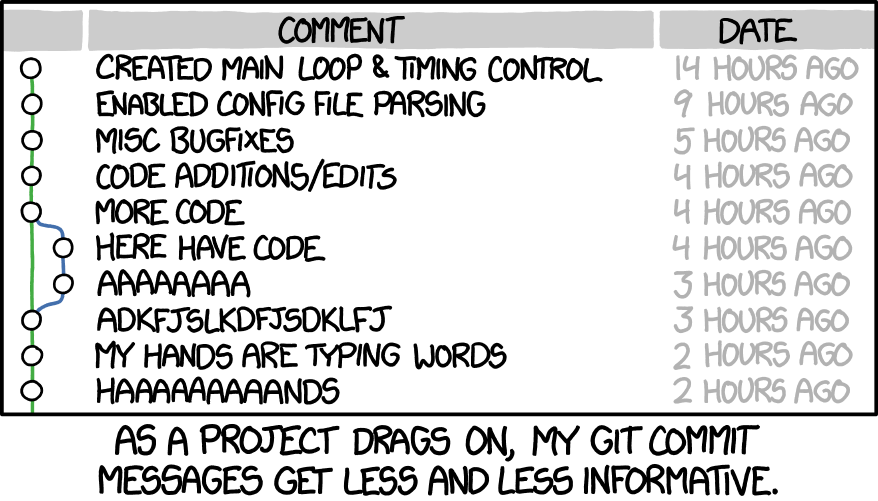
Was digging through a project at work today where some guy in 2014 made 100+ commits in a single day and the only one that had a comment said "upgrading to v4.0".

309
submitted 3 years ago by [M] to c/git@programming.dev
310


My account was flagged because I forked and contributed to the project Eaglercraft, and that means my account is basically useless. I have had enough of Microsoft's exploitation of power and want to switch to another alternative.

I tried GitLab, but I need to signup with a credit card and I am not comfortable giving my personal info out.
I tried Gitea and the experience is great, but I am limited to 5 repos. I tried Source Forge, but I cannot verify my phone number when creating a repo. The prompt just returns an API error.

What other alternative should I try?

311
312


Hi, I'm writing a script that incorporates some functionality from another script. The other script is developed and maintained by someone else, hosted on github and released under the MIT license. What is the best way to incorporate that other repo into my own with an easy way to keep it updated when the other developer releases a new version. I don't really intend to contribute to the other repo, just use their code.

313
314
315
submitted 3 years ago* (last edited 3 years ago) by [M] to c/git@programming.dev


You can use git switch - to switch to the previous branch. In the following example, we see switching back and forth between branches main and my_dev_branch:

C:\git\my-repo [my_dev_branch]> git switch -
Switched to branch 'main'
Your branch is up to date with 'origin/main'.
C:\git\my-repo [main ≡]> git switch -
Switched to branch 'my_dev_branch'
C:\git\my-repo [my_dev_branch]>

Edit: Old habits die hard. Updated to use switch instead of checkout since switch has a clearer responsibility. Obviously they work exactly the same for this scenario.

316


I have a repository on github for a project that deals with importing/processing/sending reports to clients. There is now talk of creating a similar application for a different set of users, without the import part, but multiple send parts. The existing code base already has 90% of what the new application needs (and some extra that is not needed for this new project).

Should I fork the existing project and make the new project, or should I use the 'import project' function on github to create a new project based on the old project, or use the commandline to mirror the old project into a new project, or something else?

In future, there might be more projects that build on top of one of these projects with their own customizations, so I'm looking for a good approach that I can leverage again in future.

Please advise.

317
318
319
320
321
 
 
322


Hey folks,

This is an update to: https://sh.itjust.works/post/580838

On https://github.com/csm10495/commit-ment, I made it to somewhere around 22 million commits. I can't imagine this is not a world record for commits to a single branch. In the middle of the night, I got an email from GitHub support saying:
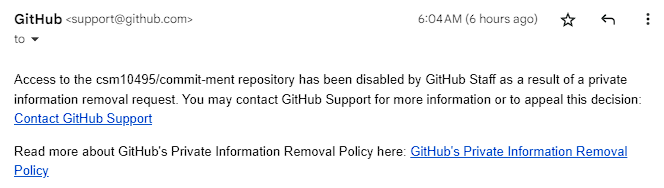
A few minutes later, I got another email like so:
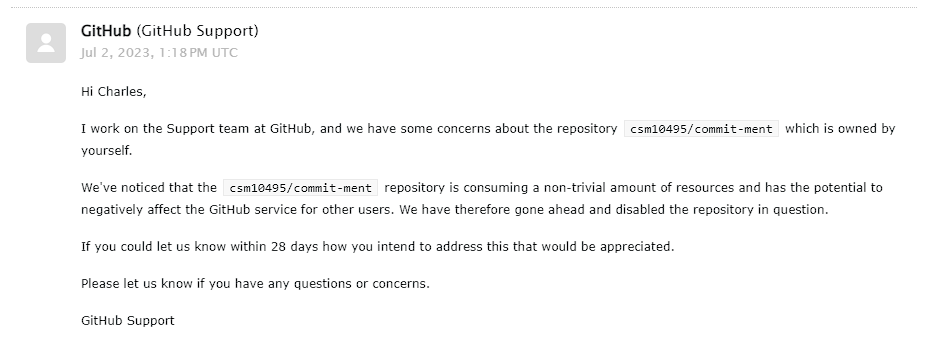
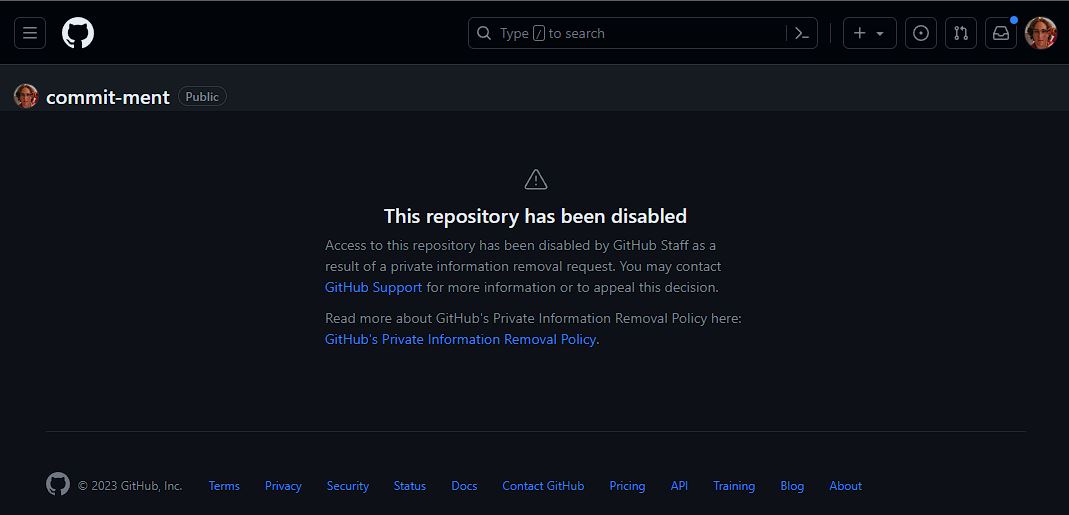
I've asked them if the two emails are related (and I guess if the first one is some sort of error since there was no personal info in that repo). I've also asked if they can give any information about what triggered the email and if they can give me more info about what it looks look on their side.

I've also asked if they can re-enable it so I can give one more commit to say the final results on the readme then (public) archive it.

We'll see what they say.

Doing a pull is interesting at the moment, it shows:

git pull origin master --no-rebase -vvv
ERROR: Access to this repository has been disabled by GitHub staff due to
excessive resource use. Please contact support via
https://support.github.com/contact to restore access to this repository.
Read about how to decrease the size of your repository:
  https://docs.github.com/articles/what-is-my-disk-quota

fatal: Could not read from remote repository.

Please make sure you have the correct access rights
and the repository exists.

Similar thing happens if you try to clone: git@github.com:csm10495/commit-ment.git

So yeah, I figured this would happen sooner or later. I just hope they can tell me a bit more about what it looks like on their side since managing this repo on my box is a pain, I can't imagine what it could look like on theirs. I'm also curious how pull requests could merge at such a rate given that just doing a pull on my end could take minutes. So many questions!

This whole project was really just for curiosity on my end, so anything I can learn/find out is much appreciated on all ends.

Anyways, just figured I'd update y'all.
323
324
325


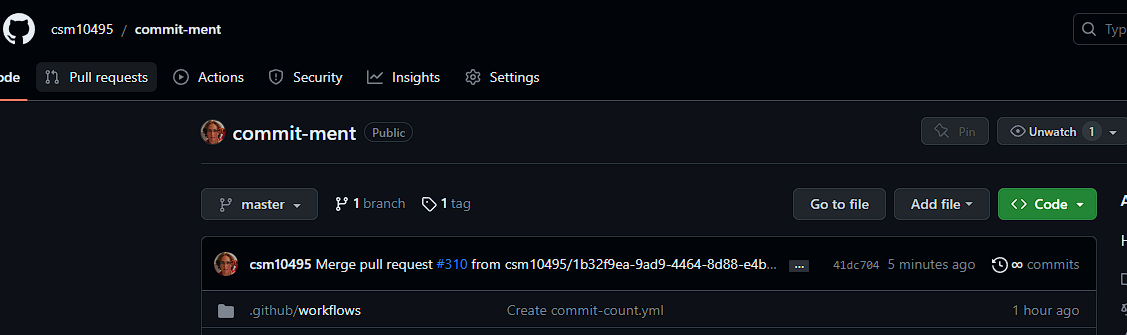
I decided to see how many commits GitHub (and git) could take before acting kind of wonky. At ~19 million commits (and counting) to master: it's wonky.

The GitHub API has periodic issues merging/creating PRs. (I use PRs since that is more reliable than keeping a local master up to date via pulling at this point).

GitHub reports... infinity infinity commits. Doing a full clone from GitHub Actions is taking around 2 hours.
Using:

git pull origin master

to update my local master hangs for a while before even printing anything.

If anyone has seen a public GitHub repo with more commits to its main branch, let me know.

If anyone wants to see how slow wonky git acts at this scale, feel free to clone.

Edit: Update to this post is: https://sh.itjust.works/post/672069

view more: ‹ prev next ›